Open form follow the instructions
Easily sign the form with your finger
Send filled & signed form or save
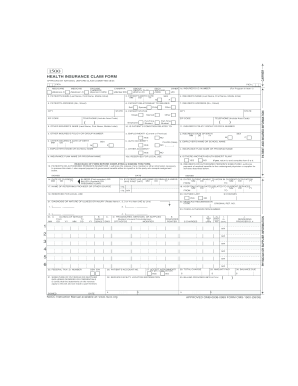
How to fill out the Nucc Org 1500 Claim Form online
The Nucc Org 1500 Claim Form is an essential document for billing health insurance services. This guide will provide you with clear, step-by-step instructions to ensure you successfully complete the form online with ease.
Follow the steps to complete the form correctly.
- Click ‘Get Form’ button to access and open the claim form in the online editor.
- Begin by entering the patient's name in the format of Last Name, First Name, and Middle Initial. This is crucial for identifying the individual for whom the claim is being filed.
- Input the patient's birth date in MM/DD/YY format. This information is necessary for age verification and eligibility assessment.
- Fill in the patient's address, including street number and name, city, state, and ZIP code. Accurate addresses help with correspondence regarding the claim.
- Indicate the relationship of the patient to the insured. Possible selections include 'Self,' 'Spouse,' 'Child,' or 'Other.' This section clarifies the connection between the parties involved.
- Provide the insured's name following the same format used for the patient's name. Accurate identification of the insurance holder is critical.
- Enter the insured's ID number, which may be listed as the group health plan number or Social Security number, thoroughly cross-checking for accuracy.
- In the designated fields, specify if the patient's condition is related to an employment injury or other accidents, marking 'Yes' or 'No' as appropriate.
- Complete the authorization signature sections, ensuring that both the patient and the insured (if different) provide their signatures, along with the date.
- Finally, review all entries for accuracy, then save your changes. You can choose to download, print, or share the completed form as needed.
Ensure your claims are filed accurately by completing the Nucc Org 1500 Claim Form online today!
Experience a faster way to fill out and sign forms on the web. Access the most extensive library of templates available.
Related content
APPROVED BY NATIONAL UNIFORM CLAIM COMMITTEE (NUCC) 02/12. PICA. 1. MEDICARE ... b. NPI...
PATIENT'S OR AUTHORIZED PERSON'S SIGNATURE I authorize the release of any medical or other...
o The Centers for Medicare and Medicaid Services (CMS) Form 1500 or its successor adopted...
Get answers to your most pressing questions about US Legal Forms API.
How do I print a $1500 claim form?
To print a Nucc Org 1500 claim form, first, locate a suitable version online at trusted sources like US Legal Forms. After downloading, open the file and verify that it is filled out correctly. Adjust your printer settings for optimal print quality, and then proceed to print the form for your records and submission.
What is nucc on a CMS 1500 form?
NUCC stands for the National Uniform Claim Committee, which oversees the standardization of the CMS 1500 claim form. This organization ensures the form meets the necessary requirements for billing in the healthcare industry. A properly completed form increases the likelihood of smooth and timely processing by insurers.
Can I print my own CMS 1500 forms?
You can print your own Nucc Org 1500 claim forms if you have the correct template downloaded. Ensure that you are using high-quality paper and a reliable printer to maintain the form's integrity. If needed, platforms like US Legal Forms offer pre-designed forms that you can customize and print effortlessly.
Can I download a CMS 1500 form?
Yes, you can easily download a Nucc Org 1500 claim form from reputable sites like US Legal Forms. Simply navigate to the appropriate section, select the form, and choose the download option. This allows you to fill out the form at your convenience and ensures you have the correct and most recent version.
What are the most common errors made when filling out a CMS 1500 claim form?
Common errors when completing a Nucc Org 1500 claim form include incorrect patient information, missing signatures, and errors in coding services. Another frequent mistake is not following the guidelines for formatting dates and other essential details. To minimize these errors, consider using tools available on the US Legal Forms site to guide you through the process.
Who submits CMS 1500?
The CMS 1500 form is typically submitted by healthcare providers, such as doctors and clinics, to insurance companies for reimbursement of services rendered. In some cases, billing personnel or third-party billing services handle the submission on behalf of these providers. Utilizing a platform like US Legal Forms can streamline this process and ensure accuracy.
How do I print a 1500 claim form?
To print a Nucc Org 1500 claim form, first, obtain a digital copy from a reliable source, such as the US Legal Forms website. Once you have the form open, ensure your printer settings are configured correctly for the best quality. Click the print option in your PDF viewer, and verify that all information is visible and formatted properly before finalizing.
How to fill a reimbursement form?
To fill a reimbursement form effectively, gather necessary patient and insurance details before starting the Nucc Org 1500 Claim Form. Ensure that you accurately list each procedure and its corresponding codes. If you encounter any confusion, consider seeking assistance from platforms like uslegalforms, which provide valuable instructions.
How to fill out a reimbursement form?
Filling out a reimbursement form involves detailing each service provided to the patient on the Nucc Org 1500 Claim Form. You need to include patient demographics, insurance information, and itemized service descriptions. Utilizing resources from uslegalforms can streamline this process, helping you complete the form effectively.
How do I write a reimbursement claim?
Writing a reimbursement claim requires you to clearly outline the services provided, including dates, procedures, and codes on the Nucc Org 1500 Claim Form. Be thorough in your descriptions so that the insurance provider understands the claim. Additionally, attach any necessary documentation to support your claim for a smoother review process.
Use professional pre-built templates to fill in and sign documents online faster. Get access to thousands of forms.
If you believe that this page should be taken down, please follow our DMCA take down process here.