Loading
Get Advance Directive California
How it works
-

Open form follow the instructions
-

Easily sign the form with your finger
-

Send filled & signed form or save
How to fill out the Advance Directive California online
Creating an advance directive is an important step in ensuring your healthcare wishes are respected. This guide provides clear and supportive instructions on how to fill out the Advance Directive California form online.
Follow the steps to complete your Advance Directive California online.
- Press the ‘Get Form’ button to obtain the Advance Directive California form and open it in an editable format.
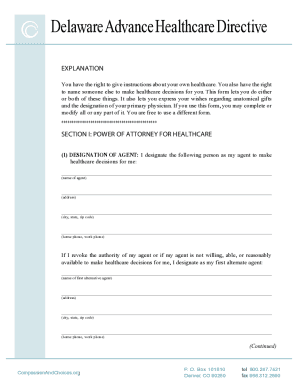
- Begin with Section I, where you will designate your primary agent for healthcare decisions. Fill in your agent's name, address, and contact numbers, ensuring to provide an alternate agent's information in case the primary is unavailable.
- In Section II, outline your instructions for healthcare decisions, particularly regarding end-of-life care. Choose whether you want to prolong your life or not and specify your wishes concerning artificial nutrition and hydration.
- Complete Section III by designating your primary physician, including their name, address, and contact information.
- In Section IV, state your wishes regarding anatomical gifts, marking the preferences that apply to you.
- After completing all the sections, review your form to ensure all information is accurate and reflective of your wishes.
- Once you are satisfied with the details you provided, save your changes, then download or print your completed form for your records and further action.
Ensure your healthcare preferences are understood and respected by completing your Advance Directive California online today.
The best place to store your advance directives is where they are easily accessible to healthcare providers and your loved ones. Consider keeping copies in your medical records, with your primary physician, and with your appointed health care proxy. Additionally, digital storage on secure platforms like USLegalForms can help ensure you have easy access and can share it when needed.