Loading

Open form follow the instructions

Easily sign the form with your finger

Send filled & signed form or save
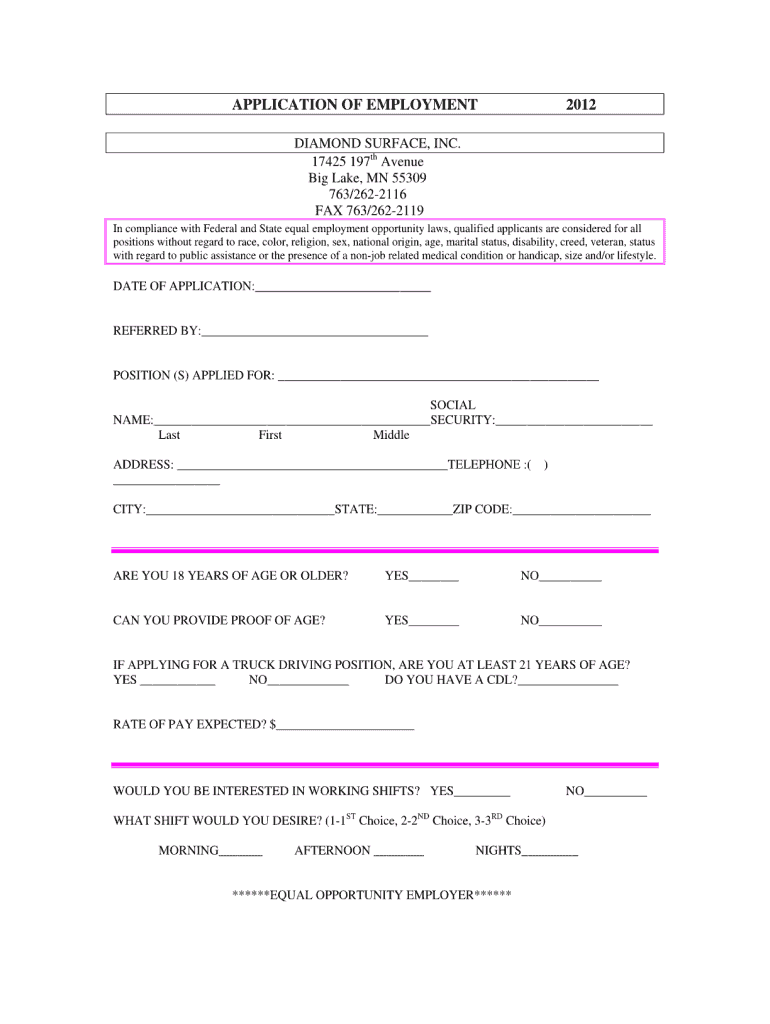
How to fill out the Blank Truck Driver Resume Form online
Filling out a resume form can be a crucial step in your job search as a truck driver. This guide will assist you in accurately completing the Blank Truck Driver Resume Form online, ensuring you present your qualifications effectively.
Follow the steps to complete your resume form with ease.
- Click ‘Get Form’ button to obtain the form and open it in the editor.
- Begin by entering your personal information, including your full name, address, phone number, and email address. This section is essential for potential employers to contact you.
- Next, provide your objective statement or summary. This brief section should highlight your career goals and what you bring to the role of a truck driver.
- In the experience section, list your previous employment history as a truck driver. Include the company names, job titles, locations, and dates of employment. Be sure to highlight relevant skills and responsibilities.
- Following that, fill in your education details. Include the name of the institution, degree obtained, and graduation date. Mention any specialized training related to truck driving, such as CDL certification.
- Next, list any relevant skills pertaining to truck driving, such as safety protocols, route planning, and customer service abilities.
- Conclude by reviewing the form for any errors or omissions. Once satisfied with your entries, you can save your changes, download the completed form, print it for physical submissions, or share it with potential employers.
Start completing your Blank Truck Driver Resume Form online today!
Experience a faster way to fill out and sign forms on the web. Access the most extensive library of templates available.
Related content
This library provides example forms and templates that you can use to demonstrate...
A resume for a job/internship should only be one page, avoiding colorful ink or designs...
by B Part · Cited by 1 — The manual covers Minnesota CDL requirements, license classes...
Get answers to your most pressing questions about US Legal Forms API.
What to put on a resume as a truck driver?
As a truck driver, you should include your contact information, objective statement, work history, relevant skills, and certifications, such as a commercial driver's license. Detailing your driving experience, including types of vehicles operated and routes taken, strengthens your resume. Using a Blank Truck Driver Resume Form can help you ensure that you include all important sections and present them clearly.
What is an example of a truck driver summary on a resume?
An effective summary for a truck driver resume might read, 'Dedicated truck driver with over five years of experience in long-haul transport, excellent safety record, and strong time management skills. Committed to ensuring timely deliveries while maintaining vehicle integrity. Proficient in route planning and managing customer relations.' You can easily create such summaries using a Blank Truck Driver Resume Form as a base.
What is the best format for a resume for a truck driver?
The best format for a truck driver resume is often a chronological or combination format. This structure allows you to present your experience in a clear timeline while emphasizing relevant skills. Using a Blank Truck Driver Resume Form helps you organize these sections effectively, making it easy for hiring managers to assess your qualifications quickly.
How to create a resume for a truck driver?
To create a strong resume for a truck driver, start by using a Blank Truck Driver Resume Form to guide you through the necessary sections. Focus on including your work history, certifications, and relevant skills such as vehicle maintenance and navigation skills. Maintain a clear format and ensure that your contact information is easy to find, as it may affect your chances of landing an interview.
How to list truck driver on resume?
When listing your truck driver experience on your resume, start with your job title followed by the company name and employment dates. Then, include bullet points detailing your main responsibilities and achievements, such as safety records and successful deliveries. This method provides clarity and showcases your qualifications, making a Blank Truck Driver Resume Form an excellent tool to present your experience professionally.
What is a good headline for a resume for a truck driver?
A compelling headline for a truck driver resume should be clear and focused. You might consider stating 'Experienced Truck Driver Ready to Deliver Excellence.' By using a direct approach, this headline captures attention while presenting you as a qualified candidate. Utilizing a Blank Truck Driver Resume Form can help structure your resume to highlight your strengths effectively.
How to get a printed resume?
To get a printed resume, you can use your home printer or take your file to a local print shop. If you use a Blank Truck Driver Resume Form, ensure your final version is saved in a compatible format, like PDF, to maintain its formatting. Providing a well-printed resume on quality paper can enhance your professional image.
How to make a resume on a blank page?
Making a resume on a blank page starts with knowing the key sections to include. Using a Blank Truck Driver Resume Form as a template can simplify this process since it guides you on necessary headings and standard formats. Focus on clear, organized content to make your resume visually appealing and easy to read.
How to make a resume in a single page?
To create a single-page resume, focus on summarizing your most relevant experiences and skills. Use a Blank Truck Driver Resume Form to help organize your information strategically; prioritize key elements that relate to the trucking industry. Keeping it concise and clear will make it easier for hiring managers to assess your qualifications quickly.
Can I print a blank resume?
Yes, you can print a blank resume. Many users prefer starting with a Blank Truck Driver Resume Form because it provides a clear layout and saves time. You can fill in your information digitally or by hand, but ensuring high print quality will leave a positive impression on potential employers.
Use professional pre-built templates to fill in and sign documents online faster. Get access to thousands of forms.
If you believe that this page should be taken down, please follow our DMCA take down process here.