Loading
Get Dmv 14 Form 2020-2026
How it works
-

Open form follow the instructions
-

Easily sign the form with your finger
-

Send filled & signed form or save
How to fill out the DMV 14 Form online
This guide provides comprehensive step-by-step instructions for filling out the DMV 14 Form online. By following these simple steps, you can ensure a smooth process for updating your address with the Department of Motor Vehicles.
Follow the steps to successfully complete your DMV 14 Form online
- Click 'Get Form' button to obtain the DMV 14 Form and open it in the editor.
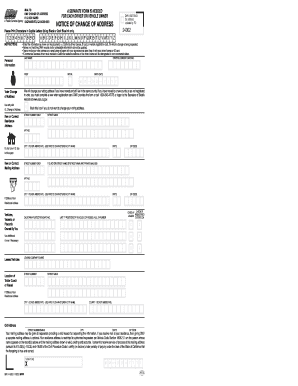
- Complete the personal information section, entering your last name, first name, middle initial, driver license or ID card number, and birth date in the designated fields.
- Provide your new or correct residence address. Be sure to enter the street number and name, avoiding the use of P.O. Box in this area. Include the city (not abbreviated), state, and zip code.
- If applicable, indicate whether you would like to change your voting address. Mark the appropriate box if you do not wish to make this change.
- Fill out the new or correct mailing address, if different from your residence address. Again, avoid using P.O. Box and follow similar guidelines for city, state, and zip code entries.
- List any vehicles, vessels, or placards owned by you. Enter the California plate number or placard number, and the last 17 positions of the vehicle identification number or vessel hull identification number, if applicable.
- If you have an old address that needs updating, include it in the designated section following the same format provided above.
- Finally, sign the form, date it, and ensure all information is accurate before submission. You may save changes, download, print, or share the completed form as needed.
Complete your DMV 14 Form online today!
Your registration may not be eligible for online renewal in California due to outstanding fees or requirements for additional documentation. Such issues can arise unexpectedly, and it's vital to address them quickly. The DMV 14 Form can help you navigate the paperwork needed for resolving these issues.