Loading
Form preview
  • US Legal Forms
  • Form Library
  • More Forms
  • More Multi-State Forms
  • Usps Retail Quick Reference Guide 2020

Get Usps Retail Quick Reference Guide 2020-2026

How it works

  1. Open form

    Open form follow the instructions

  2. Easily sign form

    Easily sign the form with your finger

  3. Share form

    Send filled & signed form or save

How to fill out the Usps Retail Quick Reference Guide online

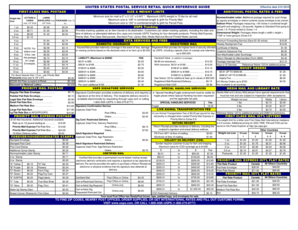
The Usps Retail Quick Reference Guide is an essential resource for users seeking clear and organized information about postal rates, services, and guidelines. This guide will provide you with detailed, step-by-step instructions on how to navigate and fill out the guide online effectively.

Follow the steps to fill out the Usps Retail Quick Reference Guide online

  1. Click the ‘Get Form’ button to access the form and open it in your preferred editing interface.
  2. Review the introductory sections of the guide to familiarize yourself with the postal services available, including First-Class Mail postage and size and weight limits.
  3. Proceed to the 'Letters & Large Cards' section. Here, input the necessary details regarding the weight and dimensions of your mail. Refer to the rate chart provided for accurate postage amounts.
  4. Continue to the 'USPS Tracking' segment. Select the relevant options for tracking services applicable to your package, ensuring you enter any necessary tracking numbers.
  5. Navigate to the 'Extra Services and Fees' area to choose any additional services you may require, such as insurance or certified mail. Follow the instructions to add these features.
  6. Fill out any mandatory fields that apply to your selected services. Ensure all information is accurate to avoid delays.
  7. Once all sections are completed, review the form for accuracy and make any necessary adjustments before finalizing your submission.
  8. Save your changes, and then choose to download, print, or share the completed form as needed.

Begin completing your Usps Retail Quick Reference Guide online today for a streamlined postal service experience!

Get form

Experience a faster way to fill out and sign forms on the web. Access the most extensive library of templates available.
Get form

Related content

Quick Service Guides | Postal Explorer
Quick Service Guides (QSGs) are intended to provide an overview of mailing standards on...
Learn more
Notice 123 - Postal Explorer - USPS
USPS Ground Advantage—LOR retail prices are only available for items mailed ... Quick...
Learn more
Maintenance Series Handbook MS-1
Aug 8, 2019 — This handbook may be used only by USPS personnel for training and...
Learn more

Related links form

Sickle Cell Form, Located Here - Urbana University Athletics - Sports Urbana A Questionnaire To Assess Affective And Cognitive Empathy In Children Orange-Ulster Health Plan Claim Form OUTBREAK LINE LISTING - RESIDENT/PATIENT - Region Of Peel - Peelregion

Questions & Answers

Get answers to your most pressing questions about US Legal Forms API.

Contact support

USPS notice 123 is a document that provides important updates on changes in services and operating procedures within the United States Postal Service. It serves as a crucial resource for postal employees and customers, detailing any modifications that might affect mail processing and delivery. By consulting the USPS Retail Quick Reference Guide, users can gain a better understanding of how these changes impact their mailing needs. For anyone wanting to streamline their shipping experience, keeping up with notice 123 alongside the guide ensures you stay informed and prepared.

Preparing a package for USPS involves choosing a sturdy box and protecting its contents with appropriate filler material. Seal the package securely with tape and ensure that the label is clearly visible. For step-by-step instructions, the Usps Retail Quick Reference Guide can serve as an excellent resource to streamline the preparation process.

Filling out a USPS address requires clarity and accuracy. Start with the recipient's full name, follow with the street address, city, state, and zip code. Using the Usps Retail Quick Reference Guide can enhance your understanding of formatting conventions, ensuring that your address is eligible for successful delivery.

To fill out a USPS package, you need to pack your items securely and prevent movement within the box. Then, make sure to weigh your package and measure its dimensions accurately before affixing the label. The Usps Retail Quick Reference Guide offers valuable insight into packaging materials that meet USPS standards and ensure safe delivery.

When filling out a USPS package label, start by selecting the correct label based on your shipping method. Include the recipient's name, address, and any special instructions, if applicable. For a smooth process, refer to the Usps Retail Quick Reference Guide, which provides helpful tips regarding label size and placement.

To fill out a USPS claim form, first visit the USPS website and locate the claims section. Next, provide details about your package such as the tracking number, the sender and recipient addresses, and any necessary documentation. Utilizing the Usps Retail Quick Reference Guide can help clarify any specific requirements you may need to include for your claim.

The requirements for EDDM include using a specific size for your mail pieces, adhering to weight limits, and ensuring that your materials meet USPS standards. You also need to select a target area and complete a mailing documentation form. For complete details, refer to the USPS Retail Quick Reference Guide, which outlines all necessary requirements.

Yes, you can do EDDM yourself. The process requires you to design your mail piece, choose your delivery routes, and prepare your mail for mailing. If you would like guidance, the USPS Retail Quick Reference Guide provides clear instructions to assist you every step of the way.

To do EDDM through USPS, start by designing your mail piece to meet USPS guidelines. Next, select your target neighborhoods using the EDDM mapping tool. After that, print your postcards or flyers and bring them to your local post office. The USPS Retail Quick Reference Guide offers helpful tips for completing this process smoothly.

Setting up Every Door Direct Mail (EDDM) with USPS is a simple process. First, you need to choose the geographic area you want to target. Then, use the EDDM online tool available on the USPS website to create and print your mailing routes. For additional steps, refer to the USPS Retail Quick Reference Guide, which details the entire process.

Get This Form Now!

Use professional pre-built templates to fill in and sign documents online faster. Get access to thousands of forms.
Get form
If you believe that this page should be taken down, please follow our DMCA take down processhere.

Industry-leading security and compliance

US Legal Forms protects your data by complying with industry-specific security standards.
  • In businnes since 1997
    25+ years providing professional legal documents.
  • Accredited business
    Guarantees that a business meets BBB accreditation standards in the US and Canada.
  • Secured by Braintree
    Validated Level 1 PCI DSS compliant payment gateway that accepts most major credit and debit card brands from across the globe.
Get Usps Retail Quick Reference Guide
Get form
  • Adoption
  • Bankruptcy
  • Contractors
  • Divorce
  • Home Sales
  • Employment
  • Identity Theft
  • Incorporation
  • Landlord Tenant
  • Living Trust
  • Name Change
  • Personal Planning
  • Small Business
  • Wills & Estates
  • Packages A-Z
  • Affidavits
  • Bankruptcy
  • Bill of Sale
  • Corporate - LLC
  • Divorce
  • Employment
  • Identity Theft
  • Internet Technology
  • Landlord Tenant
  • Living Wills
  • Name Change
  • Power of Attorney
  • Real Estate
  • Small Estates
  • Wills
  • All Forms
  • Forms A-Z
  • Form Library
  • Legal Hub
  • About Us
  • Help Portal
  • Legal Resources
  • Blog
  • Affiliates
  • Contact Us
  • Delete My Account
  • Site Map
  • Industries
  • Forms in Spanish
  • Localized Forms
  • State-specific Forms
  • Forms Kit
  • Real Estate Handbook
  • All Guides
  • Notarize
  • Incorporation services
  • For Consumers
  • For Small Business
  • For Attorneys
  • USLegal
  • FormsPass
  • pdfFiller
  • signNow
  • altaFlow
  • DocHub
  • Instapage
Form Packages
  • Adoption
  • Bankruptcy
  • Contractors
  • Divorce
  • Home Sales
  • Employment
  • Identity Theft
  • Incorporation
  • Landlord Tenant
  • Living Trust
  • Name Change
  • Personal Planning
  • Small Business
  • Wills & Estates
  • Packages A-Z
Form Categories
  • Affidavits
  • Bankruptcy
  • Bill of Sale
  • Corporate - LLC
  • Divorce
  • Employment
  • Identity Theft
  • Internet Technology
  • Landlord Tenant
  • Living Wills
  • Name Change
  • Power of Attorney
  • Real Estate
  • Small Estates
  • Wills
  • All Forms
  • Forms A-Z
  • Form Library
Customer Service
  • Legal Hub
  • About Us
  • Help Portal
  • Legal Resources
  • Blog
  • Affiliates
  • Contact Us
  • Delete My Account
  • Site Map
  • Industries
  • Forms in Spanish
  • Localized Forms
  • State-specific Forms
  • Forms Kit
Legal Guides
  • Real Estate Handbook
  • All Guides
Prepared for you
  • Notarize
  • Incorporation services
Our Customers
  • For Consumers
  • For Small Business
  • For Attorneys
Our Sites
  • USLegal
  • FormsPass
  • pdfFiller
  • signNow
  • altaFlow
  • DocHub
  • Instapage
Social Media
Call us now toll free:
+1 833 426 79 33
As seen in:
© Copyright 1999-2026 airSlate Legal Forms, Inc. 3720 Flowood Dr, Flowood, Mississippi 39232
  • Your Privacy Choices
  • Terms of Service
  • Privacy Notice
  • Content Takedown Policy
  • Bug Bounty Program