Loading
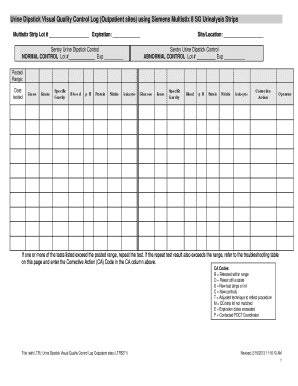
Get Printable Quality Control Logs For Multistix 10 Pdf 2020-2026
How it works
-

Open form follow the instructions
-

Easily sign the form with your finger
-

Send filled & signed form or save
How to fill out the Printable Quality Control Logs For Multistix 10 Pdf online
The Printable Quality Control Logs For Multistix 10 Pdf is an essential document for maintaining accurate quality control in urinalysis testing. This guide provides clear and supportive instructions for filling out the log efficiently, ensuring your testing meets quality standards.
Follow the steps to complete the quality control log effectively.
- Access the form by clicking the ‘Get Form’ button to retrieve the Quality Control Log and open it for editing.
- In the first section, enter the Multistix Strip Lot number and its expiration date. This information helps identify the specific lot being used.
- Fill in the site or location where the testing is conducted.
- For the Sentry Urine Dipstick Control, enter the Lot number and expiration date for both the normal and abnormal controls.
- Record test results for each parameter (glucose, ketone, specific gravity, blood, pH, protein, nitrite, leukocytes) in the appropriate columns, ensuring accuracy.
- If any test exceeds the posted range, document the corrective action taken in the Corrective Action column, using the assigned codes provided.
- After completing all sections of the form, review the information for accuracy and save your changes.
- Finally, download, print, or share the completed log as necessary for your records.
Complete your quality control logs online today!
Multistix 10 SG test strips should be stored in a cool, dry place away from direct sunlight and moisture to maintain their effectiveness. Ensure the container remains tightly closed to protect the strips, and always check expiration dates before use. For organized recordkeeping, utilize Printable Quality Control Logs For Multistix 10 Pdf to ensure all results are easily accessible when needed.