Loading
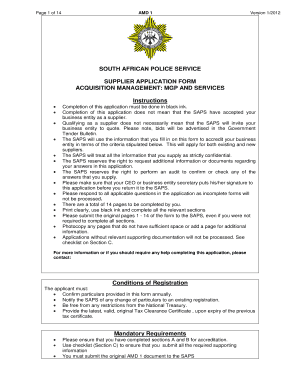
Get Saps Tenders
How it works
-

Open form follow the instructions
-

Easily sign the form with your finger
-

Send filled & signed form or save
How to fill out the Saps Tenders online
This guide provides clear and systematic instructions on how to complete the Saps Tenders application form online. By following these steps, you can ensure that your submission meets all necessary requirements and increases your chances of becoming an accredited supplier.
Follow the steps to successfully complete your Saps Tenders application.
- Press the ‘Get Form’ button to access the form and open it in the designated online editor.
- Begin with Section A, General Information. Fill in the name of your business entity, trading name, postal address, and physical address. Ensure accuracy to avoid delays.
- Complete the contact details for your business entity, including the contact person's title, initials, surname, designation, phone number, fax number, cell number, and email address.
- If applicable, provide details for each principal in your business entity. Attach a copy of their identity documents as required.
- Move to the Registrations section. Complete all necessary fields, such as company registration number and tax numbers. Attach proof of registration as indicated.
- Indicate the type of business entity by ticking the appropriate boxes, ensuring you are selecting the correct categories relevant to your application.
- In Section B, Financial Information, complete the registration of creditors bank account details. Use the form SAPS 432(b) for this section.
- Respond to the Declaration section honestly, ensuring that the information provided is accurate. Sign where indicated.
- Before submitting, review the checklist in Section C to confirm all required documents are attached, including a tax clearance certificate and identity documents.
- Save all changes made in the online editor, then download and print the application form along with relevant documents for your records.
- Once completed, submit the original application form, along with all supporting documentation, as instructed in the initial guidelines.
Start filling out the Saps Tenders application online today to become an accredited supplier.
Filling tender documents in South Africa, such as those for Saps Tenders, requires understanding the local regulations and requirements. Start with the provided documentation, and make sure to accurately fill in all requested information. Also, consider consulting platforms like uslegalforms, which can guide you through these processes effectively.