Loading
Get Credit Facility Form 2020-2026
How it works
-

Open form follow the instructions
-

Easily sign the form with your finger
-

Send filled & signed form or save
How to fill out the Credit Facility Form online
In this guide, we will walk you through the process of completing the Credit Facility Form online. This comprehensive guide aims to simplify the steps involved and ensure that you provide all necessary information accurately.
Follow the steps to successfully complete the Credit Facility Form
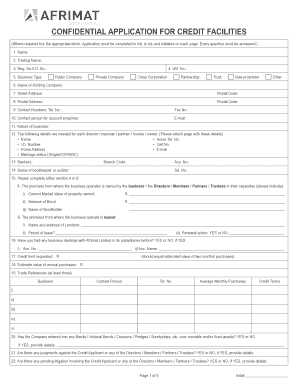
- Click ‘Get Form’ button to access the Credit Facility Form and open it in your preferred editor.
- Begin filling out the form by entering your name in the designated field. Ensure that your full legal name is provided accurately.
- In the next field, input your trading name, if applicable. This is the name under which your business operates.
- Select the type of business you operate from the provided options, such as Public Company, Private Company, Partnership, etc. Make sure to indicate your selection by ticking the appropriate box.
- Enter your VAT number, if applicable. This is important for tax identification.
- Fill out your business's street address along with the corresponding postal code.
- Provide your postal address as well, including the postal code for correspondence.
- List your contact numbers, including telephone and fax numbers, to ensure open communication.
- Specify a contact person for account inquiries, as well as their email address for any follow-up correspondence.
- Describe the nature of your business briefly, providing essential details that reflect your operations.
- For each director, member, partner, trustee, or owner, you will need to attach a page that includes their name, home telephone number, identification number, cell number, home address, email, and marital status.
- Enter the name of your bankers, along with the branch code and account number for business transactions.
- Complete either Section A or B regarding the premises used for business, indicating if they are owned or leased, and provide necessary details in either case.
- Indicate whether you have had previous dealings with Afrimat Limited or its subsidiaries. If yes, provide the required account details.
- Specify the credit limit you are requesting, which should ideally reflect the estimated value of two months' purchases.
- Provide an estimation of your annual purchases to give context to your credit request.
- List at least three trade references, including business name, contact person, telephone number, average monthly purchases, and credit terms.
- Indicate whether the company has entered into any security bonds or has any pending litigation against it. Provide details if applicable.
- Review all the information you have provided for accuracy. Once verified, you can save changes, download, print, or share the completed form.
Complete your Credit Facility Form online today for a seamless application process.
Filling out a credit authorization form involves providing information such as the requesting party's name, your contact details, and specifics about the credit request. You should also read through the terms and conditions carefully before you sign the form. A clear and accurate submission is vital, and using templates from USLegalForms can guide you in completing the process correctly.