Loading

Open form follow the instructions

Easily sign the form with your finger

Send filled & signed form or save
How to fill out the IRS Publication 4779 Form online
This guide provides clear instructions on how to accurately fill out the IRS Publication 4779 Form online. It is essential for organizations that are terminating or merging to understand the components of this form and the necessary steps to comply with IRS requirements.
Follow the steps to complete your IRS Publication 4779 Form online effectively.
- Click ‘Get Form’ button to access the IRS Publication 4779 Form. This will allow you to open the form in an editor for completion.
- Review the form's instructions carefully. Ensure you understand the different sections related to terminating or merging your tax-exempt organization.
- Complete the header section, including the name of your organization and applicable identification numbers. Ensure that you check the termination box where required.
- In the relevant parts, indicate if the organization has liquidated, terminated, or engaged in significant asset disposition. Be truthful in answering all questions to avoid penalties.
- If applicable, prepare the Schedule N: Liquidation, Termination, Dissolution, or Significant Disposition of Assets. Include details about the assets and transactions related to the termination.
- Gather required attachments such as articles of dissolution, liquidation resolutions, and any other documentation specified in the instructions. Ensure they are certified copies.
- Review all filled sections and attachments for accuracy and completeness before submission.
- Save any changes made to the form. Once completed, download or print the form for your records. Be prepared to share it with relevant parties or submit it to the IRS.
Start completing your IRS Publication 4779 Form online today to ensure compliance and proper reporting of your organization's status.
Experience a faster way to fill out and sign forms on the web. Access the most extensive library of templates available.
Related content
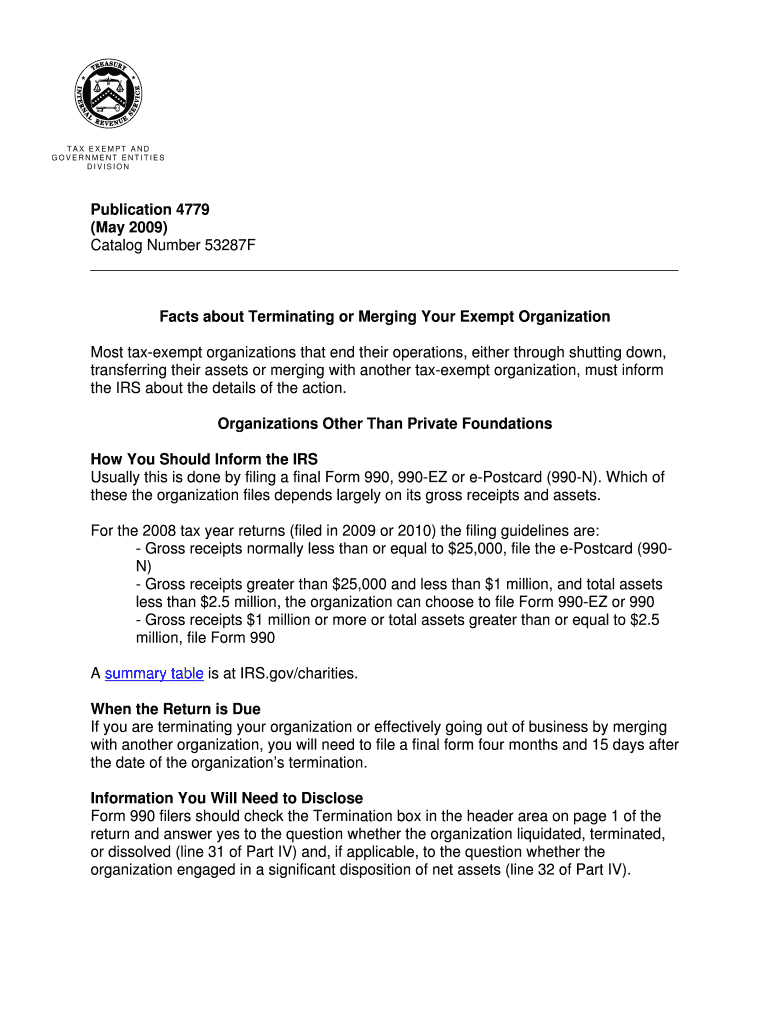
If you are terminating your organization or effectively going out of business by merging...
When you file a Form 8821 with the IRS, it also is processed for entry into the CAF. Entry...
Feb 19, 2016 — 2015 was a year of transition for Xerox. Our financial results were mixed...
Get answers to your most pressing questions about US Legal Forms API.
Who can remove the tax-exempt status of an organization?
Only the IRS has the authority to revoke an organization's tax-exempt status after a thorough review of its compliance with tax laws. This process may arise from operational failures, noncompliance with regulations, or failure to file necessary forms such as the Irs Publication 4779 Form. Organizations should ensure robust compliance practices to avoid such consequences.
How do you notify the IRS of a trust termination?
To notify the IRS of a trust termination, you should file the final return for the trust and indicate that it is the last return. Include all necessary details to clarify the termination and any relevant forms, such as the Irs Publication 4779 Form if it pertains to the tax situation. Timely notification can prevent future complications with the IRS.
How do I write a letter to the IRS to cancel my EIN?
To cancel your Employer Identification Number (EIN), you need to write a letter to the IRS that includes specific information, such as your EIN, the organization's name, and the reason for cancellation. It’s advisable to mention your understanding of the tax implications and any relevant forms, including the Irs Publication 4779 Form if applicable. Clear communication ensures a smoother cancellation process.
Who determines an organization's tax-exempt status?
The IRS determines an organization's tax-exempt status based on the information provided in its application and subsequent filings. Organizations must submit complete and accurate documentation, including the Irs Publication 4779 Form, to facilitate this process. If necessary, the IRS may conduct audits to ensure compliance with tax regulations.
How can a nonprofit lose its tax-exempt status?
A nonprofit organization can lose its tax-exempt status for several reasons, including failing to fulfill the operational requirements set by the IRS or engaging in activities that lead to private benefit. Nonprofits must also regularly file necessary documentation, such as the Irs Publication 4779 Form, to prove compliance. Regular reviews and audits can help ensure that the organization remains in good standing.
Can the president revoke 501c3 status?
The president cannot directly revoke a nonprofit's 501(c)(3) status. This status is granted by the IRS, and only the IRS has the authority to take action against organizations that do not comply with tax regulations, including relevant forms like the Irs Publication 4779 Form. Advocacy at the legislative level is a separate process that does not involve the president.
Can the government take away tax-exempt status?
Yes, the government can revoke a nonprofit organization’s tax-exempt status under certain circumstances. This usually occurs if the organization fails to comply with IRS regulations, engages in prohibited activities, or does not file the required returns, such as the Irs Publication 4779 Form. It's critical for organizations to adhere to IRS guidelines to maintain their status.
What is a 501c3 not allowed to do?
A 501c3 organization is not allowed to participate in political campaigns or endorse candidates, as this violates IRS regulations. Additionally, it must not distribute profits to individuals or engage in substantial commercial activities. Understanding these limitations is crucial for maintaining tax-exempt status. Referencing resources such as the IRS Publication 4779 Form can provide insights into permissible activities, ensuring that the organization remains compliant.
What jeopardizes 501c3 status?
Activities that contradict the charitable purpose, like significant lobbying efforts or political activities, jeopardize 501c3 status. Failure to adhere to reporting obligations can also lead to loss of this vital designation. Organizations must familiarize themselves with compliance requirements, including utilizing resources such as IRS Publication 4779 Form to avoid pitfalls. Regular internal audits help ensure ongoing compliance and leadership awareness.
How can a 501c3 lose its status?
A 501c3 can lose its status through various means, including failure to file required annual returns or engaging in activities beyond its defined charitable mission. The IRS closely monitors organizations for compliance, and nonconformity can result in revocation of tax-exempt status. Regularly consulting resources like the IRS Publication 4779 Form will help organizations stay informed. Taking preventative measures can secure the organization’s standing.
Use professional pre-built templates to fill in and sign documents online faster. Get access to thousands of forms.
If you believe that this page should be taken down, please follow our DMCA take down process here.