We use cookies to improve security, personalize the user experience, enhance our marketing activities (including cooperating with our marketing partners) and for other business use.
Click "here" to read our Cookie Policy. By clicking "Accept" you agree to the use of cookies. Read less
Read more
Accept
Loading
Form preview
  • US Legal Forms
  • Form Library
  • More Forms
  • More Multi-State Forms
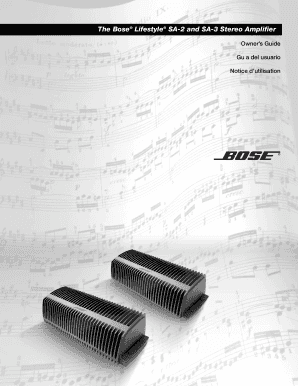
  • The Bose Lifestyle Sa2 And Sa3 Stereo Amplifier 2020

Get The Bose Lifestyle Sa2 And Sa3 Stereo Amplifier 2020-2025

How it works

  1. Open form

    Open form follow the instructions

  2. Easily sign form

    Easily sign the form with your finger

  3. Share form

    Send filled & signed form or save

How to fill out the Bose Lifestyle SA2 and SA3 Stereo Amplifier online

This guide provides clear and systematic instructions on how to complete the Bose Lifestyle SA2 and SA3 Stereo Amplifier form online. Following these steps will help you accurately fill out the necessary information and ensure you can maximize the benefits of your amplifier.

Follow the steps to effectively complete the online form.

  1. Click ‘Get Form’ button to access the form and open it in the editor.
  2. Carefully review the safety information section of the document. Ensure you understand the warnings and cautions regarding installation and usage.
  3. Next, fill in the model sections by providing details about whether you have the SA2 or SA3 model. Confirm this by checking the label on the bottom of your product.
  4. Provide the serial number of the amplifier found on the bottom panel of the device and record it in the specified field.
  5. Complete the connection settings by referencing the appropriate connections you've made, such as the Bose link setup with other devices.
  6. Input any additional details about speaker connections, including the type of speakers you're using.
  7. Review all information once filled to ensure accuracy, then proceed to save changes, download, print, or share the form as needed.

Get started on completing your document online to enhance your Bose system experience.

Get form

Experience a faster way to fill out and sign forms on the web. Access the most extensive library of templates available.
Get form

Related content

CONFERENCE PROCEEDINGS
... lifestyle data—are emerging as innovative tools to simulate disease progression and...
Learn more
The Bose® Lifestyle® SA-2 and SA-3 Stereo...
Record the model number, serial number, and purchase date. The serial number is located on...
Learn more

Related links form

JV-210 APPLICATION TO COMMENCE PROCEEDINGS BY ... ADOPT-325 California Judicial Council Forms By AccessLaw Inc.. Editable And Saveable California Judicial Reissue Temporary Restraining Order. Free Online Legal Forms By AccessLaw, Www.accesslaw.com

Questions & Answers

Get answers to your most pressing questions about US Legal Forms API.

Contact support

Connecting your Bose stereo to The Bose Lifestyle SA2 And SA3 Stereo Amplifier is straightforward. You will need to use audio cables to link the amplifier to your sound source, such as a TV or audio player. Ensure all connections are secure, and then follow the setup instructions provided in the user manual for optimal performance.

Hooking up an amplifier involves a few key steps to ensure optimal performance. First, connect your audio source to the amplifier, such as the Bose Lifestyle SA2 And SA3 Stereo Amplifier, using suitable cables. Next, link the amplifier to your speakers, paying attention to polarity. Always check for secure connections to maintain sound clarity and quality as you enjoy your audio.

To connect your Bose amplifier, begin by selecting the audio source, such as a TV or streaming device. Use quality cables to connect the Bose Lifestyle SA2 And SA3 Stereo Amplifier to your audio source and speakers. Ensure your connections are clear and consult the supplied instructions for specific details. A proper connection will enhance your overall listening experience, making it more enjoyable.

Hooking up your Bose amp is straightforward. Connect the Bose Lifestyle SA2 And SA3 Stereo Amplifier to your audio source using the appropriate cables, then link your speakers with high-quality speaker wire. Ensure all connections are tight and secure to prevent signal loss. For detailed setup instructions, consulting the user manual can provide additional guidance and tips.

To hook up your Bose sound system, start by connecting the Bose Lifestyle SA2 And SA3 Stereo Amplifier to your audio source via an appropriate cable, such as an RCA or optical cable. Next, connect your speakers to the amplifier using speaker wire, ensuring proper polarity. Follow the instructions in your product manual for detailed steps, and ensure all connections are secure for optimal performance.

To factory reset The Bose Lifestyle SA2 And SA3 Stereo Amplifier, disconnect the power cable, then press the 'reset' button on the back of the amplifier, if available, or simply hold down the volume ‘-’ button for a few seconds while reconnecting the power. This process restores the factory settings and will erase any custom configurations. If you need further assistance, you might find solutions on platforms like US Legal Forms for warranty inquiries.

The Bose Lifestyle SA2 And SA3 Stereo Amplifier is indeed worth it for those who value high-quality audio. It delivers crisp sound, powerful performance, and easy connectivity with various devices, making it a solid investment for music lovers and movie enthusiasts alike. Additionally, its longevity and reliability add to its overall value in enhancing your home audio experience.

Yes, The Bose Lifestyle SA2 And SA3 Stereo Amplifier is often needed for Bose speakers to achieve optimal sound quality. An amplifier provides the necessary power to the speakers, enhancing their performance. Without an amplifier, your speakers may not deliver their full audio potential, making the amplifier a crucial component for a great listening experience.

To connect your phone to The Bose Lifestyle SA2 And SA3 Stereo Amplifier, you can use Bluetooth or an AUX cable. For Bluetooth, make sure the amp is in pairing mode, then select it from your phone’s Bluetooth settings. If using an AUX cable, simply plug it into your phone’s headphone jack and the amplifier's input. This allows you to stream music directly from your phone.

The Bose Lifestyle SA2 And SA3 Stereo Amplifier enhances sound quality by boosting the audio signal sent to your speakers. It provides clear, powerful sound for your music and movies, making your listening experience more enjoyable. Essentially, it acts as the heart of your audio system, ensuring all components work together smoothly.

Get This Form Now!

Use professional pre-built templates to fill in and sign documents online faster. Get access to thousands of forms.
Get form
If you believe that this page should be taken down, please follow our DMCA take down processhere.

Industry-leading security and compliance

US Legal Forms protects your data by complying with industry-specific security standards.
  • In businnes since 1997
    25+ years providing professional legal documents.
  • Accredited business
    Guarantees that a business meets BBB accreditation standards in the US and Canada.
  • Secured by Braintree
    Validated Level 1 PCI DSS compliant payment gateway that accepts most major credit and debit card brands from across the globe.
Get The Bose Lifestyle SA2 And SA3 Stereo Amplifier
Get form
Form Packages
Adoption
Bankruptcy
Contractors
Divorce
Home Sales
Employment
Identity Theft
Incorporation
Landlord Tenant
Living Trust
Name Change
Personal Planning
Small Business
Wills & Estates
Packages A-Z
Form Categories
Affidavits
Bankruptcy
Bill of Sale
Corporate - LLC
Divorce
Employment
Identity Theft
Internet Technology
Landlord Tenant
Living Wills
Name Change
Power of Attorney
Real Estate
Small Estates
Wills
All Forms
Forms A-Z
Form Library
Customer Service
Terms of Service
Privacy Notice
Legal Hub
Content Takedown Policy
Bug Bounty Program
About Us
Help Portal
Legal Resources
Blog
Affiliates
Contact Us
Delete My Account
Site Map
Industries
Forms in Spanish
Localized Forms
State-specific Forms
Forms Kit
Legal Guides
Real Estate Handbook
All Guides
Prepared for You
Notarize
Incorporation services
Our Customers
For Consumers
For Small Business
For Attorneys
Our Sites
US Legal Forms
USLegal
FormsPass
pdfFiller
signNow
airSlate WorkFlow
DocHub
Instapage
Social Media
Call us now toll free:
+1 833 426 79 33
As seen in:
  • USA Today logo picture
  • CBC News logo picture
  • LA Times logo picture
  • The Washington Post logo picture
  • AP logo picture
  • Forbes logo picture
© Copyright 1997-2025
airSlate Legal Forms, Inc.
3720 Flowood Dr, Flowood, Mississippi 39232
Form Packages
Adoption
Bankruptcy
Contractors
Divorce
Home Sales
Employment
Identity Theft
Incorporation
Landlord Tenant
Living Trust
Name Change
Personal Planning
Small Business
Wills & Estates
Packages A-Z
Form Categories
Affidavits
Bankruptcy
Bill of Sale
Corporate - LLC
Divorce
Employment
Identity Theft
Internet Technology
Landlord Tenant
Living Wills
Name Change
Power of Attorney
Real Estate
Small Estates
Wills
All Forms
Forms A-Z
Form Library
Customer Service
Terms of Service
Privacy Notice
Legal Hub
Content Takedown Policy
Bug Bounty Program
About Us
Help Portal
Legal Resources
Blog
Affiliates
Contact Us
Delete My Account
Site Map
Industries
Forms in Spanish
Localized Forms
State-specific Forms
Forms Kit
Legal Guides
Real Estate Handbook
All Guides
Prepared for You
Notarize
Incorporation services
Our Customers
For Consumers
For Small Business
For Attorneys
Our Sites
US Legal Forms
USLegal
FormsPass
pdfFiller
signNow
airSlate WorkFlow
DocHub
Instapage
Social Media
Call us now toll free:
+1 833 426 79 33
As seen in:
  • USA Today logo picture
  • CBC News logo picture
  • LA Times logo picture
  • The Washington Post logo picture
  • AP logo picture
  • Forbes logo picture
© Copyright 1997-2025
airSlate Legal Forms, Inc.
3720 Flowood Dr, Flowood, Mississippi 39232