Loading
Get Psira Registration
How it works
-

Open form follow the instructions
-

Easily sign the form with your finger
-

Send filled & signed form or save
How to fill out the Psira Registration online
This guide provides a clear and concise outline for successfully completing the Psira Registration online. Designed to assist users with varying levels of experience, this step-by-step approach ensures that all required components are understood and addressed appropriately.
Follow the steps to complete your Psira Registration online.
- Click ‘Get Form’ button to obtain the Psira Registration form and open it for editing.
- Fill in the particulars of the applicant business. Provide the official company or trust registration number, the name of the business, and any trade name if applicable.
- Indicate your registration numbers, including the Income Tax Reference Number, VAT Registration Number, PAYE Registration Number, and UIF Number, where applicable.
- Select the type of business entity by marking the appropriate box (e.g., sole proprietor, company, trust, partnership, etc.).
- Detail the nature of the security services you intend to provide by marking the relevant options in the list provided.
- Enter the street address of the applicant business and, if different, the street address of the administrative office. Include the postal codes.
- Provide contact information, including business phone numbers, fax numbers, cell phone numbers, and email address.
- List all individuals involved in the business (e.g., owners, directors). Include their full names, capacities, residential addresses, and existing PSiRA registration numbers.
- Complete the declaration and undertaking section by signing and dating the form to affirm the accuracy of the information provided.
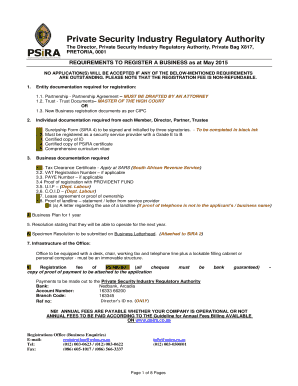
- Attach all required supporting documentation, including the registration fee, tax clearance certificate, business plan, and any relevant business entity documents (e.g., partnership agreement, trust deed).
- Submit your application along with all attachments. Ensure to receive confirmation of your submission.
- At this stage, users can save changes, download a copy for their records, print the form, or share it as necessary.
Complete your Psira Registration online today for a seamless experience!
To check a security certificate online, visit the relevant verification site or official body associated with your certificate status. By entering the required identification details, you can obtain your security certificate information. This process ensures that you have the necessary credentials and are in good standing.