Loading
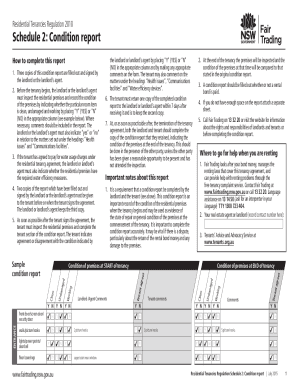
Get Schedule 2: Condition Report - Fairtrading Nsw Gov 2020-2026
How it works
-

Open form follow the instructions
-

Easily sign the form with your finger
-

Send filled & signed form or save
How to fill out the Schedule 2: Condition Report - Fairtrading Nsw Gov online
Completing the Schedule 2: Condition Report is essential for documenting the condition of residential premises at the start and end of a tenancy. This guide will provide clear, step-by-step instructions to help users fill out the form accurately and effectively online.
Follow the steps to complete the Schedule 2: Condition Report online.
- Use the ‘Get Form’ button to access the Schedule 2: Condition Report. This will allow you to open the form in an online editor.
- Begin by entering the address of the premises at the top of the condition report. This is crucial for identifying the specific rental property.
- Inspect each room item in the premises and indicate its condition by placing a 'Y' for yes or 'N' for no in the corresponding columns. Be sure to add comments where necessary to clarify any issues.
- Under the 'Health issues' section, the landlord or agent must specify any signs of mould or dampness, pest problems, or rubbish left on the premises by marking 'Yes' or 'No'.
- For 'Communications facilities', confirm whether a telephone or internet line is connected to the property by marking 'Yes' or 'No'.
- Assess and document the presence of necessary water efficiency devices, checking whether all fixtures meet the required standards.
- After filling out the report, ensure that three copies, all signed by the landlord or agent, are made. Give two copies to the tenant and retain one for your records.
- Once the tenant has signed the agreement, they should inspect the premises and complete their section of the condition report. They will also return one copy of the completed report to the landlord or agent within seven days.
- At the end of the tenancy, conduct a final inspection using the retained copy of the report to compare conditions and document any changes. Both parties should be present if possible.
- Save your changes, and once completed, you can download, print, or share the filled condition report as needed.
Complete your Schedule 2: Condition Report online for a smooth rental experience.
You may break a lease if the owner is selling the property, but the terms of your lease agreement are crucial. You will likely need to give formal notice as specified in your contract. To protect your rights, refer to the Schedule 2: Condition Report - Fairtrading Nsw Gov when evaluating your options.