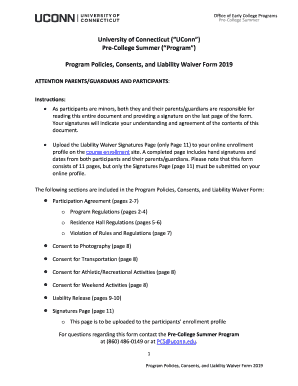
Get Uconn Program Policies Consents And Liability Waiver Form 2019-2026
How it works
-

Open form follow the instructions
-

Easily sign the form with your finger
-

Send filled & signed form or save
How to fill out the UConn Program Policies Consents And Liability Waiver Form online
Filling out the UConn Program Policies Consents And Liability Waiver Form is a crucial step for participants and their guardians in ensuring understanding and agreement to the program policies. This guide provides clear, step-by-step instructions to facilitate a smooth online completion of the form.
Follow the steps to complete the form successfully.
- Click ‘Get Form’ button to access the UConn Program Policies Consents And Liability Waiver Form and open it in the online document editor.
- Fill in the participant’s full name and signature in the designated fields at the end of the form. Make sure to use their legal name as it appears on official documents.
- Go through each consent section — photography, transportation, athletic/recreational activities, and weekend activities. Indicate your understanding and agreement by initialing or checking the consent boxes, if applicable.
- Once all relevant fields are completed, save the form to ensure no information is lost. This may include options to export or download the document.
Complete the UConn Program Policies Consents And Liability Waiver Form online to secure participation in the program.
Related links form
Filling out a liability waiver involves understanding the terms and conditions before signing. You should read the entire document carefully, ensuring you comprehend your rights and obligations. The UConn Program Policies Consents And Liability Waiver Form will guide you through this process, helping you to complete the necessary fields to confirm your understanding and acceptance of the terms.