Loading
Get Canada Snap-iv 26 2013-2026
How it works
-

Open form follow the instructions
-

Easily sign the form with your finger
-

Send filled & signed form or save
How to fill out the Canada SNAP-IV 26 online
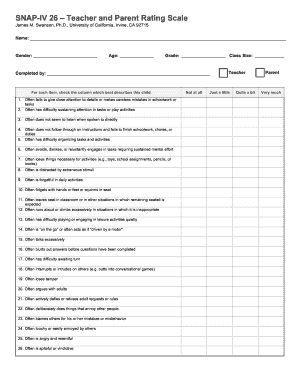
Filling out the Canada SNAP-IV 26 form online can be a straightforward process with the right guidance. This guide provides step-by-step instructions to help you complete the form accurately and effectively.
Follow the steps to fill out the form accurately online.
- Click the ‘Get Form’ button to obtain the Canada SNAP-IV 26 form and open it in your preferred editor.
- Read through the introductory section of the form to familiarize yourself with its purpose. This will help you understand the information you need to provide.
- Begin filling out the personal details section. This typically includes fields for the user's name, date of birth, and contact information. Ensure all information is accurate and up-to-date.
- Move on to the assessment section. Here you will be asked to provide information regarding any symptoms or experiences relevant to the assessment criteria outlined in the form.
- Review the scoring section where specific behaviors or symptoms must be rated. Follow the instructions to indicate the severity or frequency of these behaviors based on your observations.
- Once all sections are filled in, carefully review your responses to ensure accuracy. Correct any mistakes or inaccuracies before proceeding.
- After completing the form, you have the option to save changes, download a copy for your records, print the document, or share it as required.
Start filling out the Canada SNAP-IV 26 form online today to ensure your assessment is completed accurately.
The SNAP-IV profile provides a detailed overview of a child's behavior as assessed by both parents and teachers. This profile highlights strengths and areas needing support, creating a comprehensive picture of the child's challenges. Utilizing tools like the Canada SNAP-IV 26 can significantly enhance the quality of this assessment.