Get David Hockney Inspired Photo Collage 2018-2026
How it works
-

Open form follow the instructions
-

Easily sign the form with your finger
-

Send filled & signed form or save
How to fill out the David Hockney Inspired Photo Collage online
This guide provides step-by-step instructions on how to fill out the David Hockney Inspired Photo Collage document online. Whether you are an experienced artist or new to photography, this guide will support you in creating stunning artworks inspired by David Hockney's style.
Follow the steps to complete your photo collage effectively.
- Press the ‘Get Form’ button to access the form and open it in your preferred online editor.
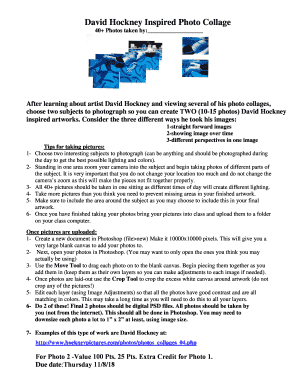
- Begin by entering your name on the line labeled '40+ Photos taken by:' This identifies the photos you will be submitting as part of your artwork.
- Plan your photos by choosing two subjects to photograph, ensuring they are interesting and well-lit. Take 10-15 photos of each subject using the techniques inspired by David Hockney.
- During the photo session, remember to stay stationary and zoom in on different parts of your subjects in one sitting for consistency in lighting.
- After capturing your images, upload them to a designated folder on your class computer. Ensure you have ample photos for your artwork.
- Create a new document in your online editing software with dimensions set to 10000x10000 pixels. This size will provide a large canvas for your collage.
- Open your photos in the editor. Select only the images you plan to use to keep your workspace organized.
- Use the Move Tool to drag each photo onto your blank canvas, ensuring each image is layered separately for easy adjustments.
- Crop any excess white canvas around your artwork using the Crop Tool. Avoid cropping any of the individual photos.
- Adjust the photos for contrast and color matching through Image Adjustments. This may require careful and time-consuming work to ensure a cohesive look.
- Complete two collages in total, ensuring both final artworks are saved as digital PSD files, with all photos captured by you.
- Review your work and consider the grading rubric provided for assessment. Be prepared to submit your project along with the filled assessment section.
- Final steps include saving your changes, downloading your artwork, and either printing or sharing it as required.
Start filling out your David Hockney Inspired Photo Collage online today and unleash your creativity!
David Hockney's style of photography is characterized by a playful use of perspective and an emphasis on color and composition. He often combines multiple images to explore themes of space and time, transforming everyday scenes into captivating visual experiences. His works exemplify the David Hockney Inspired Photo Collage approach, where each photograph contributes to the overall narrative. This unique style encourages viewers to engage with the scene in a new, thoughtful manner.