Loading
Get Sunquest Sl300 Solid Pvc Shutter Order Form
How it works
-

Open form follow the instructions
-

Easily sign the form with your finger
-

Send filled & signed form or save
How to fill out the SunQuest SL300 Solid PVC Shutter Order Form online
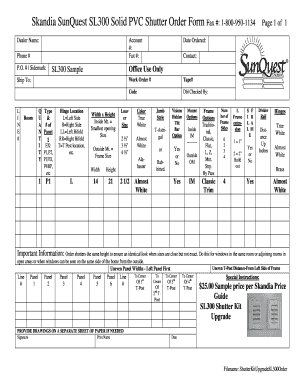
This guide provides step-by-step instructions on completing the SunQuest SL300 Solid PVC Shutter Order Form online. By following these directions, you will ensure a smooth ordering process, enabling the efficient submission of your requirements.
Follow the steps to fill out the order form correctly.
- Press the ‘Get Form’ button to access the document and open it in your preferred editing tool.
- Begin by filling out the dealer name and account number at the top of the form, ensuring accuracy as this identifies your order.
- Provide your fax number and phone number for contact purposes, which will help facilitate communication regarding your order.
- Enter the P.O. number or sidemark, if applicable, to associate your order with existing records.
- In the quantities section, enter the number of shutters required by writing the quantity next to the corresponding type and number of panels.
- Indicate hinge location by selecting from the options provided (Left Side, Right Side, etc.) according to your preferences.
- Fill in the ‘Date Ordered’ field and the contact person for your order to ensure proper handling.
- Specify the shipping address for the order by providing the complete details in the 'Ship To' section.
- Complete the dimensions by measuring your window; ensure you note whether the measurements are for inside or outside mount.
- Select your louver size and color preference from the available options listed on the form.
- Choose the jamb style and frame options accordingly; refer to the specifications to understand your choices better.
- If applicable, indicate if you would like the divider rail option and provide special instructions or notes related to your order.
- Finally, review all the entered information, confirm it is correct, and save your changes. You may then download, print, or share the completed form as necessary.
Complete your documents online to ensure a seamless ordering experience.