Get Green Fiber Pm-6.3-141 2013
How it works
-

Open form follow the instructions
-

Easily sign the form with your finger
-

Send filled & signed form or save
How to fill out the Green Fiber PM-6.3-141 online
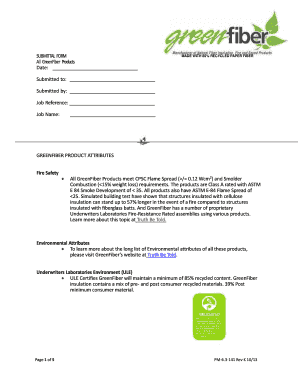
The Green Fiber PM-6.3-141 form is essential for submitting information regarding GreenFiber products. This guide provides a comprehensive overview of how to fill it out online, ensuring clarity and accuracy in your submission.
Follow the steps to complete the Green Fiber PM-6.3-141 form online
- Press the ‘Get Form’ button to acquire the Green Fiber PM-6.3-141 form and open it for editing.
- Fill in the date of submission in the designated field to ensure a clear record.
- Enter the name of the recipient in the 'Submitted to' section, providing accurate contact information.
- Complete the 'Submitted by' field with your name or the name of the individual responsible for the submission.
- Input the job reference in the specified area, making it easier to track the submission.
- Write the job name clearly in the corresponding section to indicate the purpose of the submission.
- Fill out the product attributes regarding fire safety, environmental features, and sound control based on the specifications required.
- Review the product types, codes, and descriptions, ensuring that all relevant details are accurate.
- After completing all necessary fields, save your changes to ensure no data is lost.
- You may download, print, or share the completed form as needed.
Complete and submit your documents online to streamline the process and ensure efficient handling.
Get form
The acceptable light level for fiber should be strong enough to ensure data integrity and signal clarity. For the Green Fiber PM-6.3-141, achieving light levels within manufacturer's specifications is essential for optimal performance. Regular monitoring of these levels can prevent issues and enhance your overall experience. Utilizing reliable resources and products can make all the difference in maintaining your fiber optic systems.