Loading
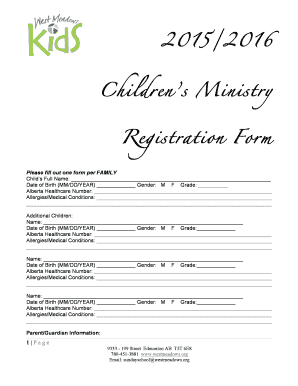
Get Children's Ministry Registration Form 2015-2026
How it works
-

Open form follow the instructions
-

Easily sign the form with your finger
-

Send filled & signed form or save
How to fill out the Children's Ministry Registration Form online
Filling out the Children's Ministry Registration Form online is a straightforward process designed to gather necessary information about participants effectively. This guide provides clear, step-by-step instructions to help you complete the form accurately and ensure that all required information is submitted.
Follow the steps to complete the registration form online.
- Click the ‘Get Form’ button to access the form and open it for editing.
- Begin by entering your child's full name in the designated field. This ensures that the registration is properly recognized.
- Next, provide your child's date of birth using the format MM/DD/YEAR to maintain consistency.
- Indicate your child's gender by selecting either M (Male) or F (Female).
- Select your child's current grade to help with program placement.
- Enter your child's Alberta healthcare number to ensure appropriate medical coverage during activities.
- If your child has any allergies or medical conditions, detail them in the provided field.
- If applicable, you can register additional children by repeating the information entry process for each sibling.
- Fill out the parent or guardian information with your names, mailing address, phone numbers, and email addresses.
- Select the program(s) for your child from the options provided, indicating your preferences clearly.
- Indicate your willingness to assist in church programs, if interested, by checking the relevant boxes.
- Provide an emergency contact name, their relationship to your child, and their phone numbers in case of emergencies.
- Address any physical, emotional, mental, or behavioral concerns regarding your child if applicable, ensuring you provide a clear explanation.
- Read and respond to the photography and video consent section by selecting 'Yes' or 'No'.
- Review the release and permission statement to ensure you understand and agree with its contents, and sign the document. Include the date of your signature.
- Once all sections are completed, you can save your changes to the form. Additionally, consider downloading or printing a copy for your records or sharing it via email.
Now that you have the guidance, please complete the Children's Ministry Registration Form online to ensure your child's participation.
When you play games and do crafts, use the lessons to reinforce an atmosphere that makes kids look forward to church. Additionally, play music regularly and let the kids sing or play their instruments. Worship songs are a great way to get kids engaged, regardless of their age.