Get State Of Ri Purchasing Mpa 2015-2026
How it works
-

Open form follow the instructions
-

Easily sign the form with your finger
-

Send filled & signed form or save
How to fill out the State Of Ri Purchasing Mpa online
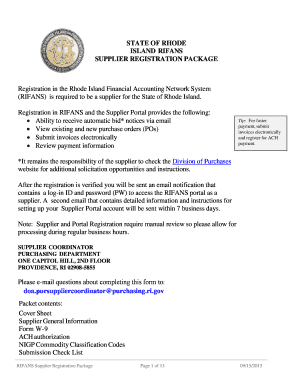
Filling out the State Of Rhode Island Purchasing MPA online is an essential process for suppliers wishing to engage with the state. This guide offers clear and comprehensive steps to ensure all necessary information is accurately submitted, facilitating a successful registration process.
Follow the steps to fill out the State Of Ri Purchasing Mpa online with ease.
- Click ‘Get Form’ button to access the purchasing MPA form. This will open the document in your browser, enabling you to begin filling it out.
- Provide your full legal name of the firm, including any necessary spaces, in the designated field. Ensure that this name matches your official business registration.
- If applicable, enter any alternate names the firm may operate under, along with the parent firm's name, if it exists.
- Fill in the corporate address, including street address, city, state, and postal code. Include any additional addresses as needed.
- Input the remit-to address where payments should be directed, ensuring that this is correct to avoid payment delays.
- Set up an email address to receive notifications regarding automated bid notices. It is advised to use a generic corporate email for this purpose.
- Select the preferred method for receiving purchase orders: via email or a fax number, providing the appropriate contact details.
- Fill out the primary contacts for your business. Include the name, title, telephone number, email, and fax number of both the first and second contact persons.
- Indicate whether your business qualifies as a Minority Business Enterprise (MBE) and provide the necessary information if applicable.
- Complete Form W-9 by entering the taxpayer identification number, as well as your business designation. Ensure the form is signed appropriately.
- Provide the authorization for ACH deposits, attaching a voided check or savings deposit slip as instructed.
- Select the relevant NIGP commodity classification codes that pertain to your products or services, ensuring that you review the full list.
- Finalize your form by checking all fields for accuracy and completeness as noted in the submission checklist. Save your changes and download or print the completed form.
Complete your State Of Ri Purchasing Mpa online today to ensure your business can engage with the state efficiently.
To become a vendor in the State of RI, you need to register with the Rhode Island Secretary of State's office. Ensure you complete the Vendor Registration Form and provide any required documentation. Once registered, you can participate in the State of RI Purchasing MPA, allowing you to bid on contracts and supply goods or services to state agencies.