Loading
Form preview
  • US Legal Forms
  • Form Library
  • Other Forms
  • Pennsylvania Other Forms
  • Pa Psrs-8 2013

Get Pa Psrs-8 2013

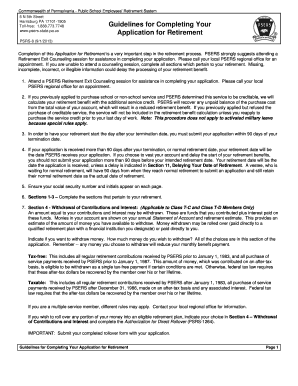
ERS Health Insurance Program Application for Retirement PSRS-8 (9/1/2013) Completion of this Application for Retirement is a very important step in the retirement process. PSERS strongly suggests attending a Retirement Exit Counseling session for assistance in completing your application. Please call your local PSERS regional office for an appointment. If you are unable to attend a counseling session, complete all sections which pertain to your retirement. Missing, incomplete, incorrect, or il.

How it works

  1. Open form

    Open form follow the instructions

  2. Easily sign form

    Easily sign the form with your finger

  3. Share form

    Send filled & signed form or save

How to fill out the PA PSRS-8 online

Completing the PA PSRS-8, Application for Retirement, is an essential step in accessing your retirement benefits from the Pennsylvania Public School Employees' Retirement System. This guide provides clear, step-by-step instructions to help you submit your application online effectively.

Follow the steps to fill out the PA PSRS-8 online seamlessly.

  1. Click ‘Get Form’ button to obtain the form and open it for editing.
  2. Provide your personal information in Section 1. This includes your name, address, social security number, date of birth, contact numbers, and email address. Make sure to provide accurate information to avoid delays.
  3. In Section 2, indicate if you have been a member of the State Employees' Retirement System by naming the agencies where you worked.
  4. Section 3 asks if you have previously retired and received benefits from PSERS. Check the appropriate box.
  5. In Section 4, decide if you wish to withdraw your contributions and interest, providing amounts as necessary. Indicate how you want your funds distributed between taxable and tax-free options.
  6. Complete Section 5 by selecting one Monthly Payment Plan option. Remember, you can select only one.
  7. In Section 6, choose your federal income tax withholding preference to ensure proper tax management.
  8. If you selected the Maximum Single Life Annuity, Option 1, or Customized Option, complete Section 7 by naming at least one primary beneficiary.
  9. In Section 8, if applicable, provide information about your survivor annuitant and include proof of their date of birth.
  10. Check your choice regarding Retirement Exit Counseling in Section 9. It is recommended to attend this session.
  11. Fill out Section 10 for direct deposit details, ensuring you provide bank account information accurately.
  12. If you wish to delay your retirement date, complete Section 11 by entering the specific future date you choose.
  13. In Section 12, confirm whether there is any existing court order or pending divorce proceeding that affects your benefits.
  14. Sign and date the application in Section 13 to certify that all provided information is accurate.
  15. Once all sections are complete, review the application for accuracy and clarity before saving your changes, downloading, printing, or sharing the form as needed.

Complete your application online today to ensure a smooth transition into your retirement benefits.

Get form

Experience a faster way to fill out and sign forms on the web. Access the most extensive library of templates available.

Related content

PSERS Forms and Pubs | Public School Employees ...
PSRS 8. Completion of this Application for Retirement is a very important step in the...
Learn more
Diagnostic Error: A Patient Safety Imperative
Estimated that between 44,000 and. 98,000 patients die in hospitals each year as a result...
Learn more
Public Safety Repeaters PSR 700/800
Apr 15, 2021 — This document has been developed by CommScope and is intended for the use...
Learn more

Related links form

CITY OF BATAVIA - ALARM USER PERMIT APPLICATION ZONING PERMIT APPLICATION - Town Of Freedom, NH Certificate Of Remittance JOURNALISM AND MASS COMMUNICATION Vol

Questions & Answers

Get answers to your most pressing questions about US Legal Forms API.

Contact support

To file a complaint against a nursing home in Pennsylvania, you can contact the Pennsylvania Department of Health. You may submit a complaint online, by phone, or via traditional mail. It's essential to provide as much detail as possible to facilitate the investigation. If you need help navigating the process, uslegalforms offers resources and templates that can assist you in filing your complaint effectively.

The earliest you can retire with PSERS is typically at age 55, provided you have accumulated 25 years of service. However, if you retire before your full retirement age, you may face reduced benefits. It’s crucial to plan your retirement carefully and understand the implications of retiring early under the PA PSRS-8. Using platforms like uslegalforms can provide you with essential tools and resources as you consider your options.

Yes, you can retire with 20 years of teaching service in Pennsylvania, provided you meet specific conditions set by the PSERS. Depending on your age and the date you joined the system, there are various retirement options available to you. It’s beneficial to consult PSERS guidelines or consider the resources available on uslegalforms to navigate your retirement plan effectively. The PA PSRS-8 is designed to ensure a smooth transition into retirement.

To request a retirement estimate from PSERS, you can log into your member account on the PSERS website and use the retirement estimate tool available there. Alternatively, you may also contact PSERS directly via phone or email. This estimate will provide crucial information on your benefits as you plan for retirement under the PA PSRS-8. Utilizing uslegalforms can streamline the documentation process if you need assistance.

In Pennsylvania, you generally need to serve as a teacher for at least 10 years to qualify for a pension through the Pennsylvania Public School Employees' Retirement System (PSERS). This requirement ensures you establish a solid foundation in your teaching career. Remember, factors such as years of service and your contributions to the PA PSRS-8 can influence your pension amount significantly. Consider reaching out to uslegalforms for guidance on your specific situation.

The calculation for a PA teacher pension follows a similar process to the general state pension calculation. It considers the highest three years of salary, your years of service, and applies a multiplier, all within the PA PSRS-8 parameters. This detailed method provides teachers with a clear understanding of their financial benefits upon retirement.

A PSERS pension calculation involves assessing your average salary, the number of years you have worked, and a benefit factor applicable under the PA PSRS-8. This structured approach ensures that educators receive a pension reflective of their career contributions. This clarity in calculation helps teachers make informed decisions about their retirement plans.

PA teachers' pensions are calculated based on a formula that includes your average final salary, years of credited service, and a specific multiplier. The PA PSRS-8 provides a clear structure for these calculations, ensuring teachers receive an equitable pension. Understanding this formula helps educators plan for their financial future effectively.

Typically, it takes PSERS about 6 to 8 weeks to process a retirement estimate after receiving your request. However, factors like the time of year can affect processing speed. Utilizing the PA PSRS-8 system can streamline this experience since it offers detailed resources and guidance for understanding your benefits.

The average teacher pension in Pennsylvania varies based on individual earnings and years of service. Generally, teachers can expect their average pension to be in line with the state's pension benefits program, which integrates the PA PSRS-8 guidelines. This alignment ensures educators receive fair compensation for their commitment to public education.

Get This Form Now!

Use professional pre-built templates to fill in and sign documents online faster. Get access to thousands of forms.
If you believe that this page should be taken down, please follow our DMCA take down processhere.

Industry-leading security and compliance

US Legal Forms protects your data by complying with industry-specific security standards.
  • In businnes since 1997
    25+ years providing professional legal documents.
  • Accredited business
    Guarantees that a business meets BBB accreditation standards in the US and Canada.
  • Secured by Braintree
    Validated Level 1 PCI DSS compliant payment gateway that accepts most major credit and debit card brands from across the globe.
Get PA PSRS-8
  • Adoption
  • Bankruptcy
  • Contractors
  • Divorce
  • Home Sales
  • Employment
  • Identity Theft
  • Incorporation
  • Landlord Tenant
  • Living Trust
  • Name Change
  • Personal Planning
  • Small Business
  • Wills & Estates
  • Packages A-Z
  • Affidavits
  • Bankruptcy
  • Bill of Sale
  • Corporate - LLC
  • Divorce
  • Employment
  • Identity Theft
  • Internet Technology
  • Landlord Tenant
  • Living Wills
  • Name Change
  • Power of Attorney
  • Real Estate
  • Small Estates
  • Wills
  • All Forms
  • Forms A-Z
  • Form Library
  • Legal Hub
  • About Us
  • Help Portal
  • Legal Resources
  • Blog
  • Affiliates
  • Contact Us
  • Delete My Account
  • Site Map
  • Industries
  • Forms in Spanish
  • Localized Forms
  • State-specific Forms
  • Forms Kit
  • Real Estate Handbook
  • All Guides
  • Notarize
  • Incorporation services
  • For Consumers
  • For Small Business
  • For Attorneys
  • USLegal
  • FormsPass
  • pdfFiller
  • signNow
  • altaFlow
  • DocHub
  • Instapage
Form Packages
  • Adoption
  • Bankruptcy
  • Contractors
  • Divorce
  • Home Sales
  • Employment
  • Identity Theft
  • Incorporation
  • Landlord Tenant
  • Living Trust
  • Name Change
  • Personal Planning
  • Small Business
  • Wills & Estates
  • Packages A-Z
Form Categories
  • Affidavits
  • Bankruptcy
  • Bill of Sale
  • Corporate - LLC
  • Divorce
  • Employment
  • Identity Theft
  • Internet Technology
  • Landlord Tenant
  • Living Wills
  • Name Change
  • Power of Attorney
  • Real Estate
  • Small Estates
  • Wills
  • All Forms
  • Forms A-Z
  • Form Library
Customer Service
  • Legal Hub
  • About Us
  • Help Portal
  • Legal Resources
  • Blog
  • Affiliates
  • Contact Us
  • Delete My Account
  • Site Map
  • Industries
  • Forms in Spanish
  • Localized Forms
  • State-specific Forms
  • Forms Kit
Legal Guides
  • Real Estate Handbook
  • All Guides
Prepared for you
  • Notarize
  • Incorporation services
Our Customers
  • For Consumers
  • For Small Business
  • For Attorneys
Our Sites
  • USLegal
  • FormsPass
  • pdfFiller
  • signNow
  • altaFlow
  • DocHub
  • Instapage
Social Media
Call us now toll free:
+1 833 426 79 33
As seen in:
© Copyright 1999-2026 airSlate Legal Forms, Inc. 3720 Flowood Dr, Flowood, Mississippi 39232
  • Your Privacy Choices
  • Terms of Service
  • Privacy Notice
  • Content Takedown Policy
  • Bug Bounty Program
PA PSRS-8
This form is available in several versions.
Select the version you need from the drop-down list below.
2014 PA PSRS-8
Select form
  • 2014 PA PSRS-8
  • 2013 PA PSRS-8
Select form