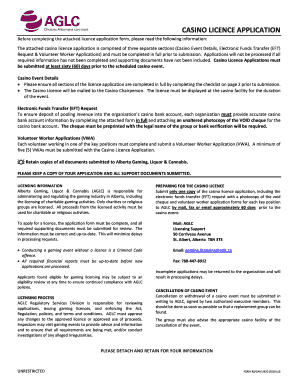
Get Canada Rs/gam 5420 2018
How it works
-

Open form follow the instructions
-

Easily sign the form with your finger
-

Send filled & signed form or save
How to fill out and sign Canada RS/GAM 5420 online?
Get your online template and fill it in using progressive features. Enjoy smart fillable fields and interactivity.Follow the simple instructions below:Experience all the primary advantages of submitting and finalizing legal documents online. Utilizing our platform, completing Canada RS/GAM 5420 generally requires only a few minutes. We facilitate this by providing you with access to our feature-rich editor capable of altering/correcting a document's original text, adding special fields, and e-signing.
Complete Canada RS/GAM 5420 in just a few minutes by adhering to the guidelines outlined below:
Submit your finalized Canada RS/GAM 5420 in digital format once you have completed it. Your information is securely protected, as we comply with the latest security protocols. Join the millions of satisfied clients who are already completing legal documents directly from their homes.
- Choose the document template you desire from the library of legal form samples.
- Press the Get form button to access the document and proceed to editing.
- Fill in the mandatory fields (these will be highlighted in yellow).
- The Signature Wizard will allow you to place your e-signature as soon as you have finished entering information.
- Add the appropriate date.
- Review the entire form to ensure all details are filled and no modifications are necessary.
- Click Done and download the completed form to your device.
Tips on how to fill out, edit and sign Canada RS/GAM 5420 online
How to fill out and sign Canada RS/GAM 5420 online?
Get your online template and fill it in using progressive features. Enjoy smart fillable fields and interactivity.Follow the simple instructions below:
Experience all the primary advantages of submitting and finalizing legal documents online. Utilizing our platform, completing Canada RS/GAM 5420 generally requires only a few minutes. We facilitate this by providing you with access to our feature-rich editor capable of altering/correcting a document's original text, adding special fields, and e-signing.
Complete Canada RS/GAM 5420 in just a few minutes by adhering to the guidelines outlined below:
Submit your finalized Canada RS/GAM 5420 in digital format once you have completed it. Your information is securely protected, as we comply with the latest security protocols. Join the millions of satisfied clients who are already completing legal documents directly from their homes.
- Choose the document template you desire from the library of legal form samples.
- Press the Get form button to access the document and proceed to editing.
- Fill in the mandatory fields (these will be highlighted in yellow).
- The Signature Wizard will allow you to place your e-signature as soon as you have finished entering information.
- Add the appropriate date.
- Review the entire form to ensure all details are filled and no modifications are necessary.
- Click Done and download the completed form to your device.
How to Adjust Get Canada RS/GAM 5420 2018: Personalize Forms Online
Completing documents is straightforward with intelligent online tools. Eliminate paperwork with effortlessly available Get Canada RS/GAM 5420 2018 templates that you can modify online and print.
Preparing documents and forms should be more attainable, whether it is a routine aspect of one’s profession or occasional tasks. When an individual needs to submit a Get Canada RS/GAM 5420 2018, learning regulations and guides on how to fill out a form correctly and what it should entail might require significant time and effort. However, if you find the right Get Canada RS/GAM 5420 2018 template, completing a document will no longer be a challenge with an intelligent editor available.
Explore a broader array of features you can incorporate into your document workflow. No need to print, fill out, and mark forms by hand. With a smart editing platform, all critical document processing features will be readily accessible. If you aim to enhance your work process with Get Canada RS/GAM 5420 2018 forms, locate the template in the catalog, select it, and experience a simpler method to fill it in.
The more tools you're acquainted with, the easier it will be to work with Get Canada RS/GAM 5420 2018. Explore the solution that provides everything required to discover and edit forms in a single tab of your browser and eliminate manual paperwork.
- If you need to insert text in any section of the form or add a text field, utilize the Text and Text field tools and expand the text on the form as much as you require.
- Employ the Highlight tool to emphasize the main sections of the form. If you need to conceal or delete certain text areas, use the Blackout or Erase tools.
- Personalize the form by integrating default graphic elements into it. Use the Circle, Check, and Cross tools to incorporate these features into the forms, if possible.
- Should you require extra annotations, take advantage of the Sticky note tool and place as many notes on the forms page as needed.
- If the form necessitates your initials or date, the editor provides tools for that as well. Minimize errors using the Initials and Date tools.
- It is also simple to add custom visual elements to the form. Use the Arrow, Line, and Draw tools to modify the document.