Get Au 1365 2013
How it works
-

Open form follow the instructions
-

Easily sign the form with your finger
-

Send filled & signed form or save
How to fill out the AU 1365 online
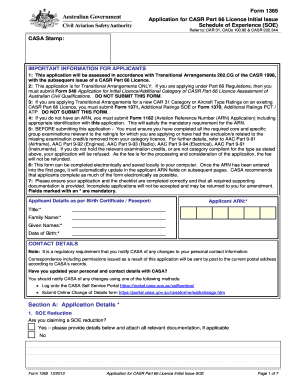
Filling out the AU 1365 form is an essential step for applicants seeking a CASR Part 66 Licence. This guide provides clear guidance on how to complete the form accurately and efficiently, ensuring that all necessary information is included.
Follow the steps to complete the AU 1365 form online.
- Press the ‘Get Form’ button to obtain the AU 1365 form and open it in an online editor.
- Fill in the 'Applicant Details' section with your personal information, including title, family name, given names, date of birth, and applicant ARN.
- In the 'Contact Details' section, confirm that your personal contact information is accurate. It is a regulatory requirement to notify CASA of any changes.
- Proceed to 'Section A: Application Details' where you will indicate if you are claiming a SOE reduction and provide information on the rating(s) applied for.
- Indicate whether you have passed the Airworthiness Administration Examination within the last 24 months by selecting 'Yes' or 'No.'
- Verify if you meet the requirements for examination credits as specified in the important information for applicants.
- Complete the 'Schedule of Experience (SOE)' section, including details on your practical maintenance experience and employment history relevant to the application.
- Review 'Section B: Applicant Checklist' and enter 'Y' or 'N' in the applicable boxes to confirm that all necessary documents and details are included.
- Sign the 'Section C: Applicant Declaration,' certifying that all statements in the application are true and correct.
- Fill out the 'Payment Authorisation' section to indicate your payment method for processing fees.
- Once all sections are completed, save the changes, then download, print, or share the form as necessary.
Complete your AU 1365 form online today and ensure your application process is smooth and efficient.
Get form
To file for EAD renewal, you should begin by completing the necessary forms required for the AU 1365 process. Next, gather the supporting documents, including your current EAD, identity proof, and any required photos. It is essential to submit your application before your current EAD expires to ensure continuous work authorization. Using a platform like USLegalForms can help simplify this process, providing guidance and resources tailored to your needs.