Loading
Get Interior Health 820093 2017-2026
How it works
-

Open form follow the instructions
-

Easily sign the form with your finger
-

Send filled & signed form or save
How to fill out the Interior Health 820093 online
Filling out the Interior Health 820093 form online is a straightforward process that ensures you can efficiently provide the necessary information for laboratory requisitions. This guide will walk you through each section and field of the form, making it user-friendly and accessible for all.
Follow the steps to complete the form correctly.
- Click the ‘Get Form’ button to obtain the form and open it in the designated editor.
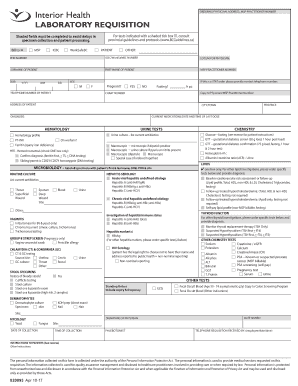
- Complete the shaded fields first, as these are mandatory for successful specimen collection and patient processing. Enter the billing information, selecting between MSP, ICBC, or WorkSafeBC.
- Fill in the patient’s personal information, including their PHN number, surname, first name, date of birth (DOB), sex, and contact telephone number. Indicate if the patient is pregnant or fasting.
- Provide additional information relevant to the patient, including their current address, province, city/town, diagnosis, and current medications along with the date and time of the last dose.
- Select the required laboratory tests from the list provided. Indicate specific tests needed by checking the appropriate boxes. For tests requiring consultation with provincial guidelines, ensure to refer to the provided resources.
- Complete any additional notes or instructions relevant to the patient or tests, including current medications or any relevant medical history.
- Finally, provide the physician’s signature, the date of collection, and time of collection. Ensure all sections are reviewed for accuracy before submission.
- Once completed, you can save changes, download, print, or share the form as needed.
Start filling out the Interior Health 820093 form online today for a seamless laboratory requisition process.