Loading
Get Ny Sucf Form Cf-c7a 1999-2026
How it works
-

Open form follow the instructions
-

Easily sign the form with your finger
-

Send filled & signed form or save
How to fill out the NY SUCF Form CF-C7A online
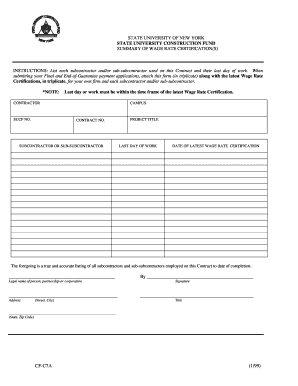
Filling out the NY SUCF Form CF-C7A online can be a straightforward process with the right guidance. This form is essential for contractors to report subcontractors and their work completion dates, ensuring accurate wage rate certifications.
Follow the steps to complete the form online.
- Click the ‘Get Form’ button to acquire the form and open it in your preferred editor.
- Begin completing the form by entering your legal name in the 'Legal name of person, partnership or corporation' field.
- Provide your address, including street and city, in the designated field.
- Input the contractor's identifying information in the corresponding sections, including SUCF number, campus, and contract number.
- List each subcontractor or sub-subcontractor utilized on the contract in the 'Subcontractor or Sub-Subcontractor' field along with their respective 'Last day of work'.
- Enter the date of the latest wage rate certification pertaining to each subcontractor.
- Once all fields are completed, review the form to ensure accuracy and completeness.
- Finally, save your changes, download a copy, print the form, or share it as necessary.
Complete your forms online efficiently and accurately today.