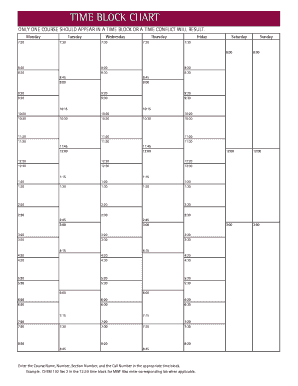
Get New Mexico State University Time Block Chart 2018-2026
How it works
-

Open form follow the instructions
-

Easily sign the form with your finger
-

Send filled & signed form or save
How to fill out the New Mexico State University Time Block Chart online
The New Mexico State University Time Block Chart is a crucial tool for scheduling courses efficiently. This guide provides clear instructions on how to complete the chart online, ensuring you can manage your time effectively and avoid scheduling conflicts.
Follow the steps to complete the time block chart online.
- Press the ‘Get Form’ button to access the Time Block Chart and open it in the editing interface.
- Locate the specific time block that corresponds to the day you wish to schedule your course. Each time block represents a designated period and must only contain one course to prevent conflicts.
- In the identified time block, enter the course name, course number, section number, and call number. For example, input 'CHEM 102 Sec 2' in the 12:30 time block for Monday, Wednesday, and Friday.
- If applicable, ensure to enter any corresponding lab sessions in the adjacent field or designated area.
- After completing the entries for all desired time blocks, carefully review the information to confirm accuracy and that no time conflicts exist.
- Once satisfied with the completed form, save your changes, and choose to download, print, or share the Time Block Chart as needed.
Take the next step in managing your course schedule by completing your Time Block Chart online today.
The 9 credit rule at New Mexico State University pertains to the minimum credit hours required for students receiving certain benefits. Specifically, students must enroll in at least 9 credit hours to maintain their eligibility for financial aid or to be considered full-time. Understanding this rule is crucial when planning your semester using the New Mexico State University Time Block Chart.