Loading
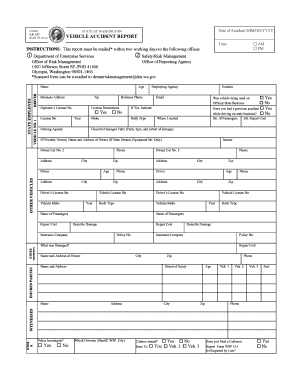
Get Wa Sf 137 2012-2026
How it works
-

Open form follow the instructions
-

Easily sign the form with your finger
-

Send filled & signed form or save
How to fill out the WA SF 137 online
Filling out the WA SF 137, also known as the Vehicle Accident Report, is essential for documenting accidents that occur during state business. This guide will assist you in completing the form accurately and efficiently online.
Follow the steps to complete the WA SF 137 online.
- Press the ‘Get Form’ button to access the form and open it in the online editor.
- Fill in the date of the accident using the MM/DD/YYYY format. Ensure that you enter the correct time as either AM or PM.
- In the 'State Employee Driver' section, provide your name, age, business address, zip code, operator's license number, and business phone. Include any license restrictions if applicable.
- For 'Vehicle No. 1', enter the license number, year of the vehicle, and the phone number of the driver. Also, provide the city and insurance information.
- If there are other vehicles involved, complete the 'Other Vehicles' section with appropriate details including driver’s license number, insurer information, and vehicle owner data.
- If there are injured parties, document their names, addresses, ages, and extent of injuries in the 'Injured Parties' section.
- In the 'Witnesses' section, provide witness names and contact information. Indicate whether the vehicle was being used for official state business.
- Address the 'Information Regarding Accident' section by detailing the nature of the accident, including type, location, and contributing factors.
- Complete the 'Diagram' section by showing the position of each vehicle and indicating the direction of travel.
- Once all sections of the form are completed, review your entries for accuracy, and then save the changes. You can download, print, or share the form as needed.
Complete your WA SF 137 online today to ensure accurate documentation of your vehicle accident report.