Loading
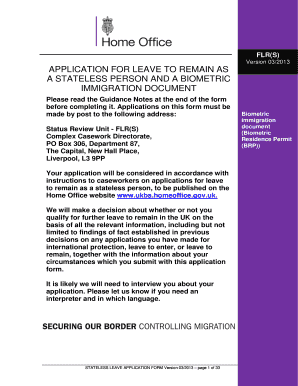
Get Uk Flr(s) 2013-2026
How it works
-

Open form follow the instructions
-

Easily sign the form with your finger
-

Send filled & signed form or save
How to fill out the UK FLR(S) online
This guide provides clear and comprehensive instructions on how to complete the UK FLR(S) online application form for leave to remain as a stateless person. It aims to demystify the process for users with varying levels of legal experience, ensuring a smooth application journey.
Follow the steps to successfully complete the FLR(S) application form.
- Press the ‘Get Form’ button to retrieve the online FLR(S) form and open it in your browser.
- Complete Section 1, which asks for the applicant’s personal details. Ensure you provide accurate information for each field, including title, full name, date of birth, and contact information.
- In Section 2, indicate how you learned about the form. This section is optional, but your feedback is appreciated.
- Move to Section 3, which requests information about your country of origin. You will need to detail your place of birth, nationality, and any other relevant statuses.
- Fill out Section 4 by providing your travel history, including the date and method of entry into the UK.
- In Section 5, list all previous places of residence you have lived abroad.
- Section 6 requires details about your life in your country of previous residence, including your education, employment, and medical treatment records.
- Complete Section 7 by listing all supporting documentation you are submitting with your application. Clearly label each document.
- Section 8 gathers information about your family details, including marital status and information about your parents and siblings.
- In Section 9, state your reasons for applying as a stateless person, providing a thorough explanation of your circumstances.
- Fill out Section 10 by disclosing your personal history, including any criminal convictions. Ensure accuracy here, as this is vital for your application.
- Move to Section 11 to provide information regarding your biometric residence permit if applicable.
- In Section 12, tick the boxes next to the documents you are sending to support your application. Include passport photos and identity documents.
- Read and sign the declaration in Section 13, confirming the accuracy of your application and acknowledging your responsibilities.
- Finally, review your application for completion and accuracy. After ensuring all parts are filled, save your changes, download or print a copy for your records, and prepare your application for submission.
Complete your FLR(S) application online today and take the next step towards your leave to remain as a stateless person.
Yes, FLR (Further Leave to Remain) is a legal status in the UK that allows individuals to extend their stay under specific visa categories. It is recognized by UK immigration authorities, provided all application requirements are met. Stay informed about any changes in regulations to ensure you maintain your legal status.