Loading
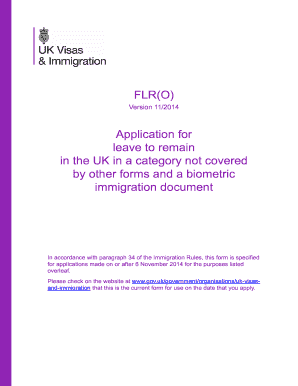
Get Uk Flr(o) 2014
How it works
-

Open form follow the instructions
-

Easily sign the form with your finger
-

Send filled & signed form or save
How to fill out the UK FLR(O) online
The UK FLR(O) form is an application for leave to remain in the UK for various categories not covered by other forms. This guide provides a detailed, step-by-step approach to help users complete the form accurately and effectively.
Follow the steps to successfully complete the UK FLR(O) form online.
- Press the ‘Get Form’ button to access the FLR(O) form and open it in the designated editing tool.
- Begin by filling out the personal details section. Include your full name as it appears in your passport or travel document, date of birth, nationality, and gender. Make sure to provide accurate information.
- In section 1, provide your UK address for correspondence, daytime telephone number, and email address clearly in block capitals. Ensure you repeat your email address accurately in the designated box.
- If applicable, proceed to section 2 to list any dependants applying with you. Include their full names, nationalities, dates of birth, and any other required details. Remember to attach photographs of dependants with their names on the back.
- Complete section 3 by ticking the category for which you are applying. Ensure you read through the guidance notes to understand the specific documents required for each category.
- Fill out section 4 indicating whether you have a current biometric residence permit. If you are enclosing a biometric residence permit, ensure it is provided with your application.
- In section 5, provide details regarding your home and finances. Clearly state your financial circumstances and how you are supporting yourself and any dependants.
- Complete section 6 regarding personal history, answering all questions honestly. Be sure not to omit any information regarding criminal convictions or civil judgments.
- In section 7, ensure to provide the mandatory photographs according to the specified format. Attach them securely as directed.
- In section 8, provide all relevant documents required for your application. This includes your passport, financial evidence, and any specific documents tied to your application category.
- Review your application for any final checks to confirm that all sections are filled correctly. Ensure all documents are originals as required.
- Sign the declaration in section 9, confirming that the information provided is accurate to the best of your knowledge.
- If you are mailing your application, address it to the Home Office - Leave to Remain, FLR(O), PO Box 495, Durham, DH1 9LL.
- Finally, save any changes you made to the form. You can then download, print, or share the completed application as needed.
Complete your FLR(O) application online today to ensure timely processing of your request for leave to remain.
Get form
Experience a faster way to fill out and sign forms on the web. Access the most extensive library of templates available.
To get a UK visa as soon as possible, you should ensure that you prepare your application thoroughly and gather all necessary documents. Applying online can speed up the process, and you may opt for priority services if available. Moreover, working with a resource like USLegalForms can help you streamline your application, reducing the chances of errors that could delay processing.
Get This Form Now!
Use professional pre-built templates to fill in and sign documents online faster. Get access to thousands of forms.