Get Beacon Health Options (formerly Valueoptions Orf 2) 2010
How it works
-

Open form follow the instructions
-

Easily sign the form with your finger
-

Send filled & signed form or save
How to use or fill out the Beacon Health Options (Formerly ValueOptions ORF 2) online
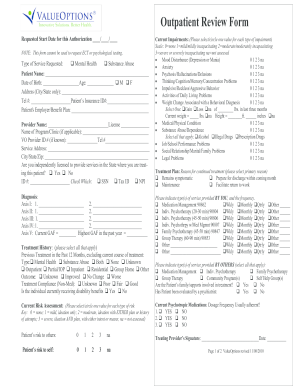
Filling out the Beacon Health Options (Formerly ValueOptions ORF 2) online can streamline the process of requesting necessary care services. This guide provides clear, step-by-step instructions to help you complete the form accurately and efficiently.
Follow the steps to fill out the form accurately.
- Press the ‘Get Form’ button to access the form and open it in your preferred editor.
- Enter the requested start date in the format ____/____/____.
- Select the type of service requested by marking either 'Mental Health' or 'Substance Abuse'.
- Fill in the patient's name, date of birth, age, and gender (male or female).
- Provide the patient’s city and state of residence, telephone number, and insurance ID number.
- Include the patient's employer and benefit plan details.
- Enter the provider's name and license number.
- If applicable, list the name of the program or clinic and the Beacon provider ID number.
- Fill in the service address, city, state, and zip code.
- Indicate whether the service address is the same as the mailing address by selecting 'Yes' or 'No.' If 'No,' provide the updated mailing address.
- Confirm your independent licensure status by selecting 'Yes' or 'No,' and enter your ID number (choose SSN, Tax ID, or NPI).
- Assess current impairments by selecting or circling the appropriate value for each type of impairment. Ensure to include details on weight change as needed.
- In the treatment plan section, select the primary reason for continued treatment.
- Document the diagnoses using the appropriate ICD codes for both behavioral and medical diagnoses.
- Complete any optional functional assessment, if applicable.
- Indicate the types of services provided by you and their frequencies.
- Provide the treatment history, including previous treatments and outcomes.
- Detail the current risk assessment by selecting the appropriate values.
- List current psychotropic medications, dosage, frequency, and adherence status.
- Add your signature as the treating provider and date the form.
- Finally, review all entries for accuracy before saving changes, downloading, or printing the completed form.
Complete the Beacon Health Options (Formerly ValueOptions ORF 2) form online today to ensure timely and effective service delivery.
Get form
Beacon Health Options (Formerly ValueOptions ORF 2) was acquired by Anthem, Inc. in 2015, solidifying its role in the mental health and substance use treatment market. This acquisition integrated Beacon's services into Anthem's broader healthcare offerings, enhancing access to quality care. As part of Anthem, Beacon continues to deliver essential behavioral health insurance services. If you're looking to understand your options better, USLegalForms can help you navigate through the specifics.