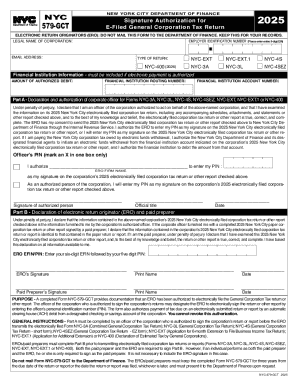
Get Nyc Signature Authorization For 579-gct 2025
How it works
-

Open form follow the instructions
-

Easily sign the form with your finger
-

Send filled & signed form or save
How to fill out and sign NYC Signature Authorization For 579-GCT 2025 online?
Get your online template and fill it in using progressive features. Enjoy smart fillable fields and interactivity.Follow the simple instructions below:Tips on how to fill out, edit and sign NYC Signature Authorization For 579-GCT 2025 online
How to edit NYC Signature Authorization For 579-GCT 2025: customize forms online
Use our advanced editor to transform a simple online template into a completed document. Read on to learn how to modify NYC Signature Authorization For 579-GCT 2025 online easily.
Once you find a perfect NYC Signature Authorization For 579-GCT 2025, all you need to do is adjust the template to your preferences or legal requirements. Apart from completing the fillable form with accurate information, you may need to erase some provisions in the document that are irrelevant to your circumstance. Alternatively, you might like to add some missing conditions in the original template. Our advanced document editing tools are the best way to fix and adjust the document.
The editor enables you to modify the content of any form, even if the document is in PDF format. You can add and remove text, insert fillable fields, and make further changes while keeping the initial formatting of the document. You can also rearrange the structure of the form by changing page order.
You don’t have to print the NYC Signature Authorization For 579-GCT 2025 to sign it. The editor comes along with electronic signature functionality. The majority of the forms already have signature fields. So, you only need to add your signature and request one from the other signing party with a few clicks.
Follow this step-by-step guide to make your NYC Signature Authorization For 579-GCT 2025:
- Open the preferred template.
- Use the toolbar to adjust the form to your preferences.
- Complete the form providing accurate information.
- Click on the signature field and add your eSignature.
- Send the document for signature to other signers if needed.
Once all parties sign the document, you will receive a signed copy which you can download, print, and share with other people.
Our solutions let you save tons of your time and minimize the risk of an error in your documents. Streamline your document workflows with efficient editing capabilities and a powerful eSignature solution.