Open form follow the instructions
Easily sign the form with your finger
Send filled & signed form or save
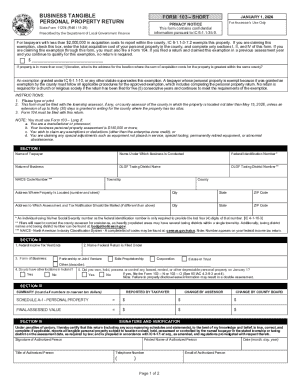
Tips on how to fill out, edit and sign Indiana Short Form 103 Tangible Personal Property Return online
How to edit Indiana Short Form 103 Tangible Personal Property Return
Make the most of our comprehensive online document editor while completing your paperwork. Fill out the Indiana Short Form 103 Tangible Personal Property Return, emphasize on the most important details, and effortlessly make any other essential modifications to its content.
Preparing paperwork electronically is not only time-saving but also gives an opportunity to alter the sample according to your requirements. If you’re about to work on Indiana Short Form 103 Tangible Personal Property Return, consider completing it with our extensive online editing solutions. Whether you make an error or enter the requested information into the wrong area, you can easily make adjustments to the document without the need to restart it from the beginning as during manual fill-out. Besides that, you can point out the crucial information in your document by highlighting specific pieces of content with colors, underlining them, or circling them.
Follow these quick and simple steps to complete and adjust your Indiana Short Form 103 Tangible Personal Property Return online:
- Open the file in the editor.
- Type in the required information in the empty areas using Text, Check, and Cross tools.
- Adhere to the form navigation not to miss any essential areas in the sample.
- Circle some of the critical details and add a URL to it if necessary.
- Use the Highlight or Line tools to stress on the most important facts.
- Decide on colors and thickness for these lines to make your form look professional.
- Erase or blackout the data you don’t want to be visible to others.
- Replace pieces of content that contain errors and type in text that you need.
- Finish editing with the Done option when you make sure everything is correct in the form.
Our powerful online solutions are the most effective way to fill out and customize Indiana Short Form 103 Tangible Personal Property Return based on your needs. Use it to manage personal or professional paperwork from anywhere. Open it in a browser, make any adjustments to your forms, and get back to them at any moment in the future - they all will be safely kept in the cloud.
How to sign the PA BCO-10 form electronically
airSlate SignNow makes it easy to add a legally-binding electronic signature to your PA BCO-10 form from any device.
- Open the completed PA BCO-10 form in the editor.
- Click My Signature and choose your preferred signature type.
- Place the signature in the designated field and click Done.
- Download or send the signed document directly from the platform.
How to edit Indiana Short Form 103 Tangible Personal Property Return
Make the most of our comprehensive online document editor while completing your paperwork. Fill out the Indiana Short Form 103 Tangible Personal Property Return, emphasize on the most important details, and effortlessly make any other essential modifications to its content.
Preparing paperwork electronically is not only time-saving but also gives an opportunity to alter the sample according to your requirements. If you’re about to work on Indiana Short Form 103 Tangible Personal Property Return, consider completing it with our extensive online editing solutions. Whether you make an error or enter the requested information into the wrong area, you can easily make adjustments to the document without the need to restart it from the beginning as during manual fill-out. Besides that, you can point out the crucial information in your document by highlighting specific pieces of content with colors, underlining them, or circling them.
Follow these quick and simple steps to complete and adjust your Indiana Short Form 103 Tangible Personal Property Return online:
- Open the file in the editor.
- Type in the required information in the empty areas using Text, Check, and Cross tools.
- Adhere to the form navigation not to miss any essential areas in the sample.
- Circle some of the critical details and add a URL to it if necessary.
- Use the Highlight or Line tools to stress on the most important facts.
- Decide on colors and thickness for these lines to make your form look professional.
- Erase or blackout the data you don’t want to be visible to others.
- Replace pieces of content that contain errors and type in text that you need.
- Finish editing with the Done option when you make sure everything is correct in the form.
Our powerful online solutions are the most effective way to fill out and customize Indiana Short Form 103 Tangible Personal Property Return based on your needs. Use it to manage personal or professional paperwork from anywhere. Open it in a browser, make any adjustments to your forms, and get back to them at any moment in the future - they all will be safely kept in the cloud.
Experience a faster way to fill out and sign forms on the web. Access the most extensive library of templates available.
Related content
Jan 1, 2026 — NOTE: You must use Form 103 – Long if: a. You are a manufacturer or...
However, a taxpayer claiming the exemption on Form 103 or Form 102 is required to attach a...
Jan 31, 2012 — personal tangible property is not a greater of 14 days or 10% of the...
Use professional pre-built templates to fill in and sign documents online faster. Get access to thousands of forms.
If you believe that this page should be taken down, please follow our DMCA take down process here.