Get Ph Pagcor Gs 9 2016
How it works
-

Open form follow the instructions
-

Easily sign the form with your finger
-

Send filled & signed form or save
How to fill out the PH PAGCOR GS 9 online
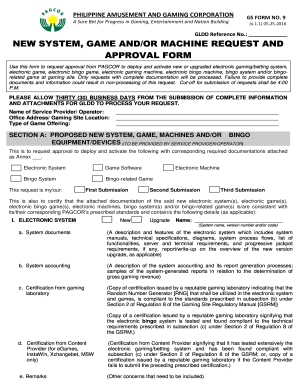
The PH PAGCOR GS 9 is an essential form for requesting approval to deploy and activate new or upgraded electronic gaming systems, games, and machines. This guide provides detailed instructions on navigating each section of the form effectively and understanding the information required.
Follow the steps to fill out the PH PAGCOR GS 9 form online.
- Click ‘Get Form’ button to obtain the PH PAGCOR GS 9 form and open it in your editing interface.
- Provide your GLDD Reference Number in the designated field if applicable.
- Fill in the name of the service provider or operator as well as the office address and gaming site location.
- Indicate the type of game offering you are proposing.
- Complete Section A, where you will request approval for the new system, game, machines, or bingo equipment. Be sure to specify whether this is your first, second, or third submission.
- For each applicable category under Section A, provide relevant details, including names, descriptions, certifications, and technical specifications as required.
- In Section B, review the submission instructions to ensure all necessary attachments are ready for submission.
- Once you have completed the form, save your changes. You can download, print, or share the form as needed.
Complete the PH PAGCOR GS 9 form online to ensure your request is processed efficiently.
Get form
Related links form
A lono in PAGCOR pertains to the management and operational guidelines for gaming establishments. These guidelines ensure that all gaming operations run smoothly and adhere to regulatory standards. Being aware of what a lono entails is relevant for anyone associated with PH PAGCOR GS 9 roles. For more detailed information, exploring resources provided by PAGCOR can be beneficial.