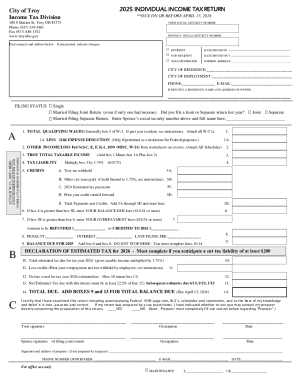
Get Fax (937) 440-1352
How it works
-

Open form follow the instructions
-

Easily sign the form with your finger
-

Send filled & signed form or save
How to fill out and sign Fax (937) 440-1352 online?
Get your online template and fill it in using progressive features. Enjoy smart fillable fields and interactivity.Follow the simple instructions below:Tips on how to fill out, edit and sign Fax (937) 440-1352 online
How to edit Fax (937) 440-1352: customize forms online
Put the right document editing capabilities at your fingertips. Complete Fax (937) 440-1352 with our trusted tool that comes with editing and eSignature functionality}.
If you want to execute and sign Fax (937) 440-1352 online without hassle, then our online cloud-based option is the way to go. We offer a wealthy template-based catalog of ready-to-use paperwork you can modify and complete online. Furthermore, you don't need to print out the form or use third-party options to make it fillable. All the necessary tools will be readily available for your use as soon as you open the document in the editor.
Let’s examine our online editing capabilities and their main functions. The editor has a intuitive interface, so it won't take a lot of time to learn how to use it. We’ll take a look at three major sections that let you:
- Edit and annotate the template
- Arrange your documents
- Prepare them for sharing
The top toolbar comes with the tools that help you highlight and blackout text, without pictures and visual factors (lines, arrows and checkmarks etc.), add your signature to, initialize, date the document, and more.
Use the toolbar on the left if you would like to re-order the document or/and delete pages.
If you want to make the template fillable for others and share it, you can use the tools on the right and insert different fillable fields, signature and date, text box, etc.).
Aside from the capabilities mentioned above, you can shield your document with a password, put a watermark, convert the document to the necessary format, and much more.
Our editor makes completing and certifying the Fax (937) 440-1352 a breeze. It allows you to make virtually everything when it comes to working with documents. In addition, we always ensure that your experience working with files is secure and compliant with the main regulatory standards. All these factors make using our tool even more enjoyable.
Get Fax (937) 440-1352, apply the necessary edits and tweaks, and download it in the preferred file format. Give it a try today!
Related links form
Yes, you can file taxes via fax, but not all forms are eligible for fax submission. Make sure to check the IRS guidelines for which forms you can send using fax. If you want a reliable way to handle your tax documents, consider using fax (937) 440-1352 for additional support from US Legal Forms, which can help streamline your filing process.