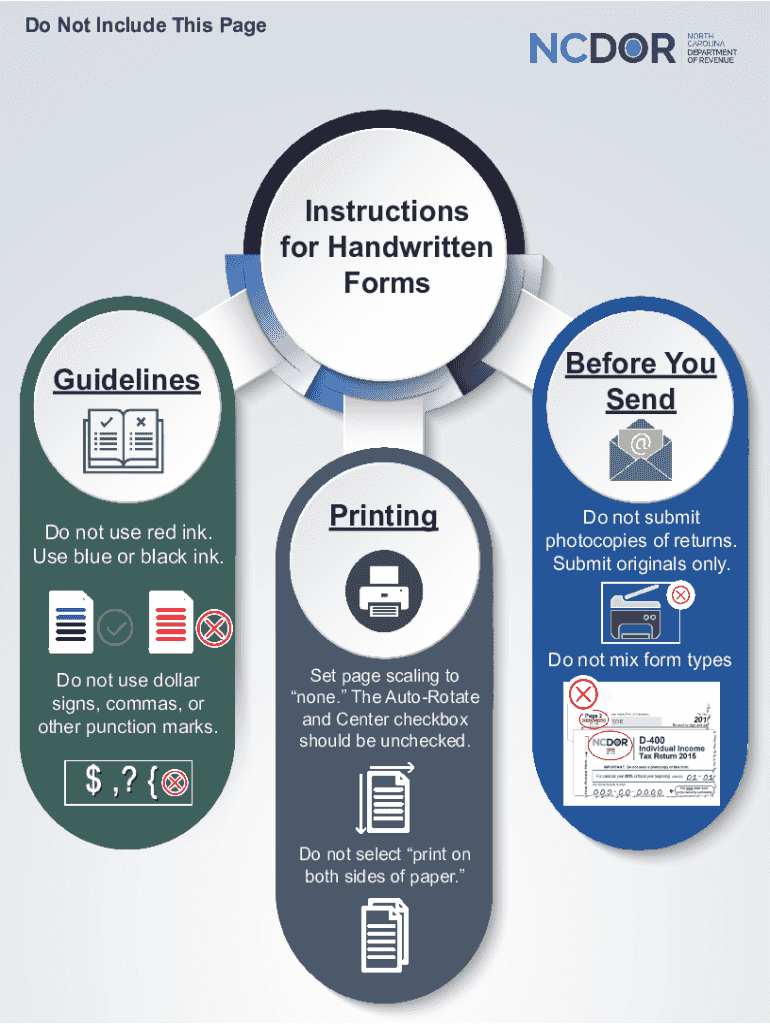
Do Not Include This PageInstructions for Handwritten Forms Before You SendGuidelinesDo not use red ink. Use blue or black ink.Do not use dollar signs, commas, or other punction marks.PrintingSet page.
Loading

Open form follow the instructions

Easily sign the form with your finger

Send filled & signed form or save
Tips on how to fill out, edit and sign Do Not Select Print On online
How to edit Do Not Select Print On
Forget a traditional paper-based way of completing Do Not Select Print On. Get the form filled out and certified in minutes with our professional online editor.
Are you forced to revise and fill out Do Not Select Print On? With a robust editor like ours, you can complete this task in only minutes without having to print and scan papers back and forth. We offer completely editable and simple form templates that will become a starting point and help you fill out the necessary document template online.
All files, by default, contain fillable fields you can execute once you open the document. Nevertheless, if you need to polish the existing content of the document or add a new one, you can select from a variety of customization and annotation options. Highlight, blackout, and comment on the document; add checkmarks, lines, text boxes, graphics and notes, and comments. Additionally, you can swiftly certify the document with a legally-binding signature. The completed document can be shared with others, stored, imported to external apps, or converted into any popular format.
You’ll never make a wrong decision choosing our web-based solution to execute Do Not Select Print On because it's:
- Easy to set up and use, even for users who haven’t completed the paperwork electronically before.
- Powerful enough to accommodate various modifying needs and form types.
- Safe and secure, making your editing experience safeguarded every time.
- Available across various devices, making it effortless to complete the form from everywhere.
- Capable of creating forms based on ready-drafted templates.
- Friendly to numerous document formats: PDF, DOC, DOCX, PPT and JPEG etc.
Don't spend time editing your Do Not Select Print On the old-fashioned way - with pen and paper. Use our full-featured option instead. It offers you a versatile suite of editing options, built-in eSignature capabilities, and ease of use. What makes it stand out is the team collaboration options - you can work together on forms with anyone, build a well-organized document approval workflow from the ground up, and a lot more. Try our online solution and get the best bang for your buck!
How to sign the PA BCO-10 form electronically
airSlate SignNow makes it easy to add a legally-binding electronic signature to your PA BCO-10 form from any device.
- Open the completed PA BCO-10 form in the editor.
- Click My Signature and choose your preferred signature type.
- Place the signature in the designated field and click Done.
- Download or send the signed document directly from the platform.
How to edit Do Not Select Print On
Forget a traditional paper-based way of completing Do Not Select Print On. Get the form filled out and certified in minutes with our professional online editor.
Are you forced to revise and fill out Do Not Select Print On? With a robust editor like ours, you can complete this task in only minutes without having to print and scan papers back and forth. We offer completely editable and simple form templates that will become a starting point and help you fill out the necessary document template online.
All files, by default, contain fillable fields you can execute once you open the document. Nevertheless, if you need to polish the existing content of the document or add a new one, you can select from a variety of customization and annotation options. Highlight, blackout, and comment on the document; add checkmarks, lines, text boxes, graphics and notes, and comments. Additionally, you can swiftly certify the document with a legally-binding signature. The completed document can be shared with others, stored, imported to external apps, or converted into any popular format.
You’ll never make a wrong decision choosing our web-based solution to execute Do Not Select Print On because it's:
- Easy to set up and use, even for users who haven’t completed the paperwork electronically before.
- Powerful enough to accommodate various modifying needs and form types.
- Safe and secure, making your editing experience safeguarded every time.
- Available across various devices, making it effortless to complete the form from everywhere.
- Capable of creating forms based on ready-drafted templates.
- Friendly to numerous document formats: PDF, DOC, DOCX, PPT and JPEG etc.
Don't spend time editing your Do Not Select Print On the old-fashioned way - with pen and paper. Use our full-featured option instead. It offers you a versatile suite of editing options, built-in eSignature capabilities, and ease of use. What makes it stand out is the team collaboration options - you can work together on forms with anyone, build a well-organized document approval workflow from the ground up, and a lot more. Try our online solution and get the best bang for your buck!
Experience a faster way to fill out and sign forms on the web. Access the most extensive library of templates available.
Related content
An issue was found with UAN Version17.0 for users that print their W2's on blank paper and...
Apr 14, 2022 — If no physical print button is on the printer, press the green icon on...
Oct 23, 2008 — Do not click “cancel printing”. Press printer start button to start...
Use professional pre-built templates to fill in and sign documents online faster. Get access to thousands of forms.
If you believe that this page should be taken down, please follow our DMCA take down process here.