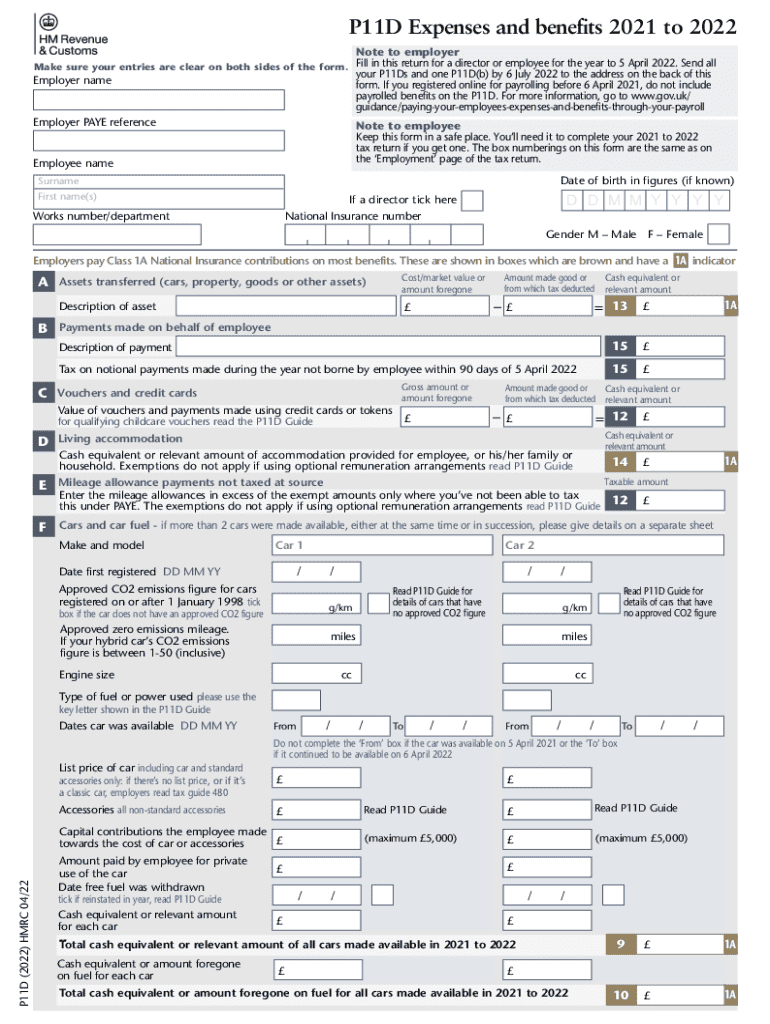
P11D Expenses and benefits 2021 to 2022 Note to employer Make sure your entries are clear on both sides of the form. Fill in this return for a director or employee for the year to 5 April 2022. Send.

Open form follow the instructions

Easily sign the form with your finger

Send filled & signed form or save
Tips on how to fill out, edit and sign online
How to edit
Doing documents is more comfortable with smart online tools. Get rid of paperwork with easily downloadable templates you can modify online and print out.
Preparing documents and paperwork needs to be more reachable, whether it is a day-to-day element of one’s job or occasional work. When a person must file a , studying regulations and tutorials on how to complete a form properly and what it should include may take a lot of time and effort. Nevertheless, if you find the proper template, completing a document will stop being a challenge with a smart editor at hand.
Discover a broader selection of functions you can add to your document flow routine. No need to print out, fill in, and annotate forms manually. With a smart modifying platform, all of the essential document processing functions will always be at hand. If you want to make your work process with forms more efficient, find the template in the catalog, click on it, and discover a simpler way to fill it in.
- If you need to add text in a random area of the form or insert a text field, use the Text and Text field instruments and expand the text in the form as much as you want.
- Take advantage of the Highlight instrument to stress the main parts of the form. If you need to hide or remove some text parts, use the Blackout or Erase tools.
- Customize the form by adding default graphic components to it. Use the Circle, Check, and Cross tools to add these elements to the forms, if necessary.
- If you need additional annotations, use the Sticky note resource and place as many notes on the forms page as required.
- If the form needs your initials or date, the editor has tools for that too. Minimize the risk of errors by using the Initials and Date instruments.
- It is also easy to add custom visual components to the form. Use the Arrow, Line, and Draw tools to change the file.
The more tools you are familiar with, the simpler it is to work with . Try the solution that provides everything necessary to find and modify forms in one tab of your browser and forget about manual paperwork.
How to sign the PA BCO-10 form electronically
airSlate SignNow makes it easy to add a legally-binding electronic signature to your PA BCO-10 form from any device.
- Open the completed PA BCO-10 form in the editor.
- Click My Signature and choose your preferred signature type.
- Place the signature in the designated field and click Done.
- Download or send the signed document directly from the platform.
How to edit
Doing documents is more comfortable with smart online tools. Get rid of paperwork with easily downloadable templates you can modify online and print out.
Preparing documents and paperwork needs to be more reachable, whether it is a day-to-day element of one’s job or occasional work. When a person must file a , studying regulations and tutorials on how to complete a form properly and what it should include may take a lot of time and effort. Nevertheless, if you find the proper template, completing a document will stop being a challenge with a smart editor at hand.
Discover a broader selection of functions you can add to your document flow routine. No need to print out, fill in, and annotate forms manually. With a smart modifying platform, all of the essential document processing functions will always be at hand. If you want to make your work process with forms more efficient, find the template in the catalog, click on it, and discover a simpler way to fill it in.
- If you need to add text in a random area of the form or insert a text field, use the Text and Text field instruments and expand the text in the form as much as you want.
- Take advantage of the Highlight instrument to stress the main parts of the form. If you need to hide or remove some text parts, use the Blackout or Erase tools.
- Customize the form by adding default graphic components to it. Use the Circle, Check, and Cross tools to add these elements to the forms, if necessary.
- If you need additional annotations, use the Sticky note resource and place as many notes on the forms page as required.
- If the form needs your initials or date, the editor has tools for that too. Minimize the risk of errors by using the Initials and Date instruments.
- It is also easy to add custom visual components to the form. Use the Arrow, Line, and Draw tools to change the file.
The more tools you are familiar with, the simpler it is to work with . Try the solution that provides everything necessary to find and modify forms in one tab of your browser and forget about manual paperwork.
Experience a faster way to fill out and sign forms on the web. Access the most extensive library of templates available.
Use professional pre-built templates to fill in and sign documents online faster. Get access to thousands of forms.
If you believe that this page should be taken down, please follow our DMCA take down process here.