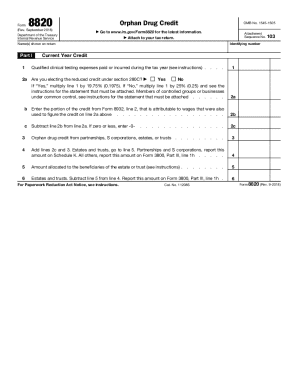
Get Form 8820 (rev. September 2018)
How it works
-

Open form follow the instructions
-

Easily sign the form with your finger
-

Send filled & signed form or save
How to fill out and sign Form 8820 (Rev. September 2018) online?
Get your online template and fill it in using progressive features. Enjoy smart fillable fields and interactivity.Follow the simple instructions below:Getting a authorized specialist, creating a scheduled visit and going to the office for a personal meeting makes finishing a Form 8820 (Rev. September 2018) from start to finish exhausting. US Legal Forms lets you quickly create legally binding papers based on pre-created online samples.
Execute your docs in minutes using our simple step-by-step guide:
- Find the Form 8820 (Rev. September 2018) you need.
- Open it with cloud-based editor and begin altering.
- Fill the empty fields; engaged parties names, addresses and phone numbers etc.
- Change the blanks with exclusive fillable areas.
- Include the day/time and place your electronic signature.
- Click Done after twice-examining everything.
- Download the ready-made papers to your system or print it out like a hard copy.
Easily generate a Form 8820 (Rev. September 2018) without needing to involve experts. We already have over 3 million customers making the most of our rich collection of legal forms. Join us right now and get access to the top library of online blanks. Test it yourself!
Tips on how to fill out, edit and sign Form 8820 (Rev. September 2018) online
How to fill out and sign Form 8820 (Rev. September 2018) online?
Get your online template and fill it in using progressive features. Enjoy smart fillable fields and interactivity.Follow the simple instructions below:
Getting a authorized specialist, creating a scheduled visit and going to the office for a personal meeting makes finishing a Form 8820 (Rev. September 2018) from start to finish exhausting. US Legal Forms lets you quickly create legally binding papers based on pre-created online samples.
Execute your docs in minutes using our simple step-by-step guide:
- Find the Form 8820 (Rev. September 2018) you need.
- Open it with cloud-based editor and begin altering.
- Fill the empty fields; engaged parties names, addresses and phone numbers etc.
- Change the blanks with exclusive fillable areas.
- Include the day/time and place your electronic signature.
- Click Done after twice-examining everything.
- Download the ready-made papers to your system or print it out like a hard copy.
Easily generate a Form 8820 (Rev. September 2018) without needing to involve experts. We already have over 3 million customers making the most of our rich collection of legal forms. Join us right now and get access to the top library of online blanks. Test it yourself!
How to edit Form 8820 (Rev. September 2018): customize forms online
Use our advanced editor to transform a simple online template into a completed document. Keep reading to learn how to modify Form 8820 (Rev. September 2018) online easily.
Once you find a perfect Form 8820 (Rev. September 2018), all you need to do is adjust the template to your preferences or legal requirements. In addition to completing the fillable form with accurate information, you may need to delete some provisions in the document that are irrelevant to your case. On the other hand, you might want to add some missing conditions in the original template. Our advanced document editing tools are the simplest way to fix and adjust the form.
The editor allows you to change the content of any form, even if the document is in PDF format. It is possible to add and remove text, insert fillable fields, and make extra changes while keeping the original formatting of the document. You can also rearrange the structure of the form by changing page order.
You don’t have to print the Form 8820 (Rev. September 2018) to sign it. The editor comes along with electronic signature functionality. Most of the forms already have signature fields. So, you just need to add your signature and request one from the other signing party via email.
Follow this step-by-step guide to make your Form 8820 (Rev. September 2018):
- Open the preferred template.
- Use the toolbar to adjust the form to your preferences.
- Fill out the form providing accurate details.
- Click on the signature field and add your eSignature.
- Send the document for signature to other signers if needed.
After all parties complete the document, you will receive a signed copy which you can download, print, and share with other people.
Our solutions allow you to save tons of your time and reduce the risk of an error in your documents. Improve your document workflows with effective editing tools and a powerful eSignature solution.