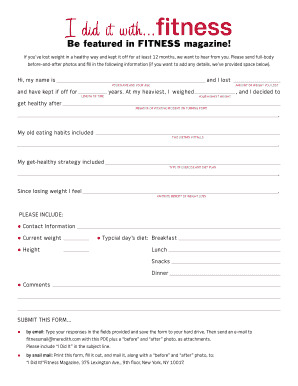
Get I Did It! Submission Form
How it works
-

Open form follow the instructions
-

Easily sign the form with your finger
-

Send filled & signed form or save
How to fill out and sign I Did It! Submission Form online?
Get your online template and fill it in using progressive features. Enjoy smart fillable fields and interactivity.Follow the simple instructions below:Choosing a legal professional, making a scheduled appointment and coming to the office for a personal meeting makes completing a I Did It! Submission Form from start to finish tiring. US Legal Forms helps you to rapidly create legally binding documents based on pre-created browser-based blanks.
Perform your docs within a few minutes using our easy step-by-step guide:
- Find the I Did It! Submission Form you require.
- Open it with online editor and start adjusting.
- Fill out the blank fields; involved parties names, addresses and numbers etc.
- Customize the blanks with smart fillable fields.
- Include the particular date and place your e-signature.
- Simply click Done after twice-examining all the data.
- Download the ready-made papers to your gadget or print it out as a hard copy.
Easily create a I Did It! Submission Form without needing to involve experts. We already have more than 3 million customers benefiting from our rich collection of legal forms. Join us right now and gain access to the top library of web templates. Try it yourself!
Tips on how to fill out, edit and sign I Did It! Submission Form online
How to fill out and sign I Did It! Submission Form online?
Get your online template and fill it in using progressive features. Enjoy smart fillable fields and interactivity.Follow the simple instructions below:
Choosing a legal professional, making a scheduled appointment and coming to the office for a personal meeting makes completing a I Did It! Submission Form from start to finish tiring. US Legal Forms helps you to rapidly create legally binding documents based on pre-created browser-based blanks.
Perform your docs within a few minutes using our easy step-by-step guide:
- Find the I Did It! Submission Form you require.
- Open it with online editor and start adjusting.
- Fill out the blank fields; involved parties names, addresses and numbers etc.
- Customize the blanks with smart fillable fields.
- Include the particular date and place your e-signature.
- Simply click Done after twice-examining all the data.
- Download the ready-made papers to your gadget or print it out as a hard copy.
Easily create a I Did It! Submission Form without needing to involve experts. We already have more than 3 million customers benefiting from our rich collection of legal forms. Join us right now and gain access to the top library of web templates. Try it yourself!
How to edit I Did It! Submission Form: customize forms online
Eliminate the mess from your paperwork routine. Discover the most effective way to find and edit, and file a I Did It! Submission Form
The process of preparing I Did It! Submission Form needs precision and attention, especially from those who are not well familiar with this sort of job. It is essential to get a suitable template and fill it in with the correct information. With the right solution for processing documents, you can get all the instruments at hand. It is easy to streamline your editing process without learning additional skills. Locate the right sample of I Did It! Submission Form and fill it out quickly without switching between your browser tabs. Discover more tools to customize your I Did It! Submission Form form in the editing mode.
While on the I Did It! Submission Form page, just click the Get form button to start editing it. Add your information to the form on the spot, as all the essential instruments are at hand right here. The sample is pre-designed, so the work required from the user is minimal. Just use the interactive fillable fields in the editor to easily complete your paperwork. Simply click on the form and proceed to the editor mode immediately. Fill in the interactive field, and your file is all set.
Try out more tools to customize your form:
- Place more text around the document if needed. Use the Text and Text Box tools to insert text in a separate box.
- Add pre-designed visual components like Circle, Cross, and Check with respective tools.
- If needed, capture or upload images to the document with the Image tool.
- If you need to draw something in the document, use Line, Arrow, and Draw tools.
- Try the Highlight, Erase, and Blackout tools to change the text in the document.
- If you need to add comments to specific document parts, click on the Sticky tool and place a note where you want.
Sometimes, a small error can ruin the whole form when someone completes it by hand. Forget about inaccuracies in your paperwork. Find the samples you need in moments and finish them electronically via a smart editing solution.
To submit an ITIN application, you need to complete Form W-7 and provide the necessary documentation. Using the I Did It! Submission Form can guide you through this process and help you gather all required materials. After filling out the form, you can send it directly to the IRS by mail. Ensure that your application is complete to reduce the chances of delays.
Industry-leading security and compliance
-
In businnes since 199725+ years providing professional legal documents.
-
Accredited businessGuarantees that a business meets BBB accreditation standards in the US and Canada.
-
Secured by BraintreeValidated Level 1 PCI DSS compliant payment gateway that accepts most major credit and debit card brands from across the globe.