We use cookies to improve security, personalize the user experience, enhance our marketing activities (including cooperating with our marketing partners) and for other business use.
Click "here" to read our Cookie Policy. By clicking "Accept" you agree to the use of cookies. Read less
Read more
Accept
Loading
Form preview
  • US Legal Forms
  • Form Library
  • More Forms
  • More Multi-State Forms
  • Federal Register

Get Federal Register

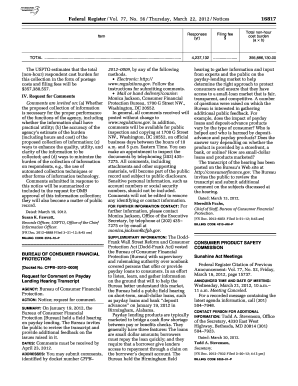
The USPTO estimates that the total (non-hour) respondent cost burden for this collection in the form of postage costs and filing fees will be $357,380,557. IV. Request for Comments Comments are invited on: (a) Whether the proposed collection of information is necessary for the proper performance of the functions of the agency, including whether the information shall have practical utility; (b) the accuracy of the agency s estima.

How it works

  1. Open form

    Open form follow the instructions

  2. Easily sign form

    Easily sign the form with your finger

  3. Share form

    Send filled & signed form or save

How to fill out and sign Federal Register online?

Get your online template and fill it in using progressive features. Enjoy smart fillable fields and interactivity.Follow the simple instructions below:

The days of frightening complicated legal and tax forms have ended. With US Legal Forms the procedure of submitting official documents is anxiety-free. The leading editor is right at your fingertips giving you an array of beneficial instruments for filling out a Federal Register. These tips, with the editor will help you with the entire process.

  1. Click the orange Get Form option to begin modifying.
  2. Activate the Wizard mode on the top toolbar to get additional suggestions.
  3. Fill each fillable area.
  4. Make sure the data you add to the Federal Register is up-to-date and accurate.
  5. Add the date to the form with the Date tool.
  6. Click on the Sign icon and create a signature. There are three available choices; typing, drawing, or uploading one.
  7. Check once more each and every area has been filled in correctly.
  8. Select Done in the top right corne to export the template. There are various choices for receiving the doc. An attachment in an email or through the mail as a hard copy, as an instant download.

We make completing any Federal Register easier. Start now!

Tips on how to fill out, edit and sign Federal Register online

How to fill out and sign Federal Register online?

Get your online template and fill it in using progressive features. Enjoy smart fillable fields and interactivity.Follow the simple instructions below:

The days of frightening complicated legal and tax forms have ended. With US Legal Forms the procedure of submitting official documents is anxiety-free. The leading editor is right at your fingertips giving you an array of beneficial instruments for filling out a Federal Register. These tips, with the editor will help you with the entire process.

  1. Click the orange Get Form option to begin modifying.
  2. Activate the Wizard mode on the top toolbar to get additional suggestions.
  3. Fill each fillable area.
  4. Make sure the data you add to the Federal Register is up-to-date and accurate.
  5. Add the date to the form with the Date tool.
  6. Click on the Sign icon and create a signature. There are three available choices; typing, drawing, or uploading one.
  7. Check once more each and every area has been filled in correctly.
  8. Select Done in the top right corne to export the template. There are various choices for receiving the doc. An attachment in an email or through the mail as a hard copy, as an instant download.

We make completing any Federal Register easier. Start now!

How to edit Federal Register: customize forms online

Use our comprehensive editor to turn a simple online template into a completed document. Continue reading to learn how to modify Federal Register online easily.

Once you discover an ideal Federal Register, all you need to do is adjust the template to your preferences or legal requirements. Apart from completing the fillable form with accurate information, you might need to delete some provisions in the document that are irrelevant to your circumstance. On the other hand, you might like to add some missing conditions in the original template. Our advanced document editing features are the simplest way to fix and adjust the form.

The editor allows you to modify the content of any form, even if the document is in PDF format. You can add and erase text, insert fillable fields, and make further changes while keeping the original formatting of the document. Also you can rearrange the structure of the form by changing page order.

You don’t have to print the Federal Register to sign it. The editor comes along with electronic signature capabilities. Most of the forms already have signature fields. So, you simply need to add your signature and request one from the other signing party via email.

Follow this step-by-step guide to create your Federal Register:

  1. Open the preferred template.
  2. Use the toolbar to adjust the form to your preferences.
  3. Fill out the form providing accurate details.
  4. Click on the signature field and add your electronic signature.
  5. Send the document for signature to other signers if needed.

Once all parties complete the document, you will get a signed copy which you can download, print, and share with others.

Our solutions let you save tons of your time and minimize the chance of an error in your documents. Improve your document workflows with efficient editing capabilities and a powerful eSignature solution.

Get form

Experience a faster way to fill out and sign forms on the web. Access the most extensive library of templates available.
Get form

Related content

Federal Register
The guide is prepared by the Office of the Federal Register, National Archives and Records...
Learn more
Federal Register :: Home - Monday, November 24th
Increase your understanding of the Federal Register eco-system and improve your...
Learn more
Federal Register I Vol. 58, No. 137 I Tuesday...
This document describes FDA's practices for lot release for licensed biological products...
Learn more

Related links form

Investing In Yourself Today, With Help From - Fidelity Investments CSC WAIT LIST APPLICATION 6th Grade Math Syllabus PITCHER ELIGIBILITY TRACKING FORM

Questions & Answers

Get answers to your most pressing questions about US Legal Forms API.

Contact support

Publishing in the Federal Register involves preparing your document according to specific guidelines set by the federal government. You must ensure that your submission includes all required information and is formatted correctly. Using a comprehensive platform like USLegalForms can help you navigate these requirements and facilitate a smoother submission process, ensuring your document reaches the Federal Register without unnecessary delays.

To find information in the Federal Register, you can use its online search tools or browse by date. The publication is organized into sections, making it easier to locate specific documents. Additionally, utilizing databases and services like those offered by USLegalForms can help you efficiently search for relevant information and simplify your research process.

The Federal Register is a daily publication that provides official information about federal government activities. It includes proposed regulations, final rules, and notices from federal agencies. This resource is essential for anyone who wants to stay informed about changes in federal policies and regulations. By regularly checking the Federal Register, you can ensure you are aware of important updates that may impact you or your organization.

The timeline for publishing in the Federal Register can vary. Typically, it takes about 30 days from the time a document is submitted until it appears in the register. However, factors such as the complexity of the document and the volume of submissions can affect this timeframe. To streamline the process, using a platform like USLegalForms can help ensure that your submission meets all necessary requirements.

The Office of the Federal Register (OFR) manages the publication of the Federal Register and provides access to its contents. The information includes regulatory changes, executive orders, and notices from federal agencies. This ensures that individuals and organizations can stay informed about important legal updates. Utilizing resources like USLegalForms can help you navigate and interpret this information effectively.

Certain documents must be published in the Federal Register, including proposed regulations and final rules that affect the public. Additionally, agencies must publish notices of public meetings and significant legal documents. This requirement ensures that the public has access to vital information about government actions. Staying updated with these publications can empower you in your legal and business decisions.

The Federal Register contains various documents, including proposed rules, final rules, and notices of agency meetings. It also publishes executive orders and other presidential documents that affect the public. Each entry is carefully crafted to ensure that citizens and stakeholders stay informed about government actions. This makes the Federal Register a cornerstone of the regulatory process.

While the Federal Register may seem like a political newspaper, its primary purpose is to serve as an official government publication. It provides essential information about regulations, legal notices, and executive orders. This makes it a vital resource for anyone interested in federal actions and policies. Engaging with the Federal Register can enhance your understanding of the regulatory landscape.

The Federal Register includes proposed and final rules, public notices, and presidential documents. It serves as the official daily publication for federal government agencies to inform the public of their activities. By publishing these documents, the Federal Register promotes transparency and accountability in government. Understanding its contents can be crucial for compliance and legal awareness.

To write a Federal Register citation, you should include the volume number, page number, and the date of publication. For example, a citation may look like this: 85 FR 12345, published on January 1, 2020. This format ensures that your reference is clear and easy to locate. Using a consistent citation style helps maintain accuracy in legal documents.

Get This Form Now!

Use professional pre-built templates to fill in and sign documents online faster. Get access to thousands of forms.
Get form
If you believe that this page should be taken down, please follow our DMCA take down processhere.

Industry-leading security and compliance

US Legal Forms protects your data by complying with industry-specific security standards.
  • In businnes since 1997
    25+ years providing professional legal documents.
  • Accredited business
    Guarantees that a business meets BBB accreditation standards in the US and Canada.
  • Secured by Braintree
    Validated Level 1 PCI DSS compliant payment gateway that accepts most major credit and debit card brands from across the globe.
Get Federal Register
Get form
Form Packages
Adoption
Bankruptcy
Contractors
Divorce
Home Sales
Employment
Identity Theft
Incorporation
Landlord Tenant
Living Trust
Name Change
Personal Planning
Small Business
Wills & Estates
Packages A-Z
Form Categories
Affidavits
Bankruptcy
Bill of Sale
Corporate - LLC
Divorce
Employment
Identity Theft
Internet Technology
Landlord Tenant
Living Wills
Name Change
Power of Attorney
Real Estate
Small Estates
Wills
All Forms
Forms A-Z
Form Library
Customer Service
Terms of Service
Privacy Notice
Legal Hub
Content Takedown Policy
Bug Bounty Program
About Us
Help Portal
Legal Resources
Blog
Affiliates
Contact Us
Delete My Account
Site Map
Industries
Forms in Spanish
Localized Forms
State-specific Forms
Forms Kit
Legal Guides
Real Estate Handbook
All Guides
Prepared for You
Notarize
Incorporation services
Our Customers
For Consumers
For Small Business
For Attorneys
Our Sites
US Legal Forms
USLegal
FormsPass
pdfFiller
signNow
airSlate WorkFlow
DocHub
Instapage
Social Media
Call us now toll free:
+1 833 426 79 33
As seen in:
  • USA Today logo picture
  • CBC News logo picture
  • LA Times logo picture
  • The Washington Post logo picture
  • AP logo picture
  • Forbes logo picture
© Copyright 1997-2025
airSlate Legal Forms, Inc.
3720 Flowood Dr, Flowood, Mississippi 39232
Form Packages
Adoption
Bankruptcy
Contractors
Divorce
Home Sales
Employment
Identity Theft
Incorporation
Landlord Tenant
Living Trust
Name Change
Personal Planning
Small Business
Wills & Estates
Packages A-Z
Form Categories
Affidavits
Bankruptcy
Bill of Sale
Corporate - LLC
Divorce
Employment
Identity Theft
Internet Technology
Landlord Tenant
Living Wills
Name Change
Power of Attorney
Real Estate
Small Estates
Wills
All Forms
Forms A-Z
Form Library
Customer Service
Terms of Service
Privacy Notice
Legal Hub
Content Takedown Policy
Bug Bounty Program
About Us
Help Portal
Legal Resources
Blog
Affiliates
Contact Us
Delete My Account
Site Map
Industries
Forms in Spanish
Localized Forms
State-specific Forms
Forms Kit
Legal Guides
Real Estate Handbook
All Guides
Prepared for You
Notarize
Incorporation services
Our Customers
For Consumers
For Small Business
For Attorneys
Our Sites
US Legal Forms
USLegal
FormsPass
pdfFiller
signNow
airSlate WorkFlow
DocHub
Instapage
Social Media
Call us now toll free:
+1 833 426 79 33
As seen in:
  • USA Today logo picture
  • CBC News logo picture
  • LA Times logo picture
  • The Washington Post logo picture
  • AP logo picture
  • Forbes logo picture
© Copyright 1997-2025
airSlate Legal Forms, Inc.
3720 Flowood Dr, Flowood, Mississippi 39232