We use cookies to improve security, personalize the user experience, enhance our marketing activities (including cooperating with our marketing partners) and for other business use.
Click "here" to read our Cookie Policy. By clicking "Accept" you agree to the use of cookies. Read less
Read more
Accept
Loading
Form preview
  • US Legal Forms
  • Form Library
  • More Forms
  • More Multi-State Forms
  • Emergencies Abroad: What Do You Dial?federal Communications...

Get Emergencies Abroad: What Do You Dial?federal Communications...

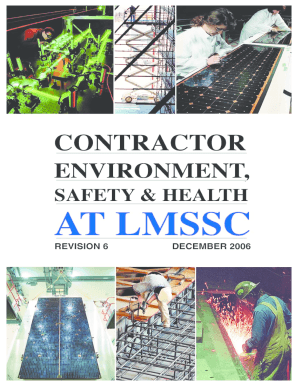
Side LMSSC dial (408) 742-6020, (408) 742-5221, or (408) 742-3536 LMSSC Facility Engineering & Construction Services. . . . . . . . . . . . .2-3332 From outside LMSSC dial (408) 742-3332 LMSSC Fire Protection . . . . . . . . . . . . . . . . . . . . . .. . . . . . . . . . . . . . . 2-8424 From outside LMSSC dial (408) 752-8424 LMSSC Environment, Safety and Health .. . . . . . . . . . . . . . 2-7215 From outside LMSSC dial (408) 742-7215 Hazardous Waste Operations.

How it works

  1. Open form

    Open form follow the instructions

  2. Easily sign form

    Easily sign the form with your finger

  3. Share form

    Send filled & signed form or save

How to fill out and sign Emergencies Abroad: What Do You Dial?Federal Communications... online?

Get your online template and fill it in using progressive features. Enjoy smart fillable fields and interactivity.Follow the simple instructions below:

Business, tax, legal as well as other electronic documents need higher of compliance with the law and protection. Our documents are updated on a regular basis in accordance with the latest legislative changes. Additionally, with us, all the information you include in your Emergencies Abroad: What Do You Dial?Federal Communications... is well-protected against loss or damage with the help of cutting-edge encryption.

The following tips will help you complete Emergencies Abroad: What Do You Dial?Federal Communications... easily and quickly:

  1. Open the form in our feature-rich online editor by hitting Get form.
  2. Fill in the required fields which are marked in yellow.
  3. Press the green arrow with the inscription Next to move on from one field to another.
  4. Use the e-autograph tool to e-sign the template.
  5. Insert the date.
  6. Look through the whole document to ensure that you have not skipped anything important.
  7. Press Done and download your new form.

Our service allows you to take the entire process of submitting legal forms online. For that reason, you save hours (if not days or even weeks) and get rid of additional expenses. From now on, fill out Emergencies Abroad: What Do You Dial?Federal Communications... from the comfort of your home, office, as well as while on the go.

Tips on how to fill out, edit and sign Emergencies Abroad: What Do You Dial?Federal Communications... online

How to fill out and sign Emergencies Abroad: What Do You Dial?Federal Communications... online?

Get your online template and fill it in using progressive features. Enjoy smart fillable fields and interactivity.Follow the simple instructions below:

Business, tax, legal as well as other electronic documents need higher of compliance with the law and protection. Our documents are updated on a regular basis in accordance with the latest legislative changes. Additionally, with us, all the information you include in your Emergencies Abroad: What Do You Dial?Federal Communications... is well-protected against loss or damage with the help of cutting-edge encryption.

The following tips will help you complete Emergencies Abroad: What Do You Dial?Federal Communications... easily and quickly:

  1. Open the form in our feature-rich online editor by hitting Get form.
  2. Fill in the required fields which are marked in yellow.
  3. Press the green arrow with the inscription Next to move on from one field to another.
  4. Use the e-autograph tool to e-sign the template.
  5. Insert the date.
  6. Look through the whole document to ensure that you have not skipped anything important.
  7. Press Done and download your new form.

Our service allows you to take the entire process of submitting legal forms online. For that reason, you save hours (if not days or even weeks) and get rid of additional expenses. From now on, fill out Emergencies Abroad: What Do You Dial?Federal Communications... from the comfort of your home, office, as well as while on the go.

How to edit Emergencies Abroad: What Do You Dial?Federal Communications...: customize forms online

Fill out and sign your Emergencies Abroad: What Do You Dial?Federal Communications... quickly and error-free. Find and edit, and sign customizable form templates in a comfort of a single tab.

Your document workflow can be far more efficient if everything you need for editing and managing the flow is organized in one place. If you are searching for a Emergencies Abroad: What Do You Dial?Federal Communications... form sample, this is a place to get it and fill it out without searching for third-party solutions. With this intelligent search engine and editing tool, you won’t need to look any further.

Simply type the name of the Emergencies Abroad: What Do You Dial?Federal Communications... or any other form and find the right template. If the sample seems relevant, you can start editing it right on the spot by clicking Get form. No need to print out or even download it. Hover and click on the interactive fillable fields to place your details and sign the form in a single editor.

Use more editing instruments to customize your form:

  • Check interactive checkboxes in forms by clicking on them. Check other areas of the Emergencies Abroad: What Do You Dial?Federal Communications... form text by using the Cross, Check, and Circle instruments
  • If you need to insert more textual content into the document, utilize the Text tool or add fillable fields with the respective button. You may also specify the content of each fillable field.
  • Add images to forms with the Image button. Upload images from your device or capture them with your computer camera.
  • Add custom graphic components to the document. Use Draw, Line, and Arrow instruments to draw on the document.
  • Draw over the text in the document if you wish to hide it or stress it. Cover text fragments with theErase and Highlight, or Blackout tool.
  • Add custom components such as Initials or Date with the respective instruments. They will be generated automatically.
  • Save the form on your computer or convert its format to the one you require.

When equipped with a smart forms catalog and a powerful document editing solution, working with documentation is easier. Find the form you require, fill it out instantly, and sign it on the spot without downloading it. Get your paperwork routine simplified with a solution tailored for editing forms.

Get form

Experience a faster way to fill out and sign forms on the web. Access the most extensive library of templates available.
Get form

Related content

Emergencies Abroad: What Do You Dial?
Dec 1, 2010 — Dial "112." Don't call 911 as you would in the United States; that number...
Learn more
Emergencies Abroad
Global 24/7 help line: +1 978-651-9224 · Call toll-free from the U.S. or Canada:...
Learn more
User Guide
To dial an international call, press twice to enter “+” in dial screen, enter the...
Learn more

Related links form

Tourist Development Tax Application For Refund SOUTH INDIAN BANK NRI NEWSLETTER EDI Endorsed Qualifications Application Form 03.02.09.doc Franklin Templeton Mutual Fund Key Information Memorandum

Questions & Answers

Get answers to your most pressing questions about US Legal Forms API.

Contact support

To get emergency help for someone in another country, start by calling the local emergency services number. Provide clear details about the situation and the person's location. If language barriers exist, consider using translation apps or asking bystanders for assistance. Remember, being informed about Emergencies Abroad: What Do You Dial? Federal Communications ensures you can act swiftly.

Dialing 911 in a foreign country may not connect you to emergency services, as this number is specific to the United States. Instead, you should find the local emergency number which can vary from one country to another. Always research these numbers before traveling, as being prepared can make a significant difference. USLegalForms offers valuable resources to help you stay informed.

If you face a medical emergency while traveling, seek immediate help by calling the local emergency services. Make sure to have your travel insurance details handy, as they often cover medical costs abroad. Additionally, contacting your embassy can provide further assistance. USLegalForms can guide you in preparing essential medical documents before your trip.

In an emergency abroad, your first step should be to call the local emergency number. Stay calm and provide clear information about your situation and location. If possible, inform your embassy or consulate for additional support. Additionally, having access to resources like USLegalForms can help you prepare important documents that may be needed in emergencies abroad.

112 is recognized in multiple countries, but it may not work everywhere. While it functions as an emergency number in the EU and some other nations, it is important to check the specific emergency numbers for the countries you are visiting. Relying solely on 112 could lead to complications in certain regions. Always do your research to ensure you have the right information.

To call emergency services in a foreign country, first, dial the local emergency number. You typically do not need to add a country code for domestic calls within that country. Speak clearly and provide essential information about your location and the situation. Having a translation app or knowing basic phrases can also be beneficial in emergencies abroad.

Yes, you can call emergency services in another country, but you need to use the correct local emergency number. Ensure your phone can make international calls and is compatible with the local network. Knowing how to dial out and which number to use can make a significant difference in emergencies abroad. Always check with your mobile service provider for details before traveling.

Many countries have their own emergency numbers that differ from 911. For instance, in the UK, you would dial 999, while in Australia, the number is 000. Understanding these distinctions is essential for navigating emergencies abroad. It’s helpful to research and note these numbers before traveling.

112 and 911 serve similar purposes, but they are not the same. 112 is the emergency number used in many countries, particularly in Europe, while 911 is primarily used in the United States. When dealing with emergencies abroad, it is crucial to know the local number, as dialing the wrong one could delay assistance. Familiarize yourself with the emergency numbers of the countries you plan to visit.

Get This Form Now!

Use professional pre-built templates to fill in and sign documents online faster. Get access to thousands of forms.
Get form
If you believe that this page should be taken down, please follow our DMCA take down processhere.

Industry-leading security and compliance

US Legal Forms protects your data by complying with industry-specific security standards.
  • In businnes since 1997
    25+ years providing professional legal documents.
  • Accredited business
    Guarantees that a business meets BBB accreditation standards in the US and Canada.
  • Secured by Braintree
    Validated Level 1 PCI DSS compliant payment gateway that accepts most major credit and debit card brands from across the globe.
Get Emergencies Abroad: What Do You Dial?Federal Communications...
Get form
Form Packages
Adoption
Bankruptcy
Contractors
Divorce
Home Sales
Employment
Identity Theft
Incorporation
Landlord Tenant
Living Trust
Name Change
Personal Planning
Small Business
Wills & Estates
Packages A-Z
Form Categories
Affidavits
Bankruptcy
Bill of Sale
Corporate - LLC
Divorce
Employment
Identity Theft
Internet Technology
Landlord Tenant
Living Wills
Name Change
Power of Attorney
Real Estate
Small Estates
Wills
All Forms
Forms A-Z
Form Library
Customer Service
Terms of Service
Privacy Notice
Legal Hub
Content Takedown Policy
Bug Bounty Program
About Us
Help Portal
Legal Resources
Blog
Affiliates
Contact Us
Delete My Account
Site Map
Industries
Forms in Spanish
Localized Forms
State-specific Forms
Forms Kit
Legal Guides
Real Estate Handbook
All Guides
Prepared for You
Notarize
Incorporation services
Our Customers
For Consumers
For Small Business
For Attorneys
Our Sites
US Legal Forms
USLegal
FormsPass
pdfFiller
signNow
airSlate WorkFlow
DocHub
Instapage
Social Media
Call us now toll free:
+1 833 426 79 33
As seen in:
  • USA Today logo picture
  • CBC News logo picture
  • LA Times logo picture
  • The Washington Post logo picture
  • AP logo picture
  • Forbes logo picture
© Copyright 1997-2025
airSlate Legal Forms, Inc.
3720 Flowood Dr, Flowood, Mississippi 39232
Form Packages
Adoption
Bankruptcy
Contractors
Divorce
Home Sales
Employment
Identity Theft
Incorporation
Landlord Tenant
Living Trust
Name Change
Personal Planning
Small Business
Wills & Estates
Packages A-Z
Form Categories
Affidavits
Bankruptcy
Bill of Sale
Corporate - LLC
Divorce
Employment
Identity Theft
Internet Technology
Landlord Tenant
Living Wills
Name Change
Power of Attorney
Real Estate
Small Estates
Wills
All Forms
Forms A-Z
Form Library
Customer Service
Terms of Service
Privacy Notice
Legal Hub
Content Takedown Policy
Bug Bounty Program
About Us
Help Portal
Legal Resources
Blog
Affiliates
Contact Us
Delete My Account
Site Map
Industries
Forms in Spanish
Localized Forms
State-specific Forms
Forms Kit
Legal Guides
Real Estate Handbook
All Guides
Prepared for You
Notarize
Incorporation services
Our Customers
For Consumers
For Small Business
For Attorneys
Our Sites
US Legal Forms
USLegal
FormsPass
pdfFiller
signNow
airSlate WorkFlow
DocHub
Instapage
Social Media
Call us now toll free:
+1 833 426 79 33
As seen in:
  • USA Today logo picture
  • CBC News logo picture
  • LA Times logo picture
  • The Washington Post logo picture
  • AP logo picture
  • Forbes logo picture
© Copyright 1997-2025
airSlate Legal Forms, Inc.
3720 Flowood Dr, Flowood, Mississippi 39232