Loading
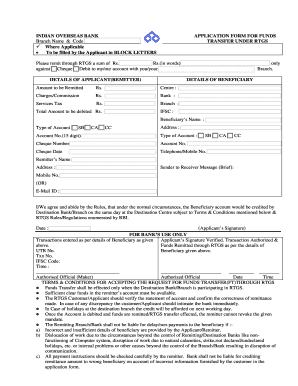
Get Indian Overseas Bank Application Form For Funds Transfer Under Rtgs
How it works
-

Open form follow the instructions
-

Easily sign the form with your finger
-

Send filled & signed form or save
How to fill out the Indian Overseas Bank Application Form for Funds Transfer under RTGS online
This guide provides clear and systematic instructions for filling out the Indian Overseas Bank Application Form for Funds Transfer under RTGS online. By following these steps, users will be able to complete the form accurately and efficiently.
Follow the steps to complete the application form online.
- Click ‘Get Form’ button to obtain the form and open it in the editor.
- Fill in your branch name and code, ensuring you use BLOCK LETTERS as specified.
- Specify the amount you wish to remit in numbers and in words.
- Indicate whether the amount will be debited from your savings, current, or cash credit account.
- Provide the details of the beneficiary, including their name, IFSC code, and account number.
- List the charges or commission applicable for the transaction and any service tax if relevant.
- Enter a sender to receiver message, if desired, to communicate any specific instructions.
- Sign and date the form, confirming your agreement to the terms and conditions outlined.
- Once completed, save changes and consider downloading or printing the form for your records.
Complete your documents online to ensure a seamless funds transfer experience.
To correctly fill out the RTGS form in Indian Overseas Bank, ensure you have all your details handy. You need to enter your account number, the name of the beneficiary, and their account number, along with the IFSC code. After specifying the amount and signing the form, either submit it at your nearest branch or use the online platform to facilitate your transaction.