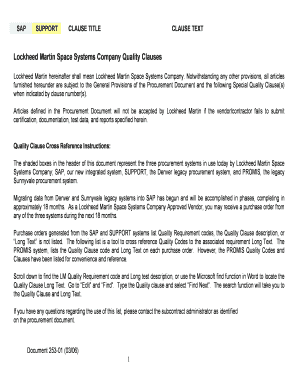
Get Sap Support Clause Title
How it works
-

Open form follow the instructions
-

Easily sign the form with your finger
-

Send filled & signed form or save
How to fill out and sign SAP SUPPORT CLAUSE TITLE online?
Get your online template and fill it in using progressive features. Enjoy smart fillable fields and interactivity.Follow the simple instructions below:Business, tax, legal along with other e-documents need a high level of protection and compliance with the legislation. Our templates are updated on a regular basis according to the latest amendments in legislation. Additionally, with us, all of the details you include in your SAP SUPPORT CLAUSE TITLE is well-protected from leakage or damage through cutting-edge encryption.
The following tips will allow you to fill in SAP SUPPORT CLAUSE TITLE easily and quickly:
- Open the form in our feature-rich online editor by clicking Get form.
- Fill out the required boxes that are colored in yellow.
- Press the green arrow with the inscription Next to jump from one field to another.
- Use the e-autograph tool to put an electronic signature on the template.
- Add the relevant date.
- Read through the entire document to ensure that you have not skipped anything important.
- Press Done and save your new template.
Our solution enables you to take the whole process of executing legal papers online. As a result, you save hours (if not days or weeks) and eliminate unnecessary expenses. From now on, complete SAP SUPPORT CLAUSE TITLE from the comfort of your home, office, as well as on the go.
Tips on how to fill out, edit and sign SAP SUPPORT CLAUSE TITLE online
How to fill out and sign SAP SUPPORT CLAUSE TITLE online?
Get your online template and fill it in using progressive features. Enjoy smart fillable fields and interactivity.Follow the simple instructions below:
Business, tax, legal along with other e-documents need a high level of protection and compliance with the legislation. Our templates are updated on a regular basis according to the latest amendments in legislation. Additionally, with us, all of the details you include in your SAP SUPPORT CLAUSE TITLE is well-protected from leakage or damage through cutting-edge encryption.
The following tips will allow you to fill in SAP SUPPORT CLAUSE TITLE easily and quickly:
- Open the form in our feature-rich online editor by clicking Get form.
- Fill out the required boxes that are colored in yellow.
- Press the green arrow with the inscription Next to jump from one field to another.
- Use the e-autograph tool to put an electronic signature on the template.
- Add the relevant date.
- Read through the entire document to ensure that you have not skipped anything important.
- Press Done and save your new template.
Our solution enables you to take the whole process of executing legal papers online. As a result, you save hours (if not days or weeks) and eliminate unnecessary expenses. From now on, complete SAP SUPPORT CLAUSE TITLE from the comfort of your home, office, as well as on the go.
How to edit SAP SUPPORT CLAUSE TITLE: customize forms online
Select a reliable document editing solution you can rely on. Edit, execute, and certify SAP SUPPORT CLAUSE TITLE securely online.
Too often, editing forms, like SAP SUPPORT CLAUSE TITLE, can be pain, especially if you got them in a digital format but don’t have access to specialized software. Of course, you can find some workarounds to get around it, but you risk getting a document that won't fulfill the submission requirements. Utilizing a printer and scanner isn’t an option either because it's time- and resource-consuming.
We offer a smoother and more streamlined way of modifying files. An extensive catalog of document templates that are easy to edit and certify, and then make fillable for some individuals. Our platform extends way beyond a set of templates. One of the best parts of using our option is that you can edit SAP SUPPORT CLAUSE TITLE directly on our website.
Since it's a web-based solution, it spares you from having to get any software. Additionally, not all company rules permit you to install it on your corporate computer. Here's the best way to easily and securely execute your forms with our solution.
- Click the Get Form > you’ll be immediately taken to our editor.
- Once opened, you can kick off the editing process.
- Select checkmark or circle, line, arrow and cross and other choices to annotate your document.
- Pick the date field to add a particular date to your document.
- Add text boxes, pictures and notes and more to enrich the content.
- Use the fillable fields option on the right to add fillable {fields.
- Select Sign from the top toolbar to create and add your legally-binding signature.
- Click DONE and save, print, and pass around or get the output.
Say goodbye to paper and other inefficient methods for modifying your SAP SUPPORT CLAUSE TITLE or other files. Use our solution instead that combines one of the richest libraries of ready-to-edit forms and a powerful document editing option. It's easy and safe, and can save you lots of time! Don’t take our word for it, give it a try yourself!
You can submit a support case to SAP through the SAP Support Portal. After logging in, locate the section for submitting support cases, and provide all necessary details related to your issue. It's important to reference the SAP SUPPORT CLAUSE TITLE in your case submission, as it helps connect your issue with relevant support resources.
Industry-leading security and compliance
-
In businnes since 199725+ years providing professional legal documents.
-
Accredited businessGuarantees that a business meets BBB accreditation standards in the US and Canada.
-
Secured by BraintreeValidated Level 1 PCI DSS compliant payment gateway that accepts most major credit and debit card brands from across the globe.