We use cookies to improve security, personalize the user experience, enhance our marketing activities (including cooperating with our marketing partners) and for other business use.
Click "here" to read our Cookie Policy. By clicking "Accept" you agree to the use of cookies. Read less
Read more
Accept
Loading
Form preview
  • US Legal Forms
  • Form Library
  • More Forms
  • More Multi-State Forms
  • Nikon Digital Camera Coolpix 900 Reference Manual

Get Nikon Digital Camera Coolpix 900 Reference Manual

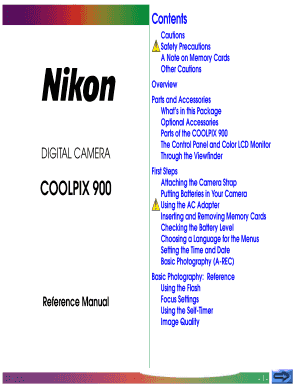
Parts of the COOLPIX 900 The Control Panel and Color LCD Monitor Through the Viewfinder First Steps Attaching the Camera Strap Putting Batteries in Your Camera Using the AC Adapter Inserting and Removing Memory Cards Checking the Battery Level Choosing a Language for the Menus Setting the Time and Date Basic Photography (A-REC) Basic Photography: Reference Using the Flash Focus Settings Using the Self-Timer Image Quality -1- Advanced Settings (M-REC) The Shooting Menu Exposure Compensation M.

How it works

  1. Open form

    Open form follow the instructions

  2. Easily sign form

    Easily sign the form with your finger

  3. Share form

    Send filled & signed form or save

How to fill out and sign Nikon Digital Camera COOLPIX 900 Reference Manual online?

Get your online template and fill it in using progressive features. Enjoy smart fillable fields and interactivity.Follow the simple instructions below:

Tax, legal, business as well as other documents require an advanced level of compliance with the law and protection. Our templates are regularly updated according to the latest amendments in legislation. Additionally, with us, all of the details you include in your Nikon Digital Camera COOLPIX 900 Reference Manual is well-protected against loss or damage by means of industry-leading encryption.

The tips below will allow you to fill in Nikon Digital Camera COOLPIX 900 Reference Manual quickly and easily:

  1. Open the form in the full-fledged online editor by clicking Get form.
  2. Complete the requested boxes that are colored in yellow.
  3. Click the arrow with the inscription Next to move on from box to box.
  4. Use the e-autograph tool to e-sign the template.
  5. Insert the relevant date.
  6. Double-check the entire template to be sure that you haven?t skipped anything.
  7. Hit Done and download your new document.

Our service allows you to take the entire process of submitting legal documents online. Consequently, you save hours (if not days or even weeks) and get rid of unnecessary costs. From now on, submit Nikon Digital Camera COOLPIX 900 Reference Manual from your home, place of work, and even while on the move.

Tips on how to fill out, edit and sign Nikon Digital Camera COOLPIX 900 Reference Manual online

How to fill out and sign Nikon Digital Camera COOLPIX 900 Reference Manual online?

Get your online template and fill it in using progressive features. Enjoy smart fillable fields and interactivity.Follow the simple instructions below:

Tax, legal, business as well as other documents require an advanced level of compliance with the law and protection. Our templates are regularly updated according to the latest amendments in legislation. Additionally, with us, all of the details you include in your Nikon Digital Camera COOLPIX 900 Reference Manual is well-protected against loss or damage by means of industry-leading encryption.

The tips below will allow you to fill in Nikon Digital Camera COOLPIX 900 Reference Manual quickly and easily:

  1. Open the form in the full-fledged online editor by clicking Get form.
  2. Complete the requested boxes that are colored in yellow.
  3. Click the arrow with the inscription Next to move on from box to box.
  4. Use the e-autograph tool to e-sign the template.
  5. Insert the relevant date.
  6. Double-check the entire template to be sure that you haven?t skipped anything.
  7. Hit Done and download your new document.

Our service allows you to take the entire process of submitting legal documents online. Consequently, you save hours (if not days or even weeks) and get rid of unnecessary costs. From now on, submit Nikon Digital Camera COOLPIX 900 Reference Manual from your home, place of work, and even while on the move.

How to edit Nikon Digital Camera COOLPIX 900 Reference Manual: customize forms online

Your easily editable and customizable Nikon Digital Camera COOLPIX 900 Reference Manual template is within easy reach. Take advantage of our collection with a built-in online editor.

Do you put off completing Nikon Digital Camera COOLPIX 900 Reference Manual because you simply don't know where to begin and how to proceed? We understand your feelings and have an excellent tool for you that has nothing nothing to do with fighting your procrastination!

Our online catalog of ready-to-use templates lets you search through and choose from thousands of fillable forms tailored for a variety of use cases and scenarios. But obtaining the file is just scratching the surface. We provide you with all the needed features to complete, sign, and change the template of your choice without leaving our website.

All you need to do is to open the template in the editor. Check the verbiage of Nikon Digital Camera COOLPIX 900 Reference Manual and confirm whether it's what you’re looking for. Begin completing the form by using the annotation features to give your form a more organized and neater look.

  • Add checkmarks, circles, arrows and lines.
  • Highlight, blackout, and correct the existing text.
  • If the template is intended for other users too, you can add fillable fields and share them for other parties to complete.
  • Once you’re through completing the template, you can get the file in any available format or select any sharing or delivery options.

Summing up, along with Nikon Digital Camera COOLPIX 900 Reference Manual, you'll get:

  • A robust set of editing} and annotation features.
  • A built-in legally-binding eSignature solution.
  • The option to create forms from scratch or based on the pre-uploaded template.
  • Compatibility with different platforms and devices for greater convenience.
  • Many options for protecting your documents.
  • An array of delivery options for more frictionless sharing and sending out documents.
  • Compliance with eSignature frameworks regulating the use of eSignature in electronic transactions.

With our professional solution, your completed forms will almost always be lawfully binding and completely encoded. We make sure to guard your most delicate information and facts.

Get all it takes to generate a professional-looking Nikon Digital Camera COOLPIX 900 Reference Manual. Make the right choice and check out our program now!

Get form

Experience a faster way to fill out and sign forms on the web. Access the most extensive library of templates available.
Get form

Related content

WHOI TowCam & Multi-Rock Coring System Manual...
... digital camera (Nikon. 995 Coolpix) with a 1GB CompactFlash card for internal image...
Learn more
Nikon View 4 Reference Manual
This reference manual has been written for users of both the. COOLPIX series and D1 series...
Learn more
Reference Manual
Nov 15, 2013 — Nikon COOLPIX cameras are designed to the highest standards and include...
Learn more

Related links form

Vacant Building Registration Form Affidavit Of Service Request For Bid (RFB) Membership/Renewal Form

Questions & Answers

Get answers to your most pressing questions about US Legal Forms API.

Contact support

Downloading pictures from your Nikon Coolpix P900 can be done via a USB connection or wirelessly through Wi-Fi. For USB, connect the camera to your computer and follow the prompts to download files. For wireless transfer, refer to the Nikon Digital Camera COOLPIX 900 Reference Manual to utilize the camera's Wi-Fi feature for a quick and easy transfer process.

To transfer photos from your Nikon Coolpix to your phone, first connect the camera to your smartphone using the Nikon app. Ensure your camera's Wi-Fi is turned on and follow the app’s user-friendly prompts to establish a connection. Once linked, you can freely download images directly to your phone, as visible in the Nikon Digital Camera COOLPIX 900 Reference Manual.

Transferring files from your Nikon Coolpix is easy and can be done through various methods. Using a USB connection allows you to connect the camera to your computer and download files directly. Alternatively, you can utilize Wi-Fi to transfer images, following the steps in the Nikon Digital Camera COOLPIX 900 Reference Manual for guided instructions.

To format the SD card in your Nikon Coolpix camera, start by accessing the camera menu. Select the 'Setup' option, then locate the 'Format Memory Card' feature. Following the steps in the Nikon Digital Camera COOLPIX 900 Reference Manual will ensure you complete the formatting correctly. Remember, this action will delete all files, so backup data first.

To transfer photos from your Nikon Coolpix camera, you can use either a USB cable or the built-in Wi-Fi capabilities. For cable transfer, simply connect your camera to your computer using the appropriate cable and follow on-screen instructions. Alternatively, refer to the Nikon Digital Camera COOLPIX 900 Reference Manual for details on using Wi-Fi to send images directly to your mobile devices.

To connect your Nikon Coolpix to your iPhone, first ensure that your camera's Wi-Fi is turned on. Then, download the Nikon app, which allows seamless connection with your smartphone. Follow the app’s prompts to find and connect to your camera, as detailed in the Nikon Digital Camera COOLPIX 900 Reference Manual. Once connected, you can easily transfer photos and control your camera from your phone.

Yes, the Nikon Coolpix A900 is an excellent camera for various photography styles. Its user-friendly interface and advanced features cater to both casual and serious photographers. For a deeper understanding of its functionality, consult the Nikon Digital Camera COOLPIX 900 Reference Manual.

Yes, the Nikon P900 has been discontinued, but it remains a popular model among enthusiasts. While it may be harder to find new units, used options are widely available. If you're looking for a comprehensive understanding of its features, consult the Nikon Digital Camera COOLPIX 900 Reference Manual.

The A900 boasts several advantages, including a 35x optical zoom and built-in Wi-Fi for easy sharing. However, some users feel that its low light performance could be improved. Being aware of these points can help you make an informed decision, and you can find more insights in the Nikon Digital Camera COOLPIX 900 Reference Manual.

The Nikon Coolpix A900 was officially released in January 2016. This camera gained attention for its compact design and versatile features, making it suitable for various photography needs. To learn more about its specifications and capabilities, check the Nikon Digital Camera COOLPIX 900 Reference Manual.

Get This Form Now!

Use professional pre-built templates to fill in and sign documents online faster. Get access to thousands of forms.
Get form
If you believe that this page should be taken down, please follow our DMCA take down processhere.

Industry-leading security and compliance

US Legal Forms protects your data by complying with industry-specific security standards.
  • In businnes since 1997
    25+ years providing professional legal documents.
  • Accredited business
    Guarantees that a business meets BBB accreditation standards in the US and Canada.
  • Secured by Braintree
    Validated Level 1 PCI DSS compliant payment gateway that accepts most major credit and debit card brands from across the globe.
Get Nikon Digital Camera COOLPIX 900 Reference Manual
Get form
Form Packages
Adoption
Bankruptcy
Contractors
Divorce
Home Sales
Employment
Identity Theft
Incorporation
Landlord Tenant
Living Trust
Name Change
Personal Planning
Small Business
Wills & Estates
Packages A-Z
Form Categories
Affidavits
Bankruptcy
Bill of Sale
Corporate - LLC
Divorce
Employment
Identity Theft
Internet Technology
Landlord Tenant
Living Wills
Name Change
Power of Attorney
Real Estate
Small Estates
Wills
All Forms
Forms A-Z
Form Library
Customer Service
Terms of Service
Privacy Notice
Legal Hub
Content Takedown Policy
Bug Bounty Program
About Us
Help Portal
Legal Resources
Blog
Affiliates
Contact Us
Delete My Account
Site Map
Industries
Forms in Spanish
Localized Forms
State-specific Forms
Forms Kit
Legal Guides
Real Estate Handbook
All Guides
Prepared for You
Notarize
Incorporation services
Our Customers
For Consumers
For Small Business
For Attorneys
Our Sites
US Legal Forms
USLegal
FormsPass
pdfFiller
signNow
airSlate WorkFlow
DocHub
Instapage
Social Media
Call us now toll free:
+1 833 426 79 33
As seen in:
  • USA Today logo picture
  • CBC News logo picture
  • LA Times logo picture
  • The Washington Post logo picture
  • AP logo picture
  • Forbes logo picture
© Copyright 1997-2025
airSlate Legal Forms, Inc.
3720 Flowood Dr, Flowood, Mississippi 39232
Form Packages
Adoption
Bankruptcy
Contractors
Divorce
Home Sales
Employment
Identity Theft
Incorporation
Landlord Tenant
Living Trust
Name Change
Personal Planning
Small Business
Wills & Estates
Packages A-Z
Form Categories
Affidavits
Bankruptcy
Bill of Sale
Corporate - LLC
Divorce
Employment
Identity Theft
Internet Technology
Landlord Tenant
Living Wills
Name Change
Power of Attorney
Real Estate
Small Estates
Wills
All Forms
Forms A-Z
Form Library
Customer Service
Terms of Service
Privacy Notice
Legal Hub
Content Takedown Policy
Bug Bounty Program
About Us
Help Portal
Legal Resources
Blog
Affiliates
Contact Us
Delete My Account
Site Map
Industries
Forms in Spanish
Localized Forms
State-specific Forms
Forms Kit
Legal Guides
Real Estate Handbook
All Guides
Prepared for You
Notarize
Incorporation services
Our Customers
For Consumers
For Small Business
For Attorneys
Our Sites
US Legal Forms
USLegal
FormsPass
pdfFiller
signNow
airSlate WorkFlow
DocHub
Instapage
Social Media
Call us now toll free:
+1 833 426 79 33
As seen in:
  • USA Today logo picture
  • CBC News logo picture
  • LA Times logo picture
  • The Washington Post logo picture
  • AP logo picture
  • Forbes logo picture
© Copyright 1997-2025
airSlate Legal Forms, Inc.
3720 Flowood Dr, Flowood, Mississippi 39232