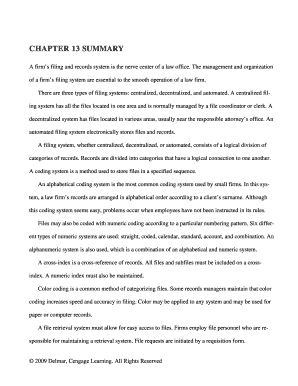
Get Chapter 13 Summary
How it works
-

Open form follow the instructions
-

Easily sign the form with your finger
-

Send filled & signed form or save
How to fill out and sign CHAPTER 13 SUMMARY online?
Get your online template and fill it in using progressive features. Enjoy smart fillable fields and interactivity.Follow the simple instructions below:Experience all the key benefits of submitting and completing forms online. With our solution submitting CHAPTER 13 SUMMARY usually takes a matter of minutes. We make that possible by offering you access to our full-fledged editor capable of transforming/fixing a document?s original text, adding unique fields, and e-signing.
Fill out CHAPTER 13 SUMMARY within a few minutes by simply following the recommendations below:
- Choose the template you will need in the library of legal form samples.
- Choose the Get form key to open it and begin editing.
- Fill out all of the requested fields (they will be marked in yellow).
- The Signature Wizard will enable you to add your e-autograph after you have finished imputing info.
- Add the relevant date.
- Double-check the whole document to ensure you?ve completed all the data and no corrections are needed.
- Click Done and save the filled out form to your gadget.
Send the new CHAPTER 13 SUMMARY in an electronic form as soon as you finish filling it out. Your information is well-protected, because we keep to the most up-to-date security requirements. Join millions of satisfied clients who are already filling out legal templates straight from their homes.
Tips on how to fill out, edit and sign CHAPTER 13 SUMMARY online
How to fill out and sign CHAPTER 13 SUMMARY online?
Get your online template and fill it in using progressive features. Enjoy smart fillable fields and interactivity.Follow the simple instructions below:
Experience all the key benefits of submitting and completing forms online. With our solution submitting CHAPTER 13 SUMMARY usually takes a matter of minutes. We make that possible by offering you access to our full-fledged editor capable of transforming/fixing a document?s original text, adding unique fields, and e-signing.
Fill out CHAPTER 13 SUMMARY within a few minutes by simply following the recommendations below:
- Choose the template you will need in the library of legal form samples.
- Choose the Get form key to open it and begin editing.
- Fill out all of the requested fields (they will be marked in yellow).
- The Signature Wizard will enable you to add your e-autograph after you have finished imputing info.
- Add the relevant date.
- Double-check the whole document to ensure you?ve completed all the data and no corrections are needed.
- Click Done and save the filled out form to your gadget.
Send the new CHAPTER 13 SUMMARY in an electronic form as soon as you finish filling it out. Your information is well-protected, because we keep to the most up-to-date security requirements. Join millions of satisfied clients who are already filling out legal templates straight from their homes.
How to edit CHAPTER 13 SUMMARY: customize forms online
Approve and share CHAPTER 13 SUMMARY together with any other business and personal documentation online without wasting time and resources on printing and postal delivery. Get the most out of our online document editor with a built-in compliant electronic signature tool.
Approving and submitting CHAPTER 13 SUMMARY documents electronically is faster and more effective than managing them on paper. However, it requires making use of online solutions that ensure a high level of data protection and provide you with a compliant tool for generating eSignatures. Our powerful online editor is just the one you need to complete your CHAPTER 13 SUMMARY and other personal and business or tax forms in an accurate and suitable manner in accordance with all the requirements. It offers all the essential tools to quickly and easily fill out, adjust, and sign paperwork online and add Signature fields for other parties, specifying who and where should sign.
It takes only a few simple actions to fill out and sign CHAPTER 13 SUMMARY online:
- Open the selected file for further processing.
- Make use of the upper toolkit to add Text, Initials, Image, Check, and Cross marks to your template.
- Underline the most significant details and blackout or erase the sensitive ones if necessary.
- Click on the Sign tool above and select how you want to eSign your sample.
- Draw your signature, type it, upload its image, or use another option that suits you.
- Move to the Edit Fillable Fileds panel and drop Signature fields for others.
- Click on Add Signer and enter your recipient’s email to assign this field to them.
- Verify that all information provided is complete and correct before you click Done.
- Share your form with others utilizing one of the available options.
When approving CHAPTER 13 SUMMARY with our comprehensive online solution, you can always be certain you get it legally binding and court-admissible. Prepare and submit paperwork in the most effective way possible!
In the context of To Kill a Mockingbird, the CHAPTER 13 SUMMARY highlights the visit of Aunt Alexandra, who brings her own views on family and society to the Finch household. Her arrival creates a contrast between traditional values and the progressive attitudes of Atticus and Scout. This chapter explores themes of class, race, and morality, showcasing how different perspectives shape the characters' understanding of their world. The conflict between Aunt Alexandra and Scout illustrates the challenges of growing up in a divided community.
Industry-leading security and compliance
-
In businnes since 199725+ years providing professional legal documents.
-
Accredited businessGuarantees that a business meets BBB accreditation standards in the US and Canada.
-
Secured by BraintreeValidated Level 1 PCI DSS compliant payment gateway that accepts most major credit and debit card brands from across the globe.