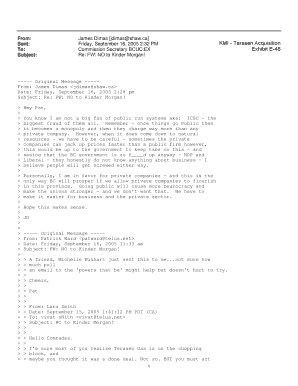
Get Kmi_terasen Acquisition– Exhibit E-48
How it works
-

Open form follow the instructions
-

Easily sign the form with your finger
-

Send filled & signed form or save
How to fill out and sign KMI_TERASEN Acquisition– Exhibit E-48 online?
Get your online template and fill it in using progressive features. Enjoy smart fillable fields and interactivity.Follow the simple instructions below:Choosing a authorized specialist, creating an appointment and coming to the business office for a private meeting makes doing a KMI_TERASEN Acquisition– Exhibit E-48 from beginning to end stressful. US Legal Forms allows you to rapidly make legally-compliant documents according to pre-created online blanks.
Prepare your docs within a few minutes using our easy step-by-step guideline:
- Get the KMI_TERASEN Acquisition– Exhibit E-48 you want.
- Open it with cloud-based editor and start adjusting.
- Fill the empty areas; engaged parties names, addresses and phone numbers etc.
- Change the template with exclusive fillable fields.
- Put the day/time and place your electronic signature.
- Click on Done after twice-examining everything.
- Save the ready-produced papers to your system or print it like a hard copy.
Swiftly create a KMI_TERASEN Acquisition– Exhibit E-48 without having to involve professionals. There are already more than 3 million customers taking advantage of our rich collection of legal documents. Join us right now and get access to the #1 library of online templates. Test it yourself!
Tips on how to fill out, edit and sign KMI_TERASEN Acquisition– Exhibit E-48 online
How to fill out and sign KMI_TERASEN Acquisition– Exhibit E-48 online?
Get your online template and fill it in using progressive features. Enjoy smart fillable fields and interactivity.Follow the simple instructions below:
Choosing a authorized specialist, creating an appointment and coming to the business office for a private meeting makes doing a KMI_TERASEN Acquisition– Exhibit E-48 from beginning to end stressful. US Legal Forms allows you to rapidly make legally-compliant documents according to pre-created online blanks.
Prepare your docs within a few minutes using our easy step-by-step guideline:
- Get the KMI_TERASEN Acquisition– Exhibit E-48 you want.
- Open it with cloud-based editor and start adjusting.
- Fill the empty areas; engaged parties names, addresses and phone numbers etc.
- Change the template with exclusive fillable fields.
- Put the day/time and place your electronic signature.
- Click on Done after twice-examining everything.
- Save the ready-produced papers to your system or print it like a hard copy.
Swiftly create a KMI_TERASEN Acquisition– Exhibit E-48 without having to involve professionals. There are already more than 3 million customers taking advantage of our rich collection of legal documents. Join us right now and get access to the #1 library of online templates. Test it yourself!
How to edit KMI_TERASEN Acquisition– Exhibit E-48: customize forms online
Go with a reliable document editing service you can trust. Edit, complete, and certify KMI_TERASEN Acquisition– Exhibit E-48 safely online.
Very often, modifying documents, like KMI_TERASEN Acquisition– Exhibit E-48, can be pain, especially if you received them in a digital format but don’t have access to specialized software. Of course, you can find some workarounds to get around it, but you risk getting a form that won't fulfill the submission requirements. Utilizing a printer and scanner isn’t an option either because it's time- and resource-consuming.
We provide a simpler and more efficient way of completing files. A comprehensive catalog of document templates that are straightforward to edit and certify, to make fillable for other people. Our platform extends way beyond a collection of templates. One of the best aspects of using our option is that you can change KMI_TERASEN Acquisition– Exhibit E-48 directly on our website.
Since it's an online-based service, it saves you from having to get any application. Additionally, not all company policies allow you to download it on your corporate computer. Here's the best way to easily and safely complete your documents with our solution.
- Hit the Get Form > you’ll be instantly redirected to our editor.
- Once opened, you can start the editing process.
- Choose checkmark or circle, line, arrow and cross and other choices to annotate your document.
- Pick the date field to include a particular date to your document.
- Add text boxes, photos and notes and more to complement the content.
- Utilize the fillable fields option on the right to add fillable {fields.
- Choose Sign from the top toolbar to generate and add your legally-binding signature.
- Click DONE and save, print, and pass around or get the output.
Forget about paper and other inefficient ways of modifying your KMI_TERASEN Acquisition– Exhibit E-48 or other documents. Use our solution instead that combines one of the richest libraries of ready-to-customize templates and a powerful document editing option. It's easy and safe, and can save you lots of time! Don’t take our word for it, give it a try yourself!
The difference lies in their purpose and application. Direct cite provides reference points, like KMI_TERASEN Acquisition– Exhibit E-48, essential for legal documentation, while reimbursable refers to expenses that can be recouped from a primary funding source. Both terms play crucial roles in legal and fiscal management, but they serve different needs and contexts. Recognizing these differences can help streamline your legal processes considerably.
Industry-leading security and compliance
-
In businnes since 199725+ years providing professional legal documents.
-
Accredited businessGuarantees that a business meets BBB accreditation standards in the US and Canada.
-
Secured by BraintreeValidated Level 1 PCI DSS compliant payment gateway that accepts most major credit and debit card brands from across the globe.