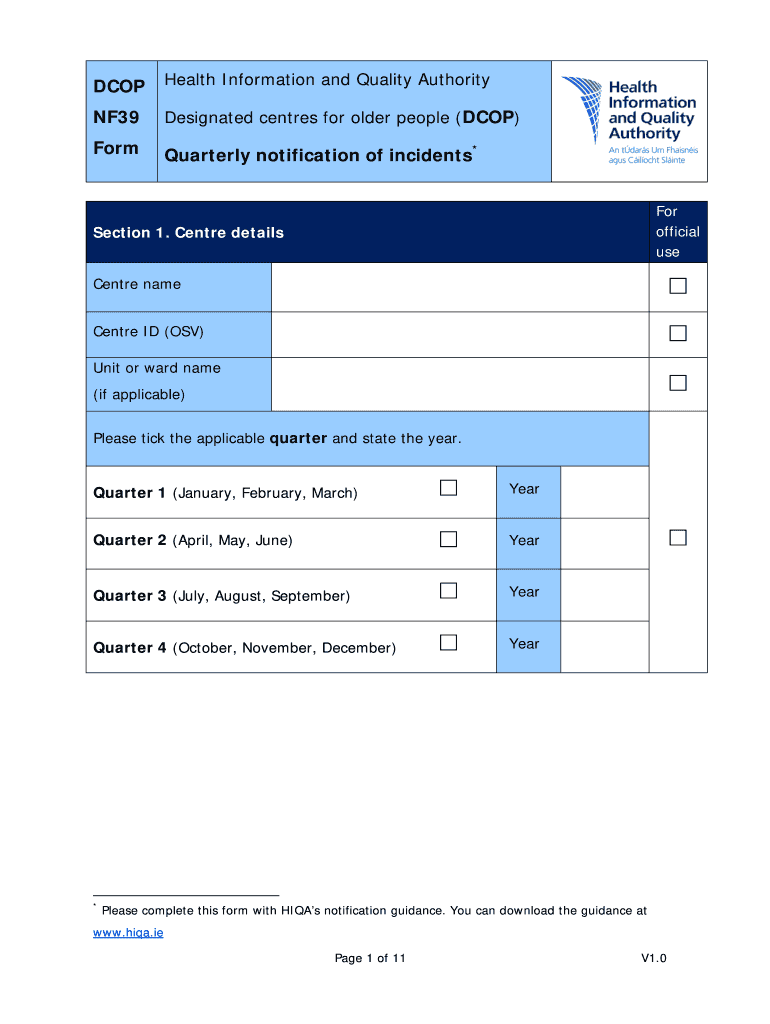
DCOP Health Information and Quality Authority NF39 Designated centres for older people (DCOP) Form Quarterly notification of incidents* For official use Section 1. Centre details Centre name Centre.
Loading

Open form follow the instructions

Easily sign the form with your finger

Send filled & signed form or save
How to fill out the IE Form NF39 online
This guide provides clear and supportive instructions on how to complete the IE Form NF39 online. By following the steps outlined below, users can ensure that they accurately fill out and submit the necessary information regarding incidents in designated centres for older people.
Follow the steps to accurately complete the IE Form NF39 online.
- Press the ‘Get Form’ button to access the form and open it in your web browser.
- In Section 1, enter the centre name, centre ID, and unit or ward name if applicable. Select the appropriate quarter and year from the options provided.
- In Section 2, indicate if physical restraints were used by selecting 'Yes' or 'No'. If 'Yes', specify the type of physical restraint used and record the number of occasions and residents affected.
- Also in Section 2, respond to whether environmental restraints were employed, indicating the type and number. Follow this up by indicating if chemical restraints were utilized and the corresponding number of occasions and residents.
- Proceed to Section 3, where you will specify if the fire alarm equipment was activated. If it was, provide the reason for activation and any relevant details.
- In Section 4, respond to whether there were two or more occasions of theft or burglary in the quarter. Specify the total number of instances and identify the affected parties and missing items.
- In Section 5, state whether any resident deaths occurred during the quarter. If so, provide detailed information including cause of death, time, and date.
- Section 6 requires entries regarding pressure ulcers sustained by residents. Report the number of grade 2 or higher pressure ulcers and any medical treatments required.
- Complete Section 7 by providing your name, position, and contact number. Sign and date the form to certify the information is accurate.
- Finally, save your changes, and you can choose to download, print, or share the form as necessary.
Complete your IE Form NF39 online today to ensure accurate and timely reporting.
Experience a faster way to fill out and sign forms on the web. Access the most extensive library of templates available.
Related content
Nov 1, 2022 — On November 1, 2022, USP published updates to the USP General Chapters on...
Jun 7, 2007 — This report was prepared by the University at Buffalo, State University of...
Get answers to your most pressing questions about US Legal Forms API.
Can you stay in the US while I-539 is being processed?
Yes, you can stay in the U.S. while your I-539 application is being processed, provided you have applied before your current visa expires. However, it’s crucial to keep track of your application status during this period. To help navigate the processing timeline, the IE Form NF39 can offer guidance on your rights and responsibilities while awaiting a decision.
How do I fill out a 1040EZ form?
To fill out the 1040EZ form, you will need to follow specific guidelines found on the IRS website. Start with your personal information at the top, then input all income details on the designated lines. Make sure you verify your entries for accuracy, and if you have questions, consult the IE Form NF39 as a helpful resource.
Is 1040EZ the hardest tax form to complete?
While the 1040EZ was designed to be simple, many find tax forms challenging due to the numerous rules and regulations. The complexity often lies in knowing which deductions and credits to apply. By utilizing resources like the IE Form NF39, you can clarify these elements, easing your tax filing experience.
Does the IRS still use 1040EZ?
The IRS has discontinued the 1040EZ form as of tax year 2019. Instead, they now encourage taxpayers to use the redesigned 1040 form. This change may cause some confusion for filers; therefore, it's important to stay informed. Using the IE Form NF39 might help you navigate these changes effectively.
What documents are required for I-539?
For the I-539 form, you typically need documents such as a valid passport, a copy of your current visa, and any documentation supporting your reason for applying. Ensure that all accompanying paperwork is accurate and complete, as missing documents can delay processing. The application process can be streamlined using resources like the IE Form NF39, which guides you through necessary submissions.
How should I fill out my tax withholding form?
Filling out your tax withholding form requires careful attention to detail. Start by completing your personal information, including your name and Social Security number. Indicate your filing status and the number of allowances you claim, ensuring to consult relevant IRS resources. Additionally, you can utilize the IE Form NF39 to receive assistance in determining your withholding accurately.
How to fill out Employee Withholding Certificate form?
When filling out the Employee Withholding Certificate form, begin by entering your personal details accurately. Next, indicate your filing status and any additional allowances you wish to claim. Review the completed form to make sure all sections are filled correctly, which can be facilitated through features available on the US Legal platform. Remember, the right use of the IE Form NF39 can help clarify your withholding needs.
How to fill out EZ tax form?
To fill out the EZ tax form, start by gathering your income documents. Next, follow the instructions laid out in the form, which includes entering your personal information and income details. Use the IRS guidelines to ensure accuracy. Furthermore, the IE Form NF39 can simplify your filing process by providing clear instructions.
What is an NF06?
NF06 DCSC Allegation, suspected or confirmed, of abuse to a resident - Form.
What is an NF03?
Form. Health Information and Quality Authority. Serious injury† to a resident that requires. immediate medical and/or hospital.
Use professional pre-built templates to fill in and sign documents online faster. Get access to thousands of forms.
If you believe that this page should be taken down, please follow our DMCA take down process here.