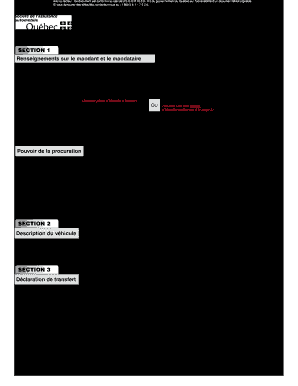
Emplir et signer pour toute transaction) Identité du mandant et du mandataire Mandant (personne physique qui se fait représenter) Nom Prénom de permis du Québec Numéro Adresse complète Numéro de référence du permis du Québec (Aucune pièce d’identité à fournir) OU Date de naissance (Fournir une pièce d’identité indiquée à la page 2) Année Mois Jour Mandataire (personne physique majeure qui accepte de représenter le mandant) Numéro Nom Prénom de permis du Qué.
Open form follow the instructions
Easily sign the form with your finger
Send filled & signed form or save
How to fill out the Canada Quebec 5498 50 online
Filling out the Canada Quebec 5498 50 form is essential for people who need to authorize someone else to represent them in vehicle-related transactions. This guide provides a clear and supportive approach to completing this form online, ensuring you have a positive experience.
Follow the steps to fill out the form accurately and confidently.
- Press the ‘Get Form’ button to obtain the form and open it in the editor.
- In Section 1, provide the identity of both the mandant (the person being represented) and the mandataire (the representative). For the mandant, fill in their name, first name, and either the number of their Quebec permit or their date of birth including the year, month, and day. If using the date of birth, ensure to provide an approved identity document.
- Fill out the identity information for the mandataire, which includes their name, first name, Quebec permit number, and complete address.
- Clearly describe the transaction the mandant is authorizing the mandataire to complete in the designated space. Ensure this is specific and concise, such as ‘renewal of permit’ or ‘vehicle transfer’.
- Complete the signature and date fields for the mandant where they confirm the authorization. Include the specific date and the location where the signature is being executed.
- If the transaction involves a transfer, proceed to Section 3. Depending on the scenario, fill out either the transferor's or buyer's declaration with all required checks and details.
- Once all sections are complete and signed, review the entire form for accuracy before proceeding to save any changes. You may then download or print the completed form for your records.
Complete your documents online for a smoother and more efficient experience.
Experience a faster way to fill out and sign forms on the web. Access the most extensive library of templates available.
Related content
(Canada). Enter the two-alpha character Province code as shown in the Province Codes for...
... 5498 1951-7-2. GH: 02171989 Juncus bufonius Linnaeus Canada ... GH: 02100475 Juncus...
Apr 1, 2019 — THE SHIPPERS LISTED HAVE BEEN CERTIFIED BY REGULATORY AUTHORITIES IN THE...
Get answers to your most pressing questions about US Legal Forms API.
Who received the 500 tax credit payment?
Individuals who meet the eligibility criteria defined by the Quebec government receive the $500 tax credit payment. Factors such as income level and residency status play a significant role in determining eligibility. Verify your status and ensure your information is up-to-date for potential benefits. If you're unsure about your qualifications or application, uslegalforms can offer the guidance you need.
What is the $2000 tax credit in Quebec?
The $2000 tax credit in Quebec is intended for various eligible expenses, including specific family expenses or homeowner costs. It is crucial to check the criteria under which you can qualify for this credit. Keep your records organized to ensure you maximize your benefits. For clarity on the credit's specifics, uslegalforms can provide comprehensive support.
Who is eligible for the Québec amount for a person living alone?
Eligibility for the Québec amount for a person living alone generally includes individuals who are single, divorced, or widowed. This amount may enhance your overall tax credits when filing your return. It’s important to review the specific requirements set by the province. If you need assistance, uslegalforms offers resources that can clarify your eligibility and guide you through the process.
How to get 500$ tax credit from Québec?
To obtain the $500 tax credit from Québec, ensure you qualify based on the province's eligibility requirements. This credit can typically be claimed when you file your income tax return. Keeping records of your income and expenses is essential for a smooth submission. Platforms like uslegalforms provide templates and information that can assist you in the claiming process.
How do I report stock losses on my tax return Canada?
Reporting stock losses on your tax return in Canada involves calculating your capital loss and including it on Schedule 3 of your tax form. Make sure to list each stock sold at a loss and provide detailed records of those transactions. The Canada Quebec 5498 50 form may help with documenting your investment activities. Using resources from uslegalforms can streamline your tax reporting efforts.
How do I get my 500 tax credit?
To receive your $500 tax credit in Quebec, you typically need to meet specific eligibility criteria outlined by the provincial government. You can apply this credit when filing your income tax return, so keep track of relevant documents. If you need assistance with the claiming process, consider using uslegalforms for guidance and support with your submission.
Use professional pre-built templates to fill in and sign documents online faster. Get access to thousands of forms.
If you believe that this page should be taken down, please follow our DMCA take down process here.
This form is available in several versions. Select the version you need from the drop-down list below.