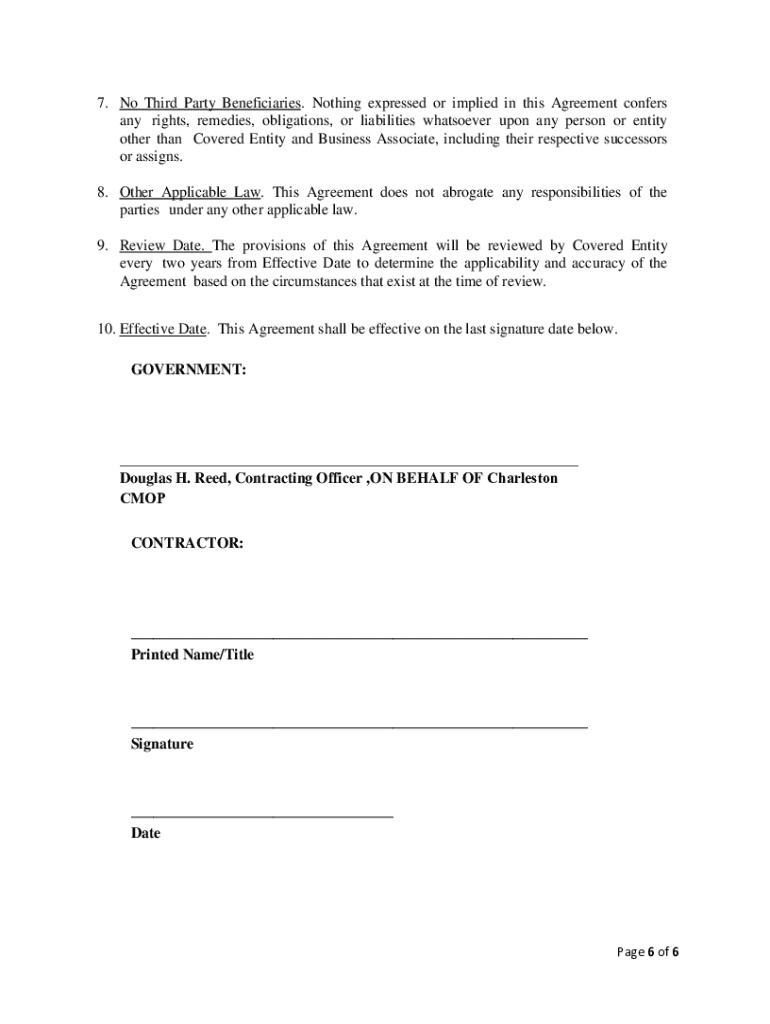
Health Administration (VHA), Charleston CMOP and OE Enterprises in accordance with the Health Insurance Portability and Accountability Act (HIPAA), the Health Information Technology for Economic and Clinical Health Act (HITECH) Act, and the HIPAA Privacy, Security, Breach Notification, and Enforcement Rules ( HIPAA Rules ), 45 C.F.R. Parts 160 and 164, for the Use and Disclosure of Protected Health Information (PHI) under the terms and conditions specified below. Scope. Under this Agreement.

Open form follow the instructions

Easily sign the form with your finger

Send filled & signed form or save
How to fill out and sign VA Business Associate Agreement online?
Get your online template and fill it in using progressive features. Enjoy smart fillable fields and interactivity.Follow the simple instructions below:
The times of terrifying complicated legal and tax documents are over. With US Legal Forms the entire process of completing legal documents is anxiety-free. The leading editor is right at your fingertips supplying you with a wide range of advantageous instruments for filling out a VA Business Associate Agreement. These guidelines, together with the editor will guide you with the complete process.
- Select the Get Form option to begin filling out.
- Turn on the Wizard mode in the top toolbar to acquire more pieces of advice.
- Fill out each fillable area.
- Make sure the details you add to the VA Business Associate Agreement is up-to-date and correct.
- Add the date to the template using the Date feature.
- Select the Sign icon and make an e-signature. You can use three available alternatives; typing, drawing, or uploading one.
- Make certain every field has been filled in properly.
- Click Done in the top right corne to export the document. There are various choices for receiving the doc. An attachment in an email or through the mail as a hard copy, as an instant download.
We make completing any VA Business Associate Agreement easier. Use it now!
Tips on how to fill out, edit and sign VA Business Associate Agreement online
How to fill and sign VA Business Associate Agreement
Get your online template and fill it in using progressive features. Enjoy smart fillable fields and interactivity.Follow the simple instructions below:
The times of terrifying complicated legal and tax documents are over. With US Legal Forms the entire process of completing legal documents is anxiety-free. The leading editor is right at your fingertips supplying you with a wide range of advantageous instruments for filling out a VA Business Associate Agreement. These guidelines, together with the editor will guide you with the complete process.
- Select the Get Form option to begin filling out.
- Turn on the Wizard mode in the top toolbar to acquire more pieces of advice.
- Fill out each fillable area.
- Make sure the details you add to the VA Business Associate Agreement is up-to-date and correct.
- Add the date to the template using the Date feature.
- Select the Sign icon and make an e-signature. You can use three available alternatives; typing, drawing, or uploading one.
- Make certain every field has been filled in properly.
- Click Done in the top right corne to export the document. There are various choices for receiving the doc. An attachment in an email or through the mail as a hard copy, as an instant download.
We make completing any VA Business Associate Agreement easier. Use it now!
How to edit VA Business Associate Agreement
Check out a single service to deal with all of your paperwork easily. Find, edit, and finish your VA Business Associate Agreement in a single interface with the help of smart tools.
The days when people needed to print forms or even write them by hand are gone. Today, all it takes to find and finish any form, such as VA Business Associate Agreement, is opening just one browser tab. Here, you will find the VA Business Associate Agreement form and customize it any way you need, from inserting the text directly in the document to drawing it on a digital sticky note and attaching it to the record. Discover tools that will simplify your paperwork without additional effort.
Click on the Get form button to prepare your VA Business Associate Agreement paperwork easily and start editing it instantly. In the editing mode, you can easily complete the template with your information for submission. Simply click on the field you need to modify and enter the information right away. The editor's interface does not need any specific skills to use it. When finished with the edits, check the information's accuracy once more and sign the document. Click on the signature field and follow the instructions to eSign the form in a moment.
Use Additional tools to customize your form:
- Use Cross, Check, or Circle tools to pinpoint the document's data.
- Add textual content or fillable text fields with text customization tools.
- Erase, Highlight, or Blackout text blocks in the document using corresponding tools.
- Add a date, initials, or even an image to the document if necessary.
- Utilize the Sticky note tool to annotate the form.
- Use the Arrow and Line, or Draw tool to add visual components to your file.
Preparing VA Business Associate Agreement forms will never be confusing again if you know where to search for the suitable template and prepare it easily. Do not hesitate to try it yourself.
How to fill and sign VA Business Associate Agreement
Get your online template and fill it in using progressive features. Enjoy smart fillable fields and interactivity.Follow the simple instructions below:
The times of terrifying complicated legal and tax documents are over. With US Legal Forms the entire process of completing legal documents is anxiety-free. The leading editor is right at your fingertips supplying you with a wide range of advantageous instruments for filling out a VA Business Associate Agreement. These guidelines, together with the editor will guide you with the complete process.
- Select the Get Form option to begin filling out.
- Turn on the Wizard mode in the top toolbar to acquire more pieces of advice.
- Fill out each fillable area.
- Make sure the details you add to the VA Business Associate Agreement is up-to-date and correct.
- Add the date to the template using the Date feature.
- Select the Sign icon and make an e-signature. You can use three available alternatives; typing, drawing, or uploading one.
- Make certain every field has been filled in properly.
- Click Done in the top right corne to export the document. There are various choices for receiving the doc. An attachment in an email or through the mail as a hard copy, as an instant download.
We make completing any VA Business Associate Agreement easier. Use it now!
Experience a faster way to fill out and sign forms on the web. Access the most extensive library of templates available.
Related content
The purpose of this Business Associate Agreement (Agreement) is to establish requirements...
(b) Contractors supporting other VA organizations which support VHA in this regard and...
This Agreement becomes binding on you upon your acceptance of the Agreement. Your...
Get answers to your most pressing questions about US Legal Forms API.
Who needs a BAA agreement?
Any healthcare provider, health plan, or healthcare clearinghouse that shares protected health information with a business associate needs a VA Business Associate Agreement. This includes entities that manage sensitive data on behalf of these covered entities. Additionally, organizations that work with vendors needing access to health information for service provision must also establish a BAA to maintain compliance and protect patient privacy.
Is a BAA needed with every vendor?
Not every vendor requires a VA Business Associate Agreement, but it's essential to assess the services they provide. If a vendor handles protected health information on your behalf, a BAA is required to ensure compliance with HIPAA regulations. However, if the vendor provides services unrelated to health information, then a BAA may not be necessary. Always evaluate the relationship to determine the need for a BAA.
What's the difference between a BAA and NDA?
The primary difference between a VA Business Associate Agreement and a Non-Disclosure Agreement lies in their focus. A BAA is specifically tailored for handling protected health information under HIPAA guidelines, ensuring compliant data management. In contrast, an NDA is used for various types of confidential information and does not have to adhere to health regulations. Therefore, it's crucial to select the appropriate agreement based on the nature of your business dealings.
What happens if you are not entering into a BAA with the company?
If you do not enter into a VA Business Associate Agreement with a company that handles protected health information on your behalf, you could face significant risks. Without a BAA, you may violate HIPAA regulations, which could lead to substantial fines and penalties. Moreover, your organization's reputation could suffer if a data breach occurs, as you lack a formal agreement outlining the security measures expected from the business associate.
What is required in a business associate agreement?
A VA Business Associate Agreement must include essential elements such as the definition of protected health information, the obligations of the business associate to protect this information, and the permitted uses and disclosures. Additionally, it should outline the measures the business associate will take to ensure the privacy and security of the information. Lastly, the agreement should specify how breaches will be handled and the responsibilities of both parties.
Is a BAA the same as an NDA?
A VA Business Associate Agreement (BAA) is not the same as a Non-Disclosure Agreement (NDA). While both protect sensitive information, a BAA specifically governs the handling of protected health information as required by HIPAA. An NDA, on the other hand, is broader and covers various confidential information that may not be health-related. It's essential to understand these distinctions when securing your business relationships.
What is the primary role of a business associate agreement (BAA)?
The primary role of a business associate agreement is to protect sensitive health information shared between healthcare providers and business associates. It ensures that all parties adhere to strict privacy standards and legal requirements. By utilizing a VA Business Associate Agreement, you can foster trust and security in your business relationships.
What is the BAA legal agreement?
The BAA legal agreement is a formal contract that outlines the requirements for safeguarding protected health information. It plays a vital role in ensuring that all parties understand their legal responsibilities. An effective VA Business Associate Agreement can greatly enhance your compliance and data protection strategy.
What is the role of BAA?
The role of a BAA is to establish clear expectations regarding the handling of health information between a healthcare provider and a business associate. It helps protect patient privacy and ensures compliance with health regulations. By implementing a VA Business Associate Agreement, you promote a culture of accountability and trust.
Does a BAA have to be signed?
Yes, a VA Business Associate Agreement must be signed by all parties involved. This signature indicates mutual understanding and acceptance of the terms outlined within the document. It's crucial to ensure compliance with legal standards to protect sensitive health information.
Use professional pre-built templates to fill in and sign documents online faster. Get access to thousands of forms.
If you believe that this page should be taken down, please follow our DMCA take down process here.