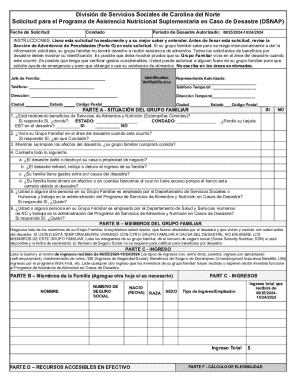
Get Food And Nutrition Services Disaster
How it works
-

Open form follow the instructions
-

Easily sign the form with your finger
-

Send filled & signed form or save
How to fill out and sign Food And Nutrition Services Disaster online?
Get your online template and fill it in using progressive features. Enjoy smart fillable fields and interactivity.Follow the simple instructions below:Legal, tax, business along with other electronic documents require higher of compliance with the legislation and protection. Our documents are updated on a regular basis in accordance with the latest legislative changes. Plus, with us, all the data you provide in the Food And Nutrition Services Disaster is well-protected against leakage or damage by means of industry-leading encryption.
The tips below will allow you to fill out Food And Nutrition Services Disaster quickly and easily:
- Open the form in the full-fledged online editor by clicking Get form.
- Complete the required boxes which are colored in yellow.
- Press the green arrow with the inscription Next to move from field to field.
- Use the e-signature tool to e-sign the template.
- Put the relevant date.
- Read through the whole document to make sure you haven?t skipped anything.
- Hit Done and save the new template.
Our service allows you to take the entire procedure of completing legal documents online. As a result, you save hours (if not days or weeks) and eliminate extra expenses. From now on, fill out Food And Nutrition Services Disaster from the comfort of your home, workplace, as well as on the go.
Tips on how to fill out, edit and sign Food And Nutrition Services Disaster online
How to fill out and sign Food And Nutrition Services Disaster online?
Get your online template and fill it in using progressive features. Enjoy smart fillable fields and interactivity.Follow the simple instructions below:
Legal, tax, business along with other electronic documents require higher of compliance with the legislation and protection. Our documents are updated on a regular basis in accordance with the latest legislative changes. Plus, with us, all the data you provide in the Food And Nutrition Services Disaster is well-protected against leakage or damage by means of industry-leading encryption.
The tips below will allow you to fill out Food And Nutrition Services Disaster quickly and easily:
- Open the form in the full-fledged online editor by clicking Get form.
- Complete the required boxes which are colored in yellow.
- Press the green arrow with the inscription Next to move from field to field.
- Use the e-signature tool to e-sign the template.
- Put the relevant date.
- Read through the whole document to make sure you haven?t skipped anything.
- Hit Done and save the new template.
Our service allows you to take the entire procedure of completing legal documents online. As a result, you save hours (if not days or weeks) and eliminate extra expenses. From now on, fill out Food And Nutrition Services Disaster from the comfort of your home, workplace, as well as on the go.
How to edit Food And Nutrition Services Disaster: customize forms online
Have your stressless and paper-free way of editing Food And Nutrition Services Disaster. Use our reliable online solution and save a lot of time.
Drafting every document, including Food And Nutrition Services Disaster, from scratch requires too much effort, so having a tried-and-tested solution of pre-uploaded form templates can do magic for your efficiency.
But editing them can be problem, especially when it comes to the files in PDF format. Luckily, our huge library includes a built-in editor that enables you to quickly complete and edit Food And Nutrition Services Disaster without leaving our website so that you don't need to waste time executing your forms. Here's what to do with your document utilizing our solution:
- Step 1. Find the needed form on our website.
- Step 2. Hit Get Form to open it in the editor.
- Step 3. Take advantage of professional editing features that allow you to add, remove, annotate and highlight or blackout text.
- Step 4. Create and add a legally-binding signature to your document by using the sign option from the top toolbar.
- Step 5. If the form layout doesn’t look the way you want it, utilize the features on the right to remove, add more, and arrange pages.
- step 6. Add fillable fields so other persons can be invited to complete the form (if applicable).
- Step 7. Pass around or send out the document, print it out, or select the format in which you’d like to get the file.
Whether you need to complete editable Food And Nutrition Services Disaster or any other form available in our catalog, you’re on the right track with our online document editor. It's easy and safe and doesn’t require you to have special tech background. Our web-based tool is designed to handle virtually everything you can think of concerning document editing and completion.
No longer use traditional way of working with your forms. Go with a more efficient solution to help you streamline your tasks and make them less dependent on paper.
To obtain disaster food stamps, you should apply through your state’s food assistance program following a disaster declaration. The program, part of Food And Nutrition Services Disaster, allows for expedited applications to ensure you get support quickly. Gather necessary documents, such as identification and proof of income, to streamline the application process.