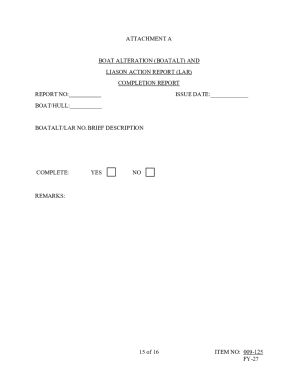
Get Navsea Standard Item 009-125 2024-2026
How it works
-

Open form follow the instructions
-

Easily sign the form with your finger
-

Send filled & signed form or save
How to fill out and sign NAVSEA Standard Item 009-125 online?
Get your online template and fill it in using progressive features. Enjoy smart fillable fields and interactivity.Follow the simple instructions below:Are you still searching for a fast and convenient solution to fill out NAVSEA Standard Item 009-125 at a reasonable cost? Our platform provides you with a wide variety of forms that are offered for completing on the internet. It takes only a few minutes.
Stick to these simple steps to get NAVSEA Standard Item 009-125 ready for sending:
- Select the document you need in our library of legal templates.
- Open the form in the online editing tool.
- Read through the instructions to determine which info you must give.
- Click the fillable fields and put the necessary information.
- Put the date and insert your e-signature once you complete all of the boxes.
- Examine the form for misprints and other errors. In case there?s a need to change some information, the online editing tool as well as its wide variety of instruments are at your disposal.
- Download the resulting template to your gadget by clicking on Done.
- Send the e-document to the parties involved.
Filling out NAVSEA Standard Item 009-125 does not need to be perplexing anymore. From now on easily get through it from home or at the workplace right from your mobile or PC.
Tips on how to fill out, edit and sign NAVSEA Standard Item 009-125 online
How to fill out and sign NAVSEA Standard Item 009-125 online?
Get your online template and fill it in using progressive features. Enjoy smart fillable fields and interactivity.Follow the simple instructions below:
Are you still searching for a fast and convenient solution to fill out NAVSEA Standard Item 009-125 at a reasonable cost? Our platform provides you with a wide variety of forms that are offered for completing on the internet. It takes only a few minutes.
Stick to these simple steps to get NAVSEA Standard Item 009-125 ready for sending:
- Select the document you need in our library of legal templates.
- Open the form in the online editing tool.
- Read through the instructions to determine which info you must give.
- Click the fillable fields and put the necessary information.
- Put the date and insert your e-signature once you complete all of the boxes.
- Examine the form for misprints and other errors. In case there?s a need to change some information, the online editing tool as well as its wide variety of instruments are at your disposal.
- Download the resulting template to your gadget by clicking on Done.
- Send the e-document to the parties involved.
Filling out NAVSEA Standard Item 009-125 does not need to be perplexing anymore. From now on easily get through it from home or at the workplace right from your mobile or PC.
How to edit NAVSEA Standard Item 009-125: customize forms online
Your easily editable and customizable NAVSEA Standard Item 009-125 template is within easy reach. Make the most of our collection with a built-in online editor.
Do you put off preparing NAVSEA Standard Item 009-125 because you simply don't know where to start and how to proceed? We understand your feelings and have a great tool for you that has nothing nothing to do with overcoming your procrastination!
Our online catalog of ready-to-edit templates lets you sort through and select from thousands of fillable forms adapted for various use cases and scenarios. But getting the file is just scratching the surface. We provide you with all the necessary features to fill out, certfy, and modify the document of your choice without leaving our website.
All you need to do is to open the document in the editor. Check the verbiage of NAVSEA Standard Item 009-125 and verify whether it's what you’re searching for. Begin modifying the form by taking advantage of the annotation features to give your document a more organized and neater look.
- Add checkmarks, circles, arrows and lines.
- Highlight, blackout, and correct the existing text.
- If the document is intended for other people too, you can add fillable fields and share them for other parties to fill out.
- Once you’re done modifying the template, you can download the file in any available format or pick any sharing or delivery options.
Summing up, along with NAVSEA Standard Item 009-125, you'll get:
- A robust suite of editing} and annotation features.
- A built-in legally-binding eSignature solution.
- The option to generate forms from scratch or based on the pre-uploaded template.
- Compatibility with various platforms and devices for greater convenience.
- Many possibilities for protecting your files.
- A wide range of delivery options for more frictionless sharing and sending out documents.
- Compliance with eSignature laws regulating the use of eSignature in electronic operations.
With our professional option, your completed forms are always lawfully binding and completely encoded. We make sure to shield your most vulnerable details.
Get what is needed to produce a professional-searching NAVSEA Standard Item 009-125. Make a good choice and check out our foundation now!
Article 1150 of the Navy regulations outlines the responsibilities and guidelines surrounding the care of Navy equipment and facilities. This article emphasizes adherence to NAVSEA standards, including NAVSEA Standard Item 009-125, to ensure effective maintenance and longevity of assets. Staying informed about this article is essential for personnel involved in equipment management. The US Legal Forms platform provides helpful legal documents that can further support compliance with Navy regulations.