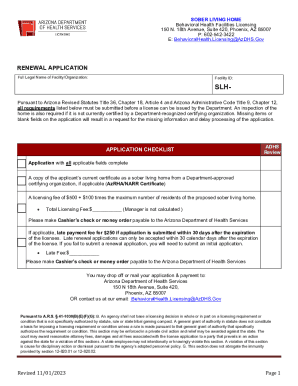
Get Az Sober Living Home Renewal Application 2023-2026
How it works
-

Open form follow the instructions
-

Easily sign the form with your finger
-

Send filled & signed form or save
How to fill out and sign AZ Sober Living Home Renewal Application online?
Get your online template and fill it in using progressive features. Enjoy smart fillable fields and interactivity.Follow the simple instructions below:Finding a legal expert, making an appointment and coming to the business office for a personal conference makes doing a AZ Sober Living Home Renewal Application from start to finish tiring. US Legal Forms allows you to quickly create legally valid documents according to pre-constructed browser-based samples.
Execute your docs within a few minutes using our easy step-by-step guideline:
- Find the AZ Sober Living Home Renewal Application you need.
- Open it with online editor and begin altering.
- Complete the empty fields; involved parties names, addresses and phone numbers etc.
- Customize the blanks with unique fillable areas.
- Put the particular date and place your electronic signature.
- Click Done after twice-checking all the data.
- Save the ready-created papers to your system or print it like a hard copy.
Rapidly create a AZ Sober Living Home Renewal Application without needing to involve professionals. We already have over 3 million people benefiting from our unique catalogue of legal forms. Join us right now and get access to the #1 catalogue of browser-based samples. Test it yourself!
Tips on how to fill out, edit and sign AZ Sober Living Home Renewal Application online
How to fill out and sign AZ Sober Living Home Renewal Application online?
Get your online template and fill it in using progressive features. Enjoy smart fillable fields and interactivity.Follow the simple instructions below:
Finding a legal expert, making an appointment and coming to the business office for a personal conference makes doing a AZ Sober Living Home Renewal Application from start to finish tiring. US Legal Forms allows you to quickly create legally valid documents according to pre-constructed browser-based samples.
Execute your docs within a few minutes using our easy step-by-step guideline:
- Find the AZ Sober Living Home Renewal Application you need.
- Open it with online editor and begin altering.
- Complete the empty fields; involved parties names, addresses and phone numbers etc.
- Customize the blanks with unique fillable areas.
- Put the particular date and place your electronic signature.
- Click Done after twice-checking all the data.
- Save the ready-created papers to your system or print it like a hard copy.
Rapidly create a AZ Sober Living Home Renewal Application without needing to involve professionals. We already have over 3 million people benefiting from our unique catalogue of legal forms. Join us right now and get access to the #1 catalogue of browser-based samples. Test it yourself!
How to edit AZ Sober Living Home Renewal Application: customize forms online
Sign and share AZ Sober Living Home Renewal Application together with any other business and personal documents online without wasting time and resources on printing and postal delivery. Get the most out of our online document editor using a built-in compliant electronic signature option.
Approving and submitting AZ Sober Living Home Renewal Application documents electronically is faster and more efficient than managing them on paper. However, it requires employing online solutions that ensure a high level of data protection and provide you with a certified tool for generating eSignatures. Our powerful online editor is just the one you need to complete your AZ Sober Living Home Renewal Application and other individual and business or tax forms in a precise and appropriate way in accordance with all the requirements. It features all the essential tools to easily and quickly complete, edit, and sign paperwork online and add Signature fields for other people, specifying who and where should sign.
It takes only a few simple actions to complete and sign AZ Sober Living Home Renewal Application online:
- Open the chosen file for further processing.
- Utilize the top toolbar to add Text, Initials, Image, Check, and Cross marks to your template.
- Underline the key details and blackout or erase the sensitive ones if needed.
- Click on the Sign option above and decide on how you prefer to eSign your sample.
- Draw your signature, type it, upload its image, or use an alternative option that suits you.
- Move to the Edit Fillable Fileds panel and drop Signature fields for others.
- Click on Add Signer and provide your recipient’s email to assign this field to them.
- Check that all data provided is complete and accurate before you click Done.
- Share your document with others utilizing one of the available options.
When signing AZ Sober Living Home Renewal Application with our powerful online editor, you can always be sure to get it legally binding and court-admissible. Prepare and submit documentation in the most effective way possible!
Arizona offers a grace period of 12 months for renewing an expired real estate license. During this time, you can complete the renewal process by filing your AZ Sober Living Home Renewal Application and meeting any outstanding requirements. However, taking action quickly can prevent longer delays and additional penalties. Ultimately, staying informed and aware of deadlines is essential for maintaining your professional standing.